One brand. More locations. Loyalty that connects them.

Run a network of cafés, shops or service businesses from one admin account. Give customers one loyalty program across your brand, or let each location run its own.

Multiple businesses are available on Basic and Premium. Choose the loyalty model when you create your brand.

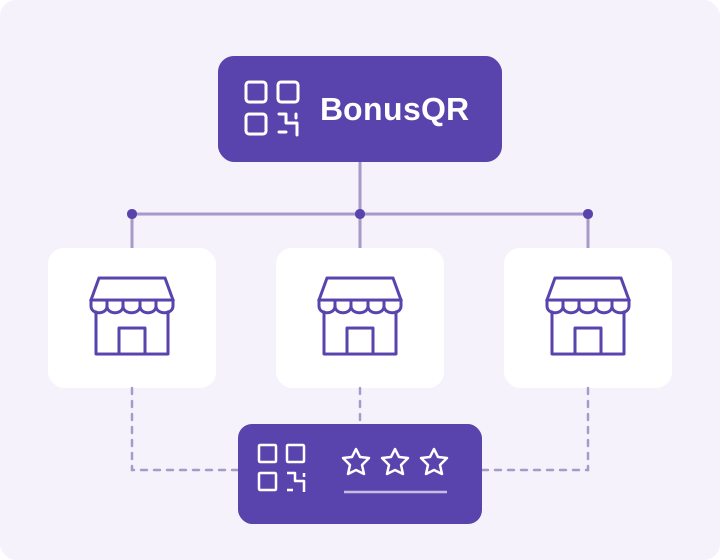
One BonusQR brand connects three business locations and a shared loyalty card.
In a shared program, a customer can collect rewards at one location and redeem them at another.

Choose how loyalty works across your locations

Central management works with both models. The difference is whether your locations share their loyalty program and customers.

One shared loyalty program

Every location contributes to the same brand program. Customers collect points and coupons across participating locations and redeem their rewards at any of them. Each location still has its own business profile.

Example: a customer earns points at your city-centre café and uses a reward at your shopping-centre café.

Separate loyalty programs

Each location has its own loyalty program, customer database and settings. You manage the businesses under one brand while keeping their loyalty activity separate.

Useful when individual locations need their own offers and customer relationships.

What is shared, and what stays local?
Your networkOne shared loyalty programSeparate loyalty programs
Customer membershipOne customer base for the brand programA separate customer base for each program
Earning and redemptionAcross locations in the shared programWithin the location’s own program
Business profilesEach location keeps its own address, photo and business information
AdministrationManage your network and switch between the locations you have access to

The shared or separate model is chosen at brand creation and cannot be switched later in the admin.

Turn your first business into a network

Start from your existing business. The Multiple businesses section in Settings guides you through the brand and its locations.

  1. Open Settings and select Enable multiple businesses. Choose a shared program or separate programs.
  2. Name your brand and its first location. Your existing business becomes the first location; its loyalty records stay in place.
  3. Name the next locations. You can add more later and edit each location’s address, photo and business information in its settings.
  4. Manage new locations from the brand account. Assign a location manager later if you need a separate login.
Your café brand
  1. 1
    City centreYour existing business
  2. 2
    Shopping centreAnother location under your brand
  3. 3
    RiversideAnother location under your brand
Illustrative structure based on the brand and location list in the BonusQR admin. Location names are examples.

Give each person the access they need

Your brand owner oversees the network. Local managers and employees can work at the locations they are allowed to access.

Brand owner

Manage the brand structure, add locations and switch between the businesses you govern.

Location manager

Give a manager access to one location, or to a branch of the structure when that wider scope is needed.

Employees

Employees use the scanner at their permitted locations. Employee access does not grant ownership of the brand.

A new location can start without its own manager. Set up people and their access in Settings → Employees.

Questions about multiple businesses

Can customers earn at one location and redeem at another?

Yes, when those locations belong to the same shared loyalty program. With separate programs, membership and rewards stay within each location’s own program.

Does each location keep its own profile?

Yes. Each location keeps its own address, photo and business information, even when it uses the brand’s shared loyalty program.

What happens to my existing customers and loyalty cards?

When a brand is created above your existing business, that business becomes its first location. Its loyalty records and existing Wallet cards are preserved. The brand name can change the name displayed on shared-program cards.

Does every location need a separate manager and subscription?

No. A location can be managed by the brand without its own manager. Basic and Premium unlock multiple businesses; an eligible brand owner’s subscription can cover locations below the brand. A location can also have its own higher plan.

Can I change from shared to separate programs later?

The model is fixed when the brand is created. The admin does not offer a switch between shared and separate programs, so choose the structure that matches how your customers should earn and redeem rewards.

Connect the rest of your loyalty experience

Make every location part of your brand’s loyalty story

Create your BonusQR account, choose the right plan and set up the network around the way your businesses work.