Google Wallet on iPhone — Now Supported

Add Your Loyalty Cards to Google Wallet on iPhone

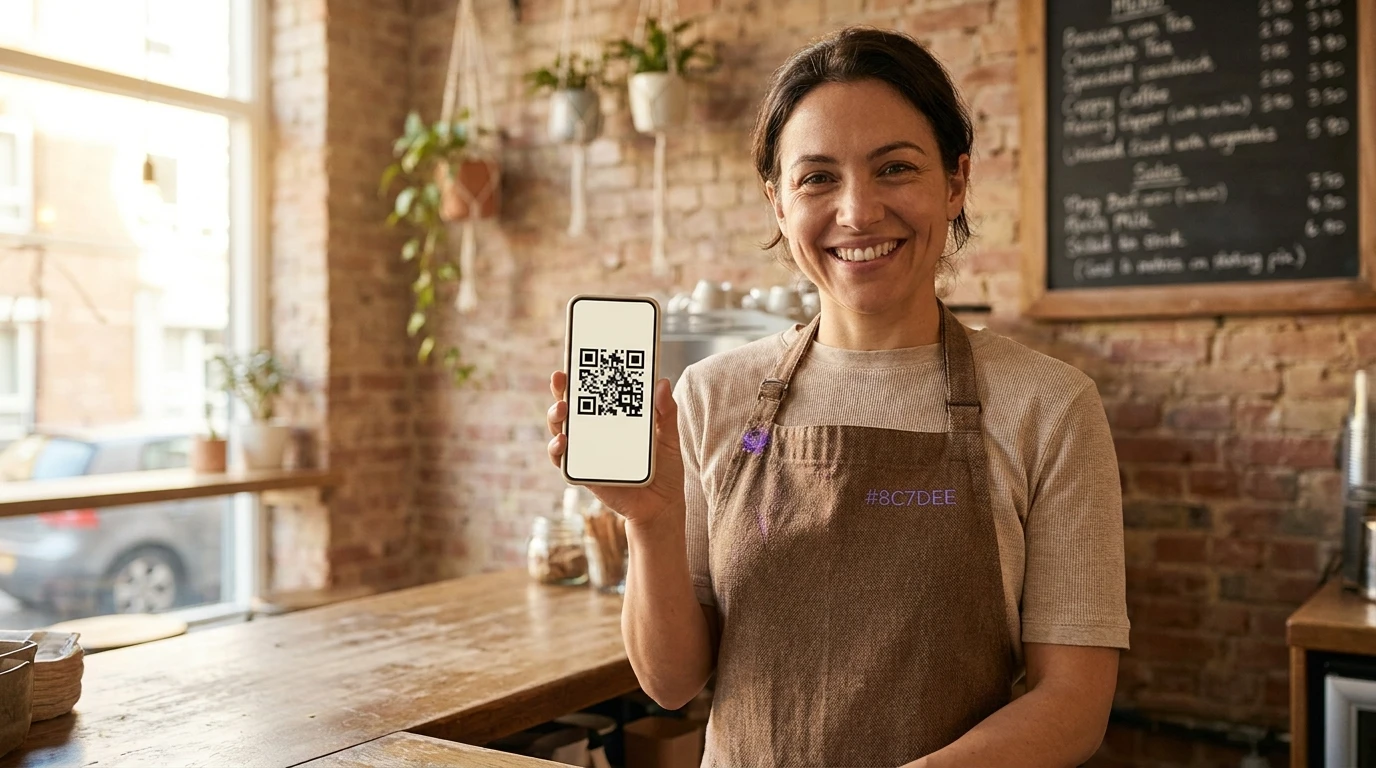
BonusQR lets businesses create digital loyalty cards compatible with Google Wallet on iPhone — so every customer, on every device, can carry their rewards effortlessly.

  • Works with Google Wallet on iPhone & Android
  • Instant card delivery via QR code or link
  • No app download required for your customers
user user user
Trusted by 5,000+ businesses worldwide
Live in Wallet
BonusQR Loyalty
Coffee Club Card
Points Balance
1,240 pts
Member Tier
Gold Member
iPhone Users
✓ Supported
Setup Time
< 10 min
Active Cards
2M+

What You Need to Know

Can You Use Google Wallet on iPhone? Yes — Here's How

Many people wonder whether Google Wallet works on iPhone. The short answer is yes — Google Wallet is available on iOS and allows iPhone users to store loyalty cards, passes, and more. BonusQR makes it easy for businesses to issue cards directly into Google Wallet on iPhone.

Google Wallet Is Available on iPhone (iOS)

Google Wallet can be downloaded from the App Store on any iPhone running iOS 16 or later. While payment features may be limited compared to Android, iPhone users can fully use Google Wallet to store and present loyalty cards, gift cards, event tickets, and digital passes issued by businesses.

Loyalty Cards Work Perfectly on iPhone via Google Wallet

BonusQR issues loyalty cards as Google Wallet passes. iPhone users can add these passes directly to their Google Wallet app, where they appear on the home screen, update in real-time, and can be presented at the point of sale with a single tap.

No App Download Required for Your Customers

Your customers don't need to download a separate loyalty app. They simply scan a QR code or tap a link, and their loyalty card is instantly added to Google Wallet on their iPhone — creating a frictionless experience that boosts program enrollment.

Supported Platforms

Google Wallet (iOS)
Apple Wallet (iOS)
Google Wallet (Android)

How It Works

BonusQR generates a digital pass URL. When an iPhone user taps it, they are prompted to add the card to Google Wallet. The card syncs in real-time whenever you update points, rewards, or messages — no manual refresh needed.

iOS 16+
Required iOS
100%
Pass Compatible
<2s
Add-to-Wallet
Platform Comparison

Google Wallet on iPhone vs. Other Loyalty Solutions

See how BonusQR's Google Wallet-compatible loyalty cards compare to traditional apps and basic paper card solutions.

Feature Google Wallet (Native) BonusQR + Google Wallet Standalone Loyalty App Paper Stamp Card
Works on iPhone
Business loyalty card issuance
Real-time points update ~ ~
Push notifications to wallet ~
No customer app install needed
QR code scan enrollment ~
Business analytics dashboard
Fully supported ~ Partially supported Not supported
Step-by-Step Guide

How to Add a Loyalty Card to Google Wallet on iPhone

BonusQR makes issuing and managing Google Wallet loyalty cards on iPhone effortless — for both businesses and their customers. Here's how the entire process works.

1

Business Creates a Digital Loyalty Card

Log in to the BonusQR dashboard, design your loyalty card with your branding, set reward rules, and publish. The card is instantly ready to be distributed as a Google Wallet pass.

2

Share via QR Code, Link, or Email

Place a QR code at your checkout, share a link on social media, or email customers directly. Any iPhone user with Google Wallet installed can add the card in seconds.

3

Customer Adds Card to Google Wallet on iPhone

The customer taps the link or scans the QR code on their iPhone. They are guided to add the loyalty card directly to Google Wallet — it takes less than 10 seconds with no app installation required.

4

Points Update in Real-Time

Every time a customer earns or redeems points, the card in their Google Wallet on iPhone updates automatically. Push notifications keep customers engaged with relevant offers.

Google Wallet on iPhone
BonusQR Loyalty Program
Coffee Rewards Card
Current Points
840 pts
Tap to present at checkout
Platform Features

Everything You Need for Google Wallet Loyalty on iPhone

BonusQR is built to make Google Wallet loyalty cards work seamlessly on iPhone — with all the tools a growing business needs.

Full iPhone & Google Wallet Compatibility

Every loyalty card issued through BonusQR is fully compatible with Google Wallet on iPhone. Customers using iOS can add and present cards just as Android users do.

Branded Digital Card Design

Customize every detail of your loyalty card — logo, colors, card name, and reward structure — so it reflects your brand perfectly inside Google Wallet on iPhone.

Push Notifications via Wallet

Send timely notifications directly to your customer's Google Wallet on iPhone — such as point milestones, new offers, and expiry reminders — without needing a separate app.

Real-Time Points & Reward Sync

Points balances, reward progress, and card details update in real-time across all devices. iPhone users always see an accurate, up-to-date card in their Google Wallet.

Detailed Analytics & Reporting

Track card enrollment rates, redemption activity, and customer engagement from the BonusQR dashboard — giving you actionable insights to grow your loyalty program.

Multi-Tier Reward Programs

Create stamp cards, points-based programs, tiered memberships, or gift cards — all deliverable as Google Wallet passes on iPhone, tailored to your business model.

Industry Use Cases

Who Benefits from Google Wallet Loyalty Cards on iPhone?

From coffee shops to fitness studios, any business with repeat customers can leverage BonusQR to deliver Google Wallet loyalty cards to iPhone users.

Cafés & Coffee Shops

Digital Stamp Cards for Café Regulars

Replace paper stamp cards with a digital version stored in Google Wallet on iPhone. Customers collect stamps with every visit and redeem free drinks — all without carrying a physical card.

Restaurants

Points-Based Dining Rewards

Restaurants can reward diners for every meal. Points accumulate automatically in Google Wallet on iPhone, and customers get push notifications when they're close to a free meal.

Retail Stores

Retail Loyalty Points That Live in Wallet

Clothing stores, bookshops, and boutiques can issue loyalty cards stored in Google Wallet on iPhone — encouraging repeat purchases with tier-based rewards and exclusive member discounts.

Beauty & Wellness

Appointment-Based Loyalty for Salons & Spas

Beauty businesses can reward clients for every appointment. Cards stored in Google Wallet on iPhone remind customers of their progress and offer perks at milestones.

Fitness & Sports

Gym & Studio Membership Passes

Gyms and yoga studios can issue digital membership cards through Google Wallet on iPhone, making it easy for members to check in and track class visit milestones.

Services

Service Businesses & Subscriptions

Dry cleaners, car washes, pet groomers, and other service businesses can use BonusQR to deliver loyalty cards to Google Wallet on iPhone — building lasting customer relationships.

Key Benefits

Why Businesses Choose Google Wallet Loyalty Cards for iPhone

Issuing loyalty cards compatible with Google Wallet on iPhone isn't just convenient — it drives real business results. Here's what BonusQR customers experience.

testimonial
Sarah M.
Café Owner, Chicago

"Since switching to BonusQR, over 70% of my iPhone customers enrolled in our loyalty program through Google Wallet. The QR code at checkout makes it effortless."

Dramatically Higher Enrollment Rates

Because there's no app to download, adding a loyalty card to Google Wallet on iPhone takes under 10 seconds. This frictionless flow means 3–5x higher enrollment compared to traditional app-based programs.

Increased Customer Retention

Cards stored in Google Wallet on iPhone are always visible and accessible — unlike paper cards that get lost or loyalty apps that get deleted. This constant presence keeps your brand top of mind.

Works Across iOS and Android — No Gaps

With Google Wallet now available on iPhone alongside Apple Wallet support, BonusQR ensures 100% of your customers — regardless of device — can participate in your loyalty program.

Lower Customer Acquisition Cost

Wallet-based loyalty programs reduce the need for paid re-engagement ads. Push notifications via Google Wallet on iPhone bring customers back organically, lowering your overall marketing spend.

Zero Technical Complexity for Businesses

BonusQR handles all the technical integration with Google Wallet on iPhone. No developer required — you can set up, design, and launch your loyalty card in under 10 minutes using our no-code dashboard.

Google Wallet Loyalty by the Numbers

The data speaks clearly: digital wallet loyalty cards outperform every traditional alternative — especially for iPhone users.

2M+
Active Digital Loyalty Cards
5,000+
Businesses Using BonusQR
58%
of Users Are iPhone Owners
4.9★
Average Business Rating
3–5x
Higher enrollment rate for wallet-based loyalty programs vs. traditional apps — driven by zero-friction onboarding on iPhone via Google Wallet.
68%
Of customers who add a card to Google Wallet on iPhone return within 30 days, compared to 34% for paper card programs.
<10 min
Average time for a business to set up and launch a Google Wallet-compatible loyalty card with BonusQR — no developer needed.
Customer Stories

What Businesses Say About Google Wallet on iPhone

Thousands of businesses rely on BonusQR to deliver loyalty cards to iPhone users via Google Wallet. Here's what they experience.

"
★★★★★

"I was surprised how well Google Wallet works on iPhone for our loyalty cards. BonusQR made the whole setup seamless. Most of my customers have iPhones and they love how quick it is to add and use the card."

testimonial
Emma R.
Owner, The Daily Grind Café
"
★★★★★

"We were hesitant because most of our customers use iPhones, and we didn't know if Google Wallet would work. BonusQR confirmed it does — and our sign-up rate jumped from 15% to 62% within a month."

testimonial
James T.
Marketing Manager, Fresh Eats Restaurant
"
★★★★★

"BonusQR's dashboard lets me update card content instantly. My iPhone customers get the push notification in Google Wallet right away. It's like having a direct line to every customer's phone."

testimonial
Linda K.
Founder, Glow Beauty Studio
Frequently Asked Questions

Google Wallet on iPhone — Your Questions Answered

Everything you need to know about using Google Wallet on iPhone for loyalty programs, answered clearly.

Does Google Wallet work on iPhone?
Yes. Google Wallet is available on iPhone and can be downloaded for free from the Apple App Store. iPhone users running iOS 16 or later can use Google Wallet to store and present loyalty cards, passes, gift cards, and more. While payment-specific features may vary by region, loyalty card functionality works fully on iPhone.
How do iPhone users add a BonusQR loyalty card to Google Wallet?
It's simple. The business shares a QR code or link generated by BonusQR. The iPhone user scans or taps it, and is instantly prompted to add the loyalty card to Google Wallet on their iPhone. The process takes under 10 seconds and requires no additional app download.
Do my iPhone customers need to have Google Wallet installed?
Yes — iPhone users need to have the Google Wallet app installed from the App Store to save a pass. However, if they don't have it, they'll be directed to install it when they tap your card link. Alternatively, BonusQR also supports Apple Wallet, ensuring all iPhone users are covered regardless of which wallet app they use.
Will the loyalty card update automatically in Google Wallet on iPhone?
Yes. BonusQR uses live pass technology, meaning the card updates in real-time within Google Wallet on iPhone. When you add points, trigger a reward, or send a message, the card reflects the change instantly — no manual refresh needed by the customer.
Can I send push notifications to iPhone users through Google Wallet?
Yes. BonusQR can send wallet-native push notifications to iPhone users who have your loyalty card saved in Google Wallet. These notifications appear as lock screen alerts and are excellent for reminding customers about reward milestones, expiring offers, or special events.
Is BonusQR compatible with both Apple Wallet and Google Wallet on iPhone?
Yes. BonusQR generates passes compatible with both Google Wallet and Apple Wallet on iPhone. This means every iPhone user, regardless of which wallet app they prefer, can receive and use your digital loyalty card without any friction.
How long does it take to set up a Google Wallet loyalty card with BonusQR?
Most businesses complete the full setup — including card design, reward rules, and QR code generation — in under 10 minutes using BonusQR's no-code dashboard. No developers or technical knowledge are required.
Is there a limit to how many customers can add the card to Google Wallet on iPhone?
No. BonusQR supports unlimited card enrollments. Whether you have 10 customers or 10,000, every one of them can add your loyalty card to Google Wallet on their iPhone. The platform scales automatically with your business growth.
Start Free Today

Launch Google Wallet Loyalty Cards for Your iPhone Customers

Join over 5,000 businesses using BonusQR to deliver beautiful, real-time digital loyalty cards to Google Wallet on iPhone — and every other device. Setup takes less than 10 minutes.

  • Google Wallet & Apple Wallet compatible — works on all iPhones
  • No app required for customers — add to wallet in one tap
  • Real-time points updates and push notifications
  • No credit card required to start
user user user user
5,000+ businesses already onboard
BonusQR Loyalty
Sushi Palace Rewards
Points Balance
2,150 pts
BonusQR Loyalty
Coffee Stamp Card
3 of 5 stamps — 2 more for a free coffee!

Popular articles

Want to launch a loyalty program for your business?
Set it up in just a few minutes!