Connect your cash register to your loyalty program

BonusQR works on its own with a phone scanner. If you want your till to handle loyalty too, your POS supplier can connect it through our documented REST API – the till scans the customer’s code, applies the discount and redeems rewards in one step.

  • Documented REST API
  • Discounts and rewards at the till
  • Optional – BonusQR works without it
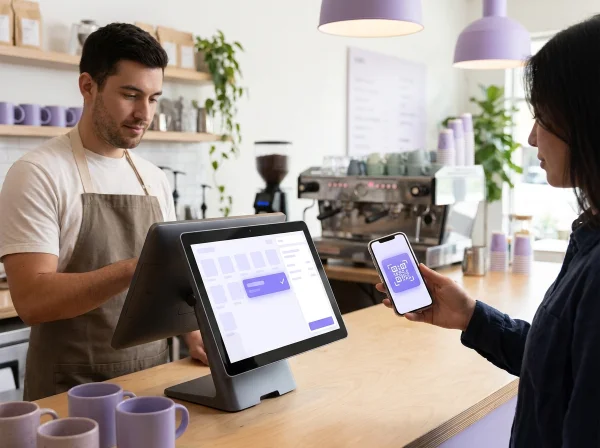
Cashier at a café POS terminal and a customer with a loyalty QR code
POSnow

Loyalty card scanned – 10% discount applied
The till reads the loyalty code and applies the result itself.

What is a POS loyalty integration?

A POS loyalty integration lets your cash register talk to your loyalty program. Instead of scanning in a separate app, staff scan the customer’s loyalty QR code at the till and the register applies what the program gives.

BonusQR offers a REST API for this. The till sends the scanned code and, if needed, the bill amount. BonusQR replies with what to do – apply a percentage or amount discount, redeem a coupon or a points reward – plus ready-made messages for staff.

The integration is optional and is set up as a custom project with your POS supplier. API keys are issued by BonusQR and the integration is quoted separately.

What your till gets from a single scan

A look at the interactive API documentation your POS supplier uses to connect your till.

  1. 1

    Identify the customer

    The till scans the loyalty QR code and gets the customer’s name, visit number and balances.

  2. 2

    Apply discounts

    Percentage or amount discounts come back as actions the till applies to the bill.

  3. 3

    Redeem rewards

    Coupons, points rewards and payment with cashback credit are redeemed right at the till.

  4. 4

    Messages for staff

    Every reply includes ready-made messages for staff in your business’s language.

BonusQR APIOAS 3.0
POSScan a customer code at the till and get back what the cash register has to do.
GET/api/pos/configLoyalty program set-up for the till
POST/api/pos/scanScan a code at the till
Request body application/json
{ "code": "12345", "bill_amount": 12.50 }
Responses
200completedinput_requiredvoucher3failed
{
  "status": "completed",
  "kind": "customer",
  "customer": { 1
    "name": "Jane Miller",
    "visit_number": 12,
    "loyalty": { "credit": 13.55 }
  },
  "actions": [{ 2
    "type": "apply_percent_discount",
    "percent": 10,
    "reason": "Loyalty club members"
  }],
  "messages": [{ 4
    "level": "warning",
    "title": "Discount 10 %",
    "lines": ["Take it off the bill."]
  }],
  "rewards_earned": []
}
POST/api/pos/scan/{scan_id}Send the bill amount or the number of items
POST/api/pos/scan/{scan_id}/cancelCancel a scan that is waiting for input

Your POS supplier gets interactive API documentation and a reference till to try the integration on.

How the integration works

This is how a single purchase goes with a connected till.

CustomerTillBonusQR
  1. CustomerTillShows their loyalty QR code
  2. TillBonusQRSends the scanned codePOST /api/pos/scan
  3. BonusQRTillAsks for the bill amount if neededinput_required
  4. TillBonusQRAnswers with the amount the customer paysPOST /api/pos/scan/{scan_id}
  5. BonusQRTillReturns the discount, rewards and staff messagescompleted
  6. TillApplies the discount and completes the sale
  7. BonusQRCustomerSees stamps, points and rewards in the app

The integration is designed so loyalty never holds up a payment: if BonusQR doesn’t answer, the sale goes on.

Without an integration, staff simply scan with a phone or tablet – BonusQR works fully on its own.

Works with every loyalty program

The API understands all the programs in your offer. For example:

Rewards earned at the till appear in the customer’s app for their next visit.

Cafénow

Stamp card – the till sends the number of items

Hair salonnow

Fixed discount – a percentage off the bill

Restaurantnow

Cashback – credit pays the bill as an amount discount

Bakerynow

Reward coupon – redeemed at payment

Gymnow

Points – a reward from the catalogue redeemed at the till

Shopnow

Reward for Spend – the bill counts toward the next coupon

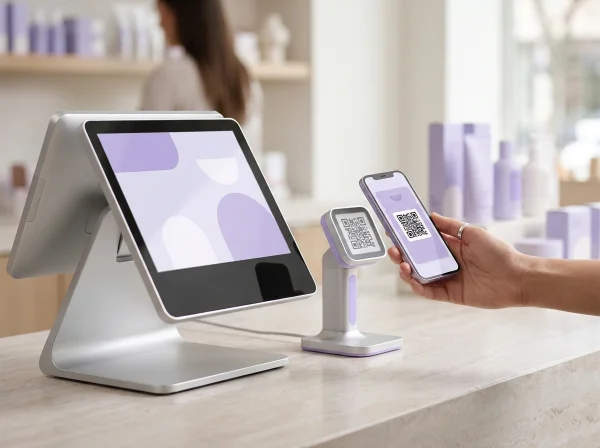
POS touchscreen and QR scanner reading a customer’s loyalty codeREST API

Built for real checkout

The till scans at payment time. If BonusQR needs more – the bill amount or the number of items – it asks and the till answers. A pending scan can be cancelled, and the sale is never blocked.

  • Clear statuses: completed, input required, failed
  • Pending scans can be cancelled
  • Amounts in your business’s currency
  • Up to 60 requests per minute per key

POS integration vs. the BonusQR scanner

Both work. Choose what fits your counter.

POS Integration

Setup
A custom project with your POS supplier
Where staff scan
At the till
Discounts
Applied by the till automatically
Price
Quoted separately
vs

BonusQR scanner

Setup
Ready in minutes
Where staff scan
On a phone, tablet or counter scanner
Discounts
Shown to staff, who apply them
Price
Included in every plan

Questions about POS integration

What owners and POS suppliers ask most often.

Do I need a POS integration to use BonusQR?

No. BonusQR works fully on its own – staff scan customers’ codes with a phone, tablet or counter scanner. The integration is optional.

Which POS systems can be connected?

Any system whose supplier can call a REST API. BonusQR has no ready-made plugins for specific cash registers; your supplier connects using our documentation.

How much does the integration cost?

It is a custom project, so it is quoted separately. Write to us and we will prepare an offer together with your POS supplier.

How do we get API keys?

BonusQR issues them on request. A key can be limited to one venue of your business.

What does the till get back after a scan?

The customer’s name, visit number and balances, the actions to apply – a percentage or amount discount, a coupon or a points reward – the rewards earned, and ready-made messages for staff.

What if the till needs more information?

BonusQR asks for it – for example the bill amount or the number of items – and the till answers. A pending scan can also be cancelled.

Is there documentation?

Yes. Interactive API documentation is available, together with a demo till your supplier can use for testing.

What about online shops?

For WooCommerce and Shopify there are ready-made integrations on the Basic plan.

Want loyalty right at your till?

Tell us which POS you use and we will prepare an offer for the integration.