Menu (food and drinks)
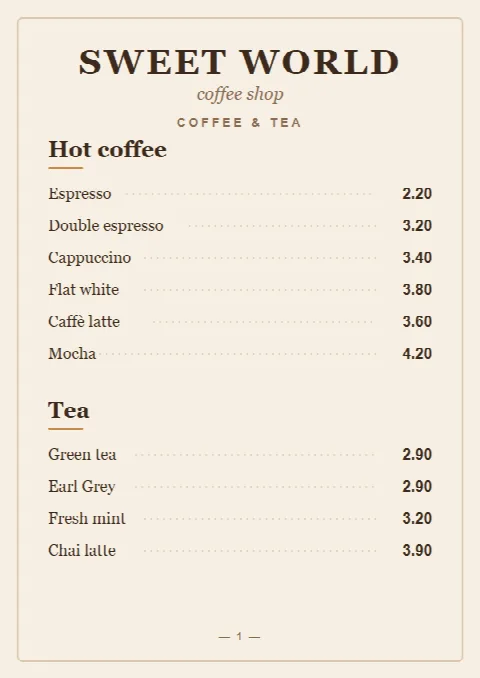
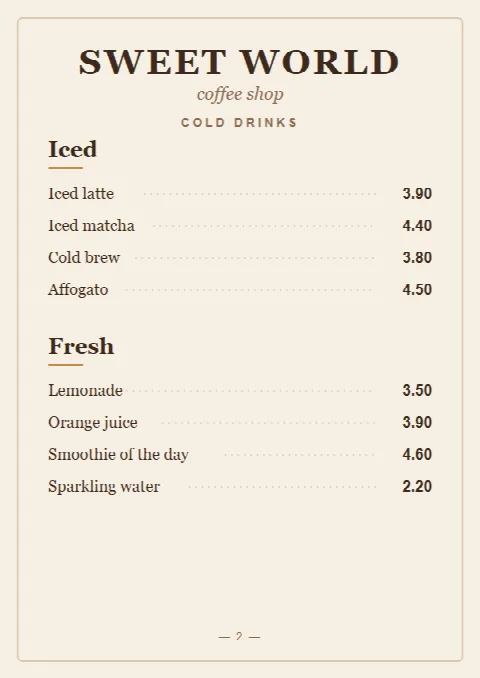
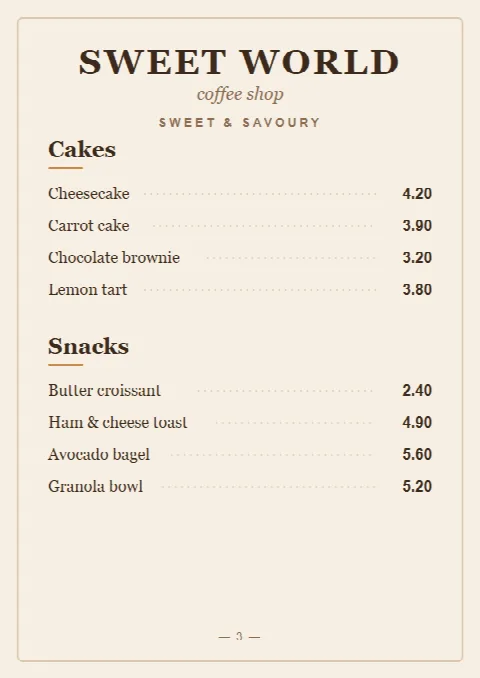
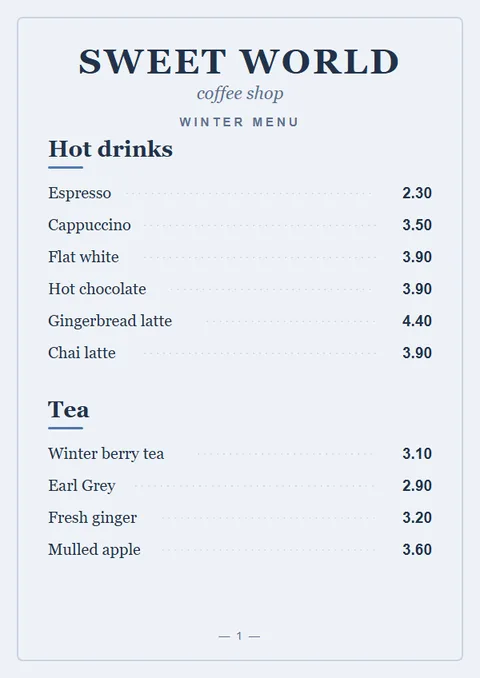
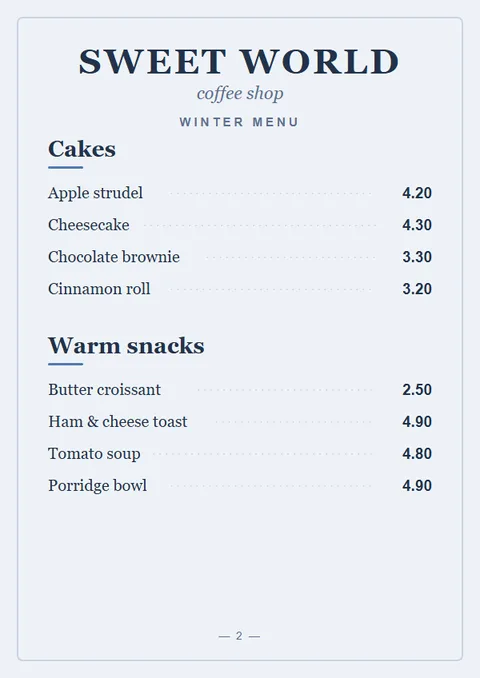
For restaurants, cafés, bars and bakeries: your food and drinks menu, a specials page or the wine list, shown as the pages of your PDF.
Upload your menu or price list as a PDF. Guests scan the BonusQR code on your table, tap Menu and read every page on their phone, right next to your loyalty rewards. Reading it needs no app and no account.
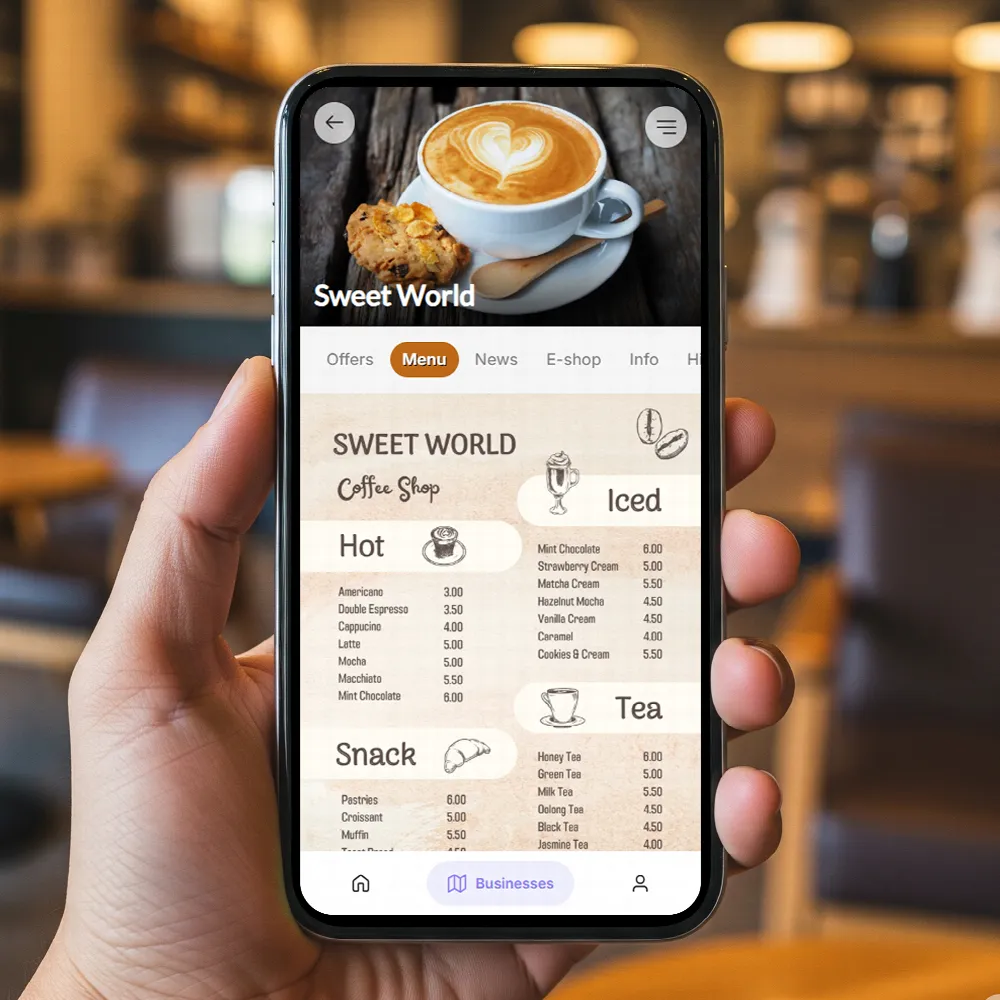
A QR code menu is a digital menu guests open on their own phone by scanning a code on the table, counter or door. In BonusQR, that code opens your business page, and its Menu tab shows every page of the PDF you uploaded.
BonusQR turns each page of your PDF into an image. Guests scroll from page to page and can pinch to zoom in, in the phone's browser or in the BonusQR app for iOS and Android. Reading needs no sign-in; collecting stamps, credit or coupons does.
It is a menu to read, not an ordering system: there is no dish editor, no table ordering and no payment at the table. Your menu stays the PDF you designed, so it looks like your printed one.
What you do in the BonusQR admin, and what your guests see a moment later. You don't make a separate menu code: the BonusQR code on your table opens the page that has the Menu tab.
Choose the tab title and upload the menu or price list you already have. There is nothing to retype.
BonusQR turns every page into an image. Drag pages into order or drop one with the bin, then save.
They scroll through your pages and can pinch to zoom in, in the browser or in the BonusQR app. Large, clear type reads best on a phone.
The BonusQR app for iOS and AndroidOnce your menu is saved, a preview next to the form shows the tab as guests see it, including a new tab title or page order before you save it. Newly uploaded pages appear in it after saving.
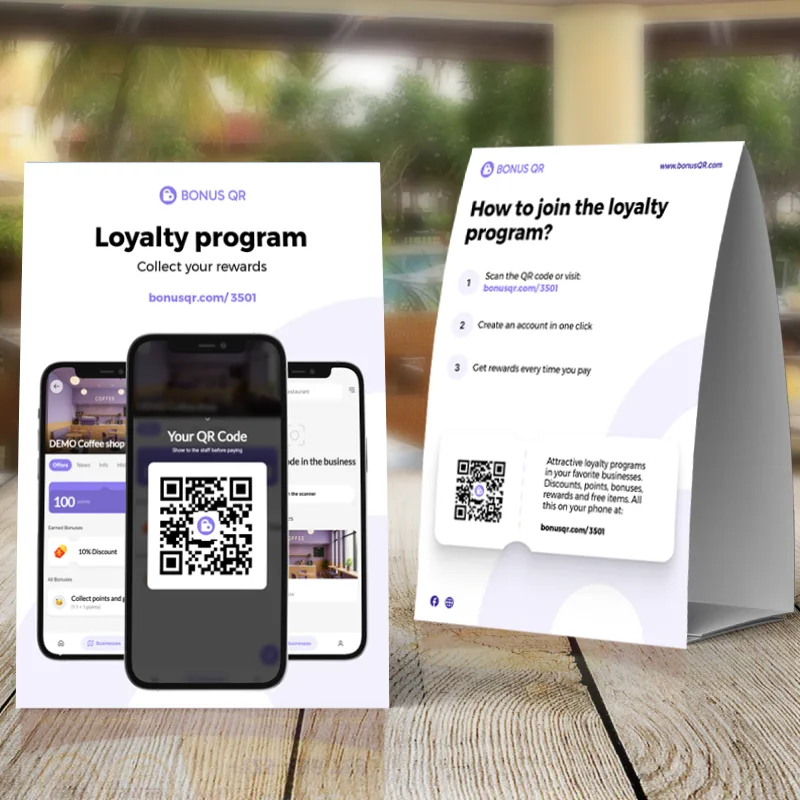 Opens your BonusQR page
The QR code on your BonusQR table stand, sticker, flyer or QR page opens your business page, and the Menu tab is one tap away. Guests read the menu without an account. When they want rewards, they create an account in one click and start collecting.
The four printed materials are free. Your own colour and logo on the sticker, table stand and flyer come with Basic.
One setting decides what the tab is called. Guests see that name in the language of their BonusQR app, for example Speisekarte or Preisliste in German.
For restaurants, cafés, bars and bakeries: your food and drinks menu, a specials page or the wine list, shown as the pages of your PDF.
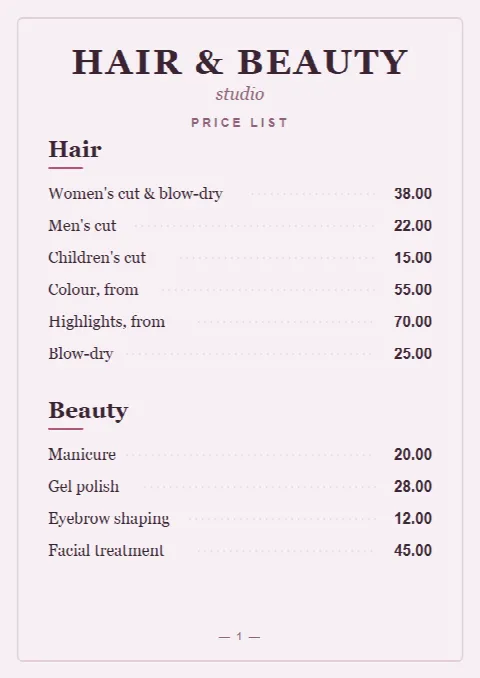
For hair and beauty salons, barbers, wellness studios and gyms: your services and treatments with their prices.
Each location has its own menu tab, so every branch shows its own menu. Several locations
Update the menu yourself any time. Upload the new PDF and save: its pages are added after the current ones, and guests see them at once. Then remove the old pages with the bin and save again, or delete the menu first and upload it fresh.
It suits places that already have a designed menu and want guests to join the loyalty program from the same QR code.
Prefer text to PDF pages? An HTML widget tab (Basic) shows your own HTML, or a widget from another service, as an extra tab.Custom tabs in the BonusQR app
Selling online? The e-shop (Basic) sells prepaid packs and gift vouchers, paid by card through Stripe.E-shop for prepaid items
The menu doesn't sync with your till. BonusQR loyalty itself can connect to a POS through an API, as a custom project quoted separately.POS integration
What owners ask before they put their menu online.
With the Basic plan, open PDF Menu / Price list in your BonusQR admin, choose the tab title (Menu or Price list), upload your PDF and save. Every page becomes an image on the Menu tab of your BonusQR page. Then open Presentation QR codes, under Customer engagement, and print your table stand, sticker, flyer or QR page. Its code opens your page, and the Menu tab is one tap away.
No. Your page opens in the phone's browser, and anyone can read the Menu tab without signing in. Guests create an account only when they want to collect stamps, credit or coupons. Regulars who use the BonusQR app for iOS or Android see the same page there.
No. The menu tab is part of the Basic plan: 19 €/month, or 15 €/month billed yearly. Your BonusQR account, the four printed QR materials and the Free plan's loyalty programs stay free forever, with unlimited customers and 7 program types. You can start there and switch the menu on when you upgrade.
Upload the new PDF and save: its pages are added after the ones already there, and guests see them right away. Then remove the old pages with the bin icon and save again (at least one page has to stay), or delete the whole menu first and upload the new PDF. Your QR codes and the menu link don't change.
Yes. Choose Price list as the tab title. Guests then see a Price list tab in the language of their BonusQR app, and you can link to it directly: your page's address on app.bonusqr.com followed by /price-list. It suits hair and beauty salons, barbers, wellness studios, gyms and other services that publish their prices.
No. BonusQR shows your menu or price list. It doesn't take orders or payments at the table and has no per-table codes. Guests order with your staff as usual and show their own loyalty QR code before paying. To sell prepaid packs or gift vouchers online, use the e-shop (Basic, card payments through Stripe).
No. The BonusQR menu is made for your guests' phones: it lives on your BonusQR page and in the BonusQR app. Screens in your venue need a digital signage tool.
Each location has one menu tab. Its name follows the language of the guest's BonusQR app, while the pages are images of your PDF as you designed it. If you have a translated menu, upload it as a second PDF. Its pages are added after the first ones, so guests scroll through both.
A faded board, a half-updated price card, and a customer asking whether the soup is still that price..
Most advice about a mobile application for restaurants starts with the wrong question: which feature..
Forget looking for a single magic bullet to boost your restaurant's revenue. Real, sustainable growt..
Owning a coffee shop is about more than just brewing the perfect espresso; it's about creating a com..
Losing a customer who already knows and trusts your business is one of the most avoidable costs in s...
Most digital loyalty programs quietly fail before they ever get a chance to work. Customers sign up,...
Most loyalty program members never redeem their rewards. They sign up, collect a point or two, and t...
Choosing the wrong coupon method costs you more than just the discount itself. It costs you customer...
Most independent hotel managers assume that discount and loyalty programs are reserved for large cha...
Most restaurants lose a guest after the very first visit. No follow-up, no reason to return, no conn...
 3
 4