Cashback loyalty program in the BonusQR app

Cashback

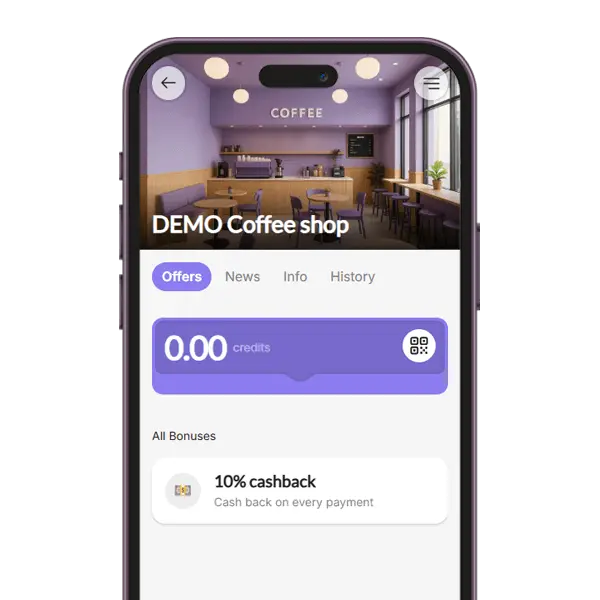
Part of every bill comes back to the customer as credit

Set a percentage, for example 5%. Staff scan the customer’s loyalty QR code and enter the bill amount, and that share is credited to the customer’s account. The customer sees their credit grow and can use it to pay one of their next bills.

Credit on every bill

Balance always visible

Pay with credit
Cashback loyalty program

What is a cashback loyalty program?

A cashback loyalty program returns a percentage of every purchase to the customer as credit. The more they buy from you, the more credit they collect – and the credit can only be spent with you.

In BonusQR, staff scan the customer’s QR code and enter the bill amount; the credit is added automatically and the customer sees a message with the amount earned. When the credit is high enough, the customer shows the “Pay with credit” QR code and staff use the credit to pay the bill.

  • A percentage of every bill credited automatically
  • Credit balance shown in the app and in the phone wallet
  • Part of the Free plan
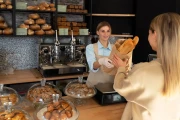
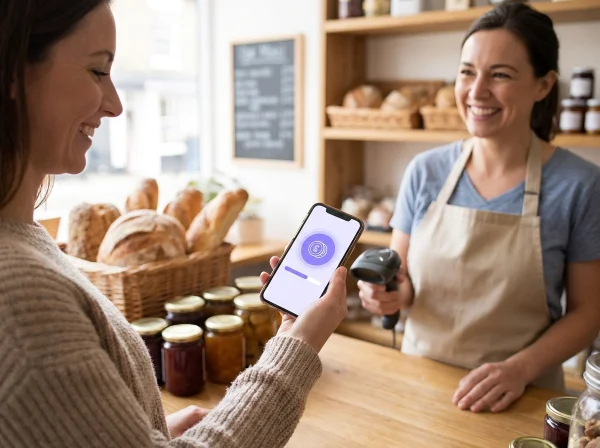
Customer in a deli showing her cashback credit in a loyalty app at the counter

What can be set up in the loyalty program Cashback?

01
Set the percentage

Choose what share of every bill comes back to the customer as credit, for example 3% or 5%.

02
Describe the benefit

Adjust the short text customers see on their loyalty card, for example “Cash back on every payment”.

03
Add other programs

Combine cashback with a welcome coupon, a fixed discount or special occasions in one offer.

💡 Pro tip: Find more ideas for rewarding regular customers on our blog: Read BLOG.

Why offer cashback

Credit is a reward customers understand at once – and it can only be spent with you.

A clear value

Customers see their reward in money, not in points, so they know exactly what it is worth.

Brings customers back

Collected credit is a reason to return – it can only be used at your business.

Grows with spending

Every bill adds credit, so customers who buy more are rewarded more.

One amount at the till

Staff only enter the bill amount. The same amount also counts for other programs in the offer, such as Reward for Spend.

Always visible

The credit balance is shown in the customer’s app and on the loyalty card in their phone wallet.

Simple payment with credit

The customer shows the “Pay with credit” QR code, staff scan it and the credit pays the bill.

Cashback compared with tiered cashback and points

All three reward spending. They differ in how the reward grows and how customers use it.

Basic plan

Points system

Customers earn points from the bill and choose a reward from your catalogue.

  • ✓Up to 20 rewards to choose from
  • ✓Optional expiry of points
  • −Available from the Basic plan
Free plan

Cashback

One percentage of every bill comes back to the customer as credit for a later bill.

  • ✓The simplest reward to explain
  • ✓Value shown in money
  • ✓Staff only enter the bill amount
Premium plan

Tiered cashback

Customers move up levels as they spend more, and higher levels earn a higher percentage.

  • ✓Rewards your best customers more
  • ✓Levels motivate customers to spend more
  • −Available on the Premium plan
ComparisonPoints systemCashbackTiered cashback
What customers collectPointsCredit (one %)Credit (% by level)
What staff enterBill amountBill amountBill amount
How the reward is usedA reward from your catalogueCredit pays a later billCredit pays a later bill
PlanBasicFreePremium

Where cashback works well

Wherever customers shop regularly and like to see what they save.

Want to launch a loyalty program for your business?
Set it up in just a few minutes!

Cashback loyalty program – suitable industries

Why Do You Need a Loyalty App?

  • Increase Repeat Visits
  • Enhance Sales & Customer Spend
  • Gain access to powerful features
See all features

Loyalty Programs

Choose the loyalty program that fits your business. Points collection, Stamps, Cashback, Rewards for regular visits, Discounts, Coupons ...

– it’s all up to you!

Analytics & Insights

Get to know your customers better. Track visit history, see which offers perform best, and identify your most loyal customers. Build your database and watch your business grow!

Push & Email Notifications

Stay on your customers’ minds. Send them regular updates and news, special discount coupons, or request feedback after repeat visits.

Coupons & Surprises

Automate promo coupon distribution for special occasions – Birthdays, Valentine’s Day, Children’s Day... Or boost sales with pre-sale coupon offers.

Important features of the loyalty application

Frequently asked questions about cashback

What business owners most often ask before they start.

You set a percentage, for example 5%. At every purchase staff scan the customer’s QR code and enter the bill amount, and BonusQR credits that share to the customer’s account. The customer can later use the credit to pay a bill.

In the app the customer opens their credit and shows the “Pay with credit” QR code. Staff scan it, see the available credit and enter the amount to pay. The credit can be used when it covers the bill.

It depends on your margins. Many businesses choose a few percent, which is noticeable for customers and sustainable for you. Choose carefully, because the percentage cannot be changed once the program is saved.

At the top of your business page in the BonusQR app and on the loyalty card in their Google or Apple Wallet. After each purchase they also see a message with the credit they have just earned.

Cashback gives everyone the same percentage. Tiered cashback adds levels, so customers who spend more move up and earn a higher percentage. Cashback is part of the Free plan, tiered cashback of Premium; an offer can use only one of them.

Cashback is part of the Free plan, which includes 7 program types. Basic adds 2 more and Premium another 3, for 12 program types in total.

Ready to give your customers money back?

Create a free accountCompare plans

Want to launch a loyalty program for your business?
Set it up in just a few minutes!