Geofencing marketing that reaches customers at your door

When customers with your loyalty card are near your café, salon or shop, GEO push notifications can remind them of it, right when popping in is easy.

  • No location tracking
  • Up to 10 locations
  • In Basic and Premium
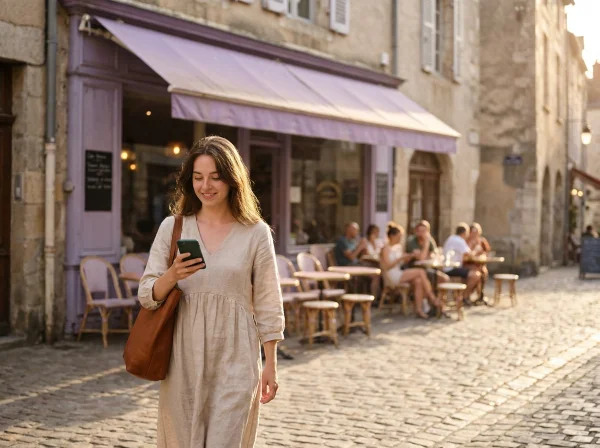
A customer walking past a café looks at a GEO notification on her phone.
Bean & Leaf Cafénow

Just around the corner ☕ Pop in, your next stamp is waiting.

Illustration. The exact look of the notification depends on the customer's phone.

What are GEO push notifications?

GEO push notifications, also called location-based notifications, are messages a phone shows when its owner comes close to a particular place. It is geofencing marketing in its simplest form: an invisible boundary around your business, and a reminder for the people who step inside it.

With BonusQR, the people who step inside are your own customers. Their phone can remind them of their loyalty card, on many phones with a short sentence you write yourself.

There is no campaign to plan and no ad budget to spend. Switch the feature on once and it works every day at your locations with an address, up to 10 of them.

What customers see when they are near you

A notification on the phone screen that reminds them of their loyalty card with you.

  • Triggered by proximity

    It can appear when a customer is near one of your locations, never at a random moment on the other side of town.

  • Right on the phone screen

    Customers are reminded of their loyalty card without having to think of it or look for it.

  • Your own message

    A short sentence of up to 100 characters that you write yourself and can change at any time.

  • No location tracking

    BonusQR doesn't follow customers or keep a history of where they have been. Their position is only compared with your locations and never stored.

How to switch on GEO notifications

Three steps in the BonusQR admin. Everything after that happens on its own.

  1. 1

    Check your addresses

    Each location gets its place on the map from the address in its settings, picked from the suggestions. Up to 10 locations per loyalty program.

  2. 2

    Switch them on

    Open Extensions & Integrations → Geo notifications and turn the switch on.

  3. 3

    Write your message

    Add a short sentence, or keep the default “Your loyalty card is ready”, and save. Within a few minutes it works on its own.

That's it. When a customer with your loyalty card is near one of your locations, their phone can show the notification.

Messages that bring customers in

One short, friendly sentence is all it takes. Write it the way you would greet a regular who is passing by.

The message is the same for every customer and you can change it whenever you like, for example with the seasons. If you leave it empty, customers see “Your loyalty card is ready”. Some phones show their own wording instead.

Bean & Leaf Cafénow

Just around the corner ☕ Pop in, your next stamp is waiting.
Lumi Hair Studionow

Time for a fresh look? ✂️ Every visit brings you closer to a reward.

Basil Bistronow

Lunch is around the corner 🍝 Collect points with every visit.

Golden Crust Bakerynow

Smell that? 🥐 Fresh croissants are just a few steps away.

FitZone Gymnow

No workout yet today? 💪 Every check-in counts towards your reward.

Mona Boutiquenow

New pieces just arrived 🛍️ Drop by and collect your points.

A returning customer with his phone at a café counter, greeted by the barista.+1 stamp

Turn passers-by into returning customers

Customers rarely forget you on purpose. They simply don't think of you while they are out and about. A GEO notification reminds them of your loyalty card while they are near your business.

  • Reach customers when they are close enough to come in
  • No campaigns to plan, schedule or send
  • Works at up to 10 locations of one loyalty program
  • Your customers' privacy stays intact: no location history is stored

One switch for your locations

GEO notifications work at up to 10 locations of your loyalty program, and each one only needs its address. Run several cafés or salons? Customers can get the notification near whichever one they are close to.

The GEO notifications settings list your locations and show which already have a position and which still need an address.

  • Up to 10 locations per loyalty program
  • Each location's position comes from its address
  • Locations without an address are clearly marked

How multiple businesses work in BonusQR

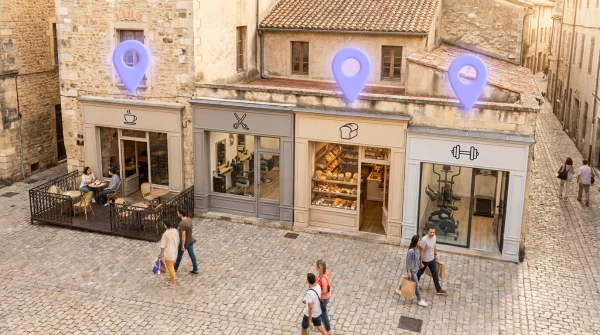
A shopping street with a café, a hair salon, a bakery and a fitness studio, three of them marked with location pins.

GEO notifications vs. push notifications

Both bring customers back. They simply work at different moments, so the best results come from using both.

GEO notifications

When it arrives
When a customer is near your business
Who receives it
Customers near one of your locations
Your effort
Switch it on once
Best for
Reminding customers of their card at the right moment
vs.

Push notifications and news

When it arrives
When you send it
Who receives it
All members or a group you choose
Your effort
Write and send each message
Best for
New rewards, expiring coupons, news and events
More about push notifications

Questions about GEO push notifications

Everything owners ask before they switch them on.

What is a GEO push notification?

A GEO push notification, also called a location-based notification, is a message a phone shows when its owner is near a particular place. With BonusQR, customers near your business can get a notification that reminds them of their loyalty card, on many phones with a short sentence you write yourself.

What is geofencing marketing?

Geofencing marketing reaches people based on where they are: an invisible boundary, a geofence, is drawn around a place, and people who enter it get a message. It is often done with paid ads aimed at strangers or with a custom-built app. BonusQR GEO notifications reach your own loyalty customers instead, with no ad budget and no app of your own to build.

Does BonusQR track my customers' location?

No. BonusQR doesn't track customers or keep a location history. A customer's current position is only used to check whether they are near one of your locations, and it isn't stored. Notifications only reach customers who have allowed their phone to use their location.

How close does a customer have to be?

The notification appears when a customer is near one of your locations. The exact distance and timing are handled automatically and can vary, so there is no radius for you to set.

Can I write my own message?

Yes. Write a short, friendly sentence of up to 100 characters. If you leave it empty, customers see “Your loyalty card is ready”. Some phones show their own wording instead.

Will customers get too many notifications?

No. GEO notifications are not a mass campaign: a notification only appears when a customer is actually near one of your locations, never to everyone at once.

How many locations can use GEO notifications?

Up to 10 locations of one loyalty program. Each location needs an address in its settings. If a program has more, the first 10 with an address in its list are used.

How much do GEO notifications cost?

Nothing extra. GEO notifications are part of the Basic and Premium plans, with no fee per notification. You switch them on in the BonusQR admin under Extensions & Integrations → Geo notifications.

Be there when your customers are nearby

Create your BonusQR account, choose Basic or Premium and switch on GEO notifications for your locations.