In a world cluttered with digital noise, a physical card in a customer's wallet remains a powerful, tangible connection to your business. The ability to print membership cards isn't just about handing out plastic; it's about giving your most loyal fans a badge of belonging. This guide will show you how to turn a simple card into your most effective tool for driving repeat business and building a thriving community.
This is more than a discount card. It's a constant, physical reminder that keeps you top-of-mind.
Why Do Physical Membership Cards Still Win in a Digital Age?
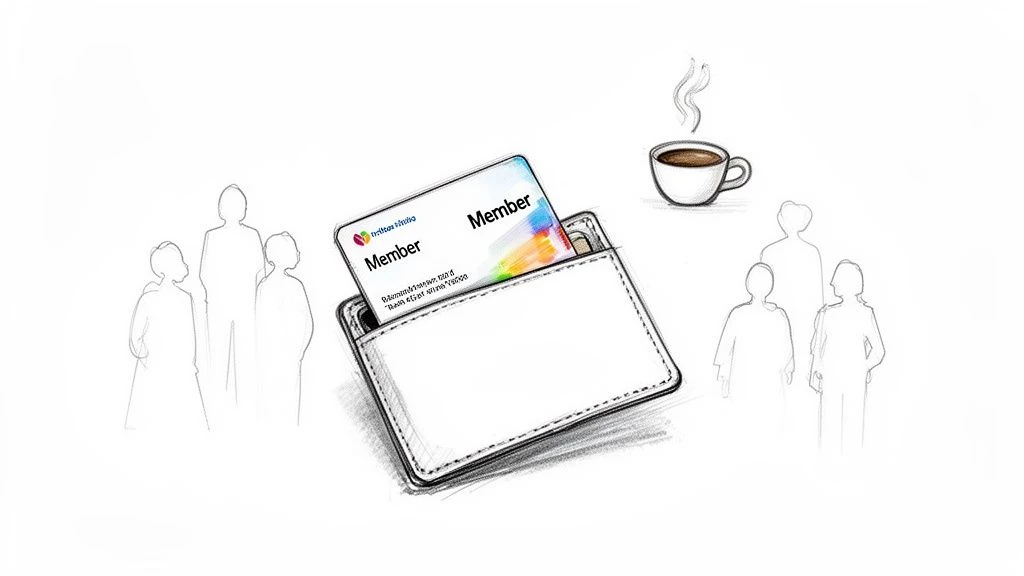
While apps and emails are fleeting, a physical membership card is a concrete symbol of your customer's relationship with you. Think of a regular at your coffee shop proudly flashing their card. It’s a small action that reinforces their identity as a valued part of your community, something an email notification can rarely achieve. This tangible connection feels more special and exclusive.
Physical cards were the original tool for small businesses to create loyalty. In fact, organizations have been using them for over a century-the Order of the Arrow, a national scouting society, started issuing printed membership cards way back in 1923.
The Unbeatable Value of Tangible Loyalty
A well-designed card is more than a placeholder; it’s a pocket-sized billboard and a key part of any modern customer engagement strategy. For a small business, this tangible approach delivers unique advantages:
- Creates True Exclusivity: A physical card makes customers feel like they're in an exclusive club, turning casual buyers into devoted members.
- Boosts Brand Visibility: Every time a customer opens their wallet, your brand is there. It’s a simple, powerful nudge to encourage their next visit.
- Appeals to Everyone: Some customers live in apps, while others prefer the simplicity of a physical card. Offering both ensures you don’t leave anyone behind.
The best loyalty programs don't force a choice between physical and digital. They merge them into one seamless, powerful experience.
The modern solution combines the best of both worlds. A system like BonusQR lets customers scan a QR code on their physical card to access a rich digital profile. This hybrid model delivers the tangible satisfaction of a card with the data-driven power of a digital app-a complete loyalty solution that solves the "how do I track this?" problem for small businesses.
How to Design a Card Customers Won't Throw Away
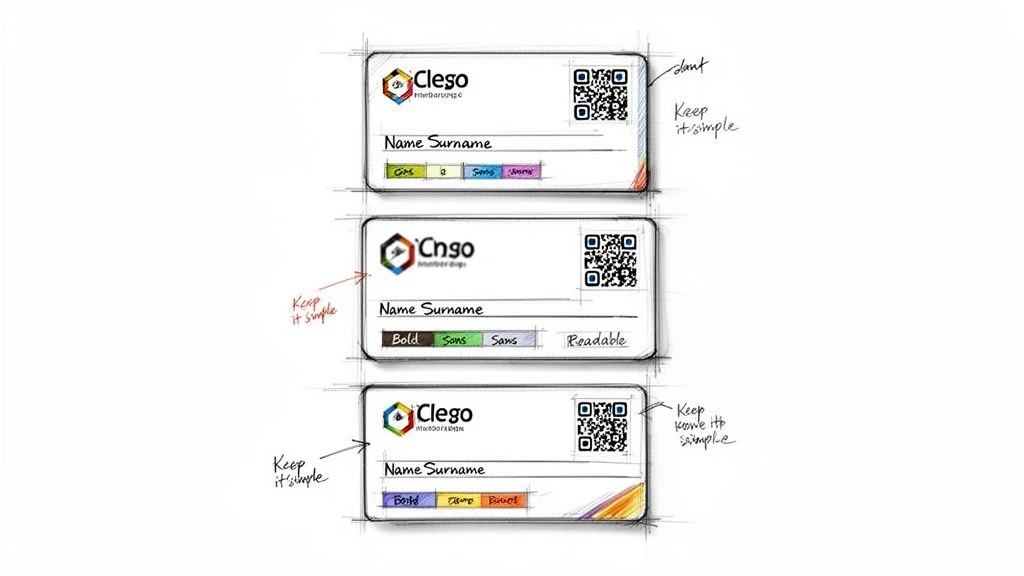
Let’s be honest: most loyalty cards are destined for the trash. Your goal is to create something that feels less like a coupon and more like a VIP pass-a card your customers are proud to carry. You don’t need a design degree; you just need to think about your brand and what your customers value.
Think of your card as a tiny billboard. Your logo must be clear, and your brand colors should set the right mood. A cozy coffee shop might use warm, earthy tones, while a chic boutique could opt for a sharp, minimalist look.
The Anatomy of an Unforgettable Card
The best cards are simple and direct. Too much text looks cluttered and cheap. You only want to include the essentials that make the card functional and feel special.
Here's your can't-miss design checklist:
- Your Business Name & Logo: Non-negotiable. It has to be instantly recognizable.
- A Clear Benefit or Status: What is this card? Simple words like "Member" or "VIP" are powerful. A short tagline like "Your Key to Rewards" works great, too.
- The Member's Name (Optional but Powerful): Personalization makes it their card, not just a card.
- A Unique QR Code: This is the bridge connecting your physical card to a digital loyalty experience. The back is the perfect spot to keep the front design clean.
What should you leave off? Clutter. Your full address, phone number, and social media handles don't belong here. That information lives on the digital profile your customer accesses through the QR code. For more ideas, explore our guide on loyalty card templates that boost customer retention.
Pro Tip: When you print membership cards, use fonts that are easy to read. A stylish but illegible font defeats the purpose. You can't go wrong with clean typefaces like Helvetica, Open Sans, or Lato, especially for smaller text.
The QR Code: Your Secret Weapon
The QR code is what elevates your membership card from a simple piece of plastic into an interactive tool. One scan can show a customer their points balance, reveal exclusive offers, or let them update their profile.
This is where a system like BonusQR makes it simple. You can generate a unique QR code for every single customer that links directly to their personal loyalty account. Just leave a dedicated space for it in your design-a 1x1 inch square on a solid, light-colored background is perfect for easy scanning. This small detail transforms your card into the core of your loyalty strategy.
Getting Your Customer Data Ready for Printing
A membership card with a name on it feels personal. It's no longer just a piece of plastic; it's their card. This personal touch is achieved through Variable Data Printing (VDP). It sounds technical, but it’s just a mail merge for physical cards. You provide your printer with your design and a spreadsheet of customer details, and their machines create a unique card for every person.
From Loyalty App to Printable Spreadsheet
It all starts with your customer list. Are you worried about managing a messy spreadsheet? If you're using a modern loyalty platform like BonusQR, this part is effortless. BonusQR is built to give you clean, ready-to-use data directly from your dashboard.
Instead of manually typing names and member IDs (and risking costly typos), you just export your member list. In a couple of clicks, you'll have a perfect CSV or Excel file. This simple export saves hours of tedious work and prevents expensive mistakes.
A clean data file is the foundation of a successful print run. Spending five minutes to double-check your spreadsheet can save you the headache and cost of reprinting hundreds of cards due to one small error.
Once you have your file, a little organization is all it takes. Your printer will give you the exact specs, but it’s usually a simple table where each row is a customer and each column is a piece of information, like their name or member ID.
Essential Data for Personalized Cards
To ensure your print job is flawless, your spreadsheet needs to be clean and organized. Here’s a breakdown of the data fields you can easily pull from a system like BonusQR and why they matter for VDP.
Essential Data for Variable Printing
| Data Field | Purpose | Example |
|---|---|---|
| First Name | Makes the card feel personal and welcoming. | Sarah |
| Last Name | Adds a formal touch and helps with identification. | Jones |
| Member ID | A unique number for tracking and account lookups. | BQR-1056 |
| Member Tier | Instantly shows their loyalty status (e.g., Gold, VIP). | Gold |
| Join Date | A great way to show how long they've been a loyal customer. | 01/15/2025 |
By using BonusQR from day one, your customer data is automatically collected and organized in a clean, export-ready format. This turns VDP from a daunting task into a simple, scalable way to add a personal touch that your customers will love.
Printing Your Cards: In-House vs. Professional
Your design is ready and your customer list is clean. Now for the practical question: how do you actually print these membership cards? Do you print them yourself, or hire a professional?
The right answer depends on your card volume, budget, and desired quality. It’s a classic trade-off between cost, control, and convenience. Let's break down both options.
The Case for In-House Printing (On-Demand and Cost-Effective)
Printing your own cards offers incredible flexibility. Imagine a new member signs up, and you hand them a freshly printed, personalized card on the spot. That instant gratification makes a fantastic first impression that an outsourced service can't match.
This path requires an upfront investment in an ID card printer, but for many small businesses, the long-term savings are significant. A busy salon or café printing over 200 cards a year can save a lot with a desktop printer. Bringing printing in-house can cut per-card costs by as much as 60% compared to outsourcing.
Why print in-house?
- On-Demand Printing: Instantly create cards for new members or replacements. No waiting.
- No Minimum Orders: Need just one card? Or five? You print exactly what you need, when you need it.
- Total Control: Spot a typo or want to test a design change? You can do it yourself without any back-and-forth.
When to Go with a Professional Printer (Premium Quality at Scale)
If you're printing a large batch-500 cards or more-or want a premium, high-end feel, calling in the pros is your best move. They use industrial equipment that delivers a level of quality and durability that’s tough to replicate with a desktop setup.
Professional printers also unlock a world of creative options: matte or gloss finishes, spot UV coatings that make your logo pop, metallic inks, and thicker, more substantial PVC plastic. These details make your card feel significantly more valuable. The trade-off is less flexibility, with minimum order quantities and longer turnaround times (usually a week or more). If you're just getting started, our guide on launching a loyalty program with custom punch cards has some great ideas.
Expert Tip: Before you commit to a professional printer, always ask for a physical sample pack. There’s no substitute for seeing and feeling the different card stocks and finishes for yourself. It’s the only way to know exactly what you’re paying for.
The Hybrid Model: Merging Print Cards with a Digital System
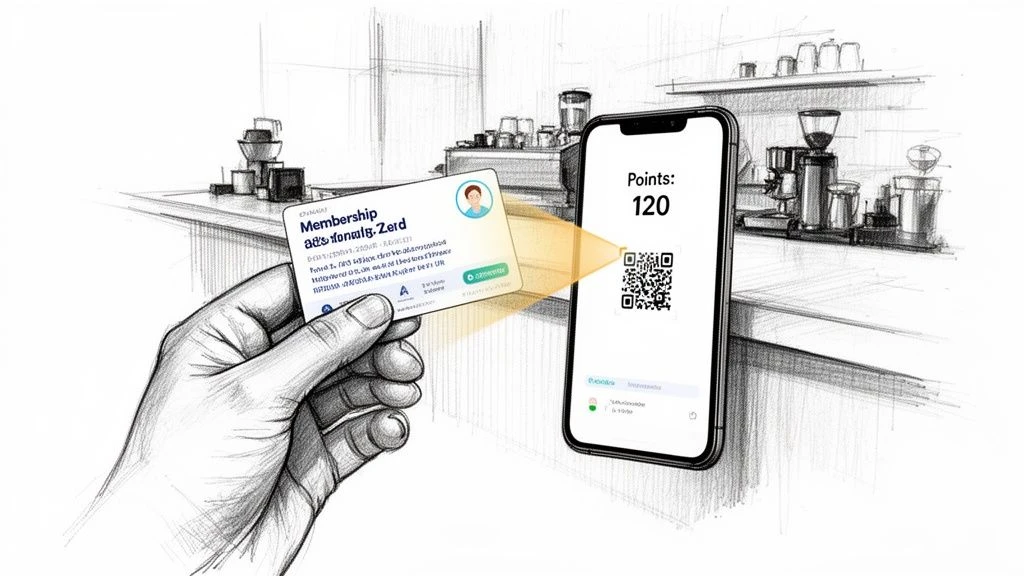
This is where the real magic happens. A printed card provides the tangible touchpoint, but pairing it with a smart digital system is what turns your loyalty program into a revenue-generating machine.
Imagine a new customer walks into your shop. You hand them a beautifully printed membership card. They scan the QR code and-instantly-they’re inside their personal profile in the BonusQR app. They can see their welcome points, check out exclusive offers, and view their member status. This is the hybrid approach, and it gives you the best of both worlds.
The Power of a Unified Customer Experience
This blend of physical and digital is a game-changer for small businesses. Why? Because it meets customers where they are. You capture the person who loves the feel of a card in their wallet just as easily as the one who manages their life on their phone. You leave no one behind.
The data backs this up: studies show loyalty programs that include a physical card often see higher redemption rates than digital-only programs. The demand is so clear that many large brands are now adding features for digital members to request a physical card.
By linking a physical card to a digital hub, you create a seamless loop. The card gets them in the door, and the app keeps them engaged between visits with personalized offers and updates.
Making It Simple and Affordable with BonusQR
The secret to pulling this off without the complexity or cost of enterprise software is to use one central hub that does the heavy lifting. While large corporations might explore complex membership website platforms, a simple, app-based solution is the quickest and most effective path for most small businesses.
This is exactly where BonusQR shines. It acts as the brain of your entire loyalty program, making a sophisticated hybrid model feel surprisingly simple and affordable.
Here’s how BonusQR bridges the physical-digital gap for you:
- Effortless Onboarding: Each printed card gets a unique QR code from BonusQR. A quick scan links the physical card to a customer's digital profile, making signup a breeze.
- Centralized Data: All customer activity-whether it starts with a card scan or an in-app action-is tracked in one place. This gives you powerful data for personalizing your marketing.
- Higher ROI: A hybrid system gets better results. It boosts engagement, improves data collection, and ultimately drives a much higher return than a physical-only or digital-only approach could on its own.
Your Top Membership Card Questions, Answered
As you get ready to launch, a few practical questions always come up. Getting these details right from the start will save you time, money, and frustration. Here are the most common challenges and their simple solutions.
"I only need 50 cards. What's the cheapest and fastest way to print them?"
For small batches (under 100-200 cards), in-house printing is your best bet. Forget dealing with professional printers' minimum orders. An entry-level ID card printer lets you create cards on demand.
Pro-Tip: Order pre-printed cardstock with your logo and branding already on it. Then, use your in-house printer to add the personal details-the member's name and their unique QR code from your BonusQR app. This gives you a professional look with on-the-spot convenience.
The real magic of printing small batches yourself is instant gratification. Handing a new, personalized card to a member at the counter creates a "wow" moment a mailed card can't compete with.
"How do I make sure my QR codes will actually scan every time?"
A QR code that doesn’t scan is frustrating for customers and makes your business look unprofessional. To guarantee your codes work flawlessly, focus on two things: resolution and contrast.
- Use a High-Quality File: Always export QR codes from a system like BonusQR in a high-resolution format (SVG is best, but a high-res PNG works too). This prevents blurriness.
- Maximize Contrast: Place your black QR code on a solid, light-colored background. White is the safest choice. Avoid busy patterns or dark colors that confuse a phone’s camera.
- Get the Size Right: Make sure the printed QR code is at least 1x1 inch (2.5x2.5 cm). Any smaller, and you risk scanning errors.
"Can I just use paper instead of plastic to save money?"
You can, but it often sends the wrong message. While heavy cardstock is cheaper, it doesn't hold up. Paper cards tear, the ink fades, and they can be easily damaged, which can devalue your entire program.
PVC plastic cards are built to last. They feel substantial and maintain their professional look, reinforcing the value of your membership. If budget is tight, consider a middle ground: get your cardstock designs professionally laminated. It's a cost-effective way to add durability without the full cost of PVC.
"What happens when a customer loses their card?"
This is where a digital-first system like BonusQR is a lifesaver. If a customer loses their card, it’s not a problem. All their points, rewards, and history are tied to their secure digital profile, not the physical card itself.
You can simply print them a new card with their same unique QR code, and they won’t lose a single point. It's seamless. The same applies to renewals. The physical card is just the key; the real value and all the data are stored safely in their digital account.
Ready to stop losing customers and start building a loyal community? BonusQR makes it simple and affordable to launch a powerful loyalty program with both physical and digital cards.
Launch Your Loyalty Program with BonusQR Today - It's Free to Start!


