How to Create a Google Wallet Loyalty Card: The 2026 Business Guide
Did you know that 62% of consumers now say the ability to add a loyalty program to their phone is a major factor in choosing where to shop? According to data from July 2026, that number jumps to a massive 74% for Gen Z. If you want to keep your customers coming back, you need to meet them where they already are. This guide shows you exactly how to create a google wallet loyalty card that looks enterprise-grade without you ever touching a single line of code.
It's frustrating to watch your regulars drift toward big-box chains just because they have a slick mobile app. You already know that physical stamp cards are a mess. They get lost in cluttered wallets, create unnecessary waste, and fail to give you any real data on your customers. You deserve a professional system that works as hard as you do. We'll show you how to launch a digital loyalty platform that replaces paper cards and boosts retention effortlessly.
This 2026 business guide breaks down the simple steps to move your rewards program into the digital age. You will learn how to use no-code tools to build a professional card, automate customer tracking, and eliminate printing costs forever. We'll explore how these modern platforms allow you to compete with the big chains while keeping your operations lean and efficient. Let's modernize your business and give your customers a reason to stay loyal.
Key Takeaways
- Understand the shift from physical cards to cloud-based digital identities that keep your brand top-of-mind in 2026.
- Learn how to create a google wallet loyalty card that syncs data automatically between your business and your customer’s smartphone.
- Eliminate technical hurdles by choosing a no-code loyalty platform over expensive, time-consuming custom app development.
- Follow a proven five-step process to design your branded pass and set up reward logic that drives repeat visits.
- Discover how to use a professional loyalty software dashboard to manage your program and scale with white-label features.
What is a Google Wallet Loyalty System and Why Does It Matter in 2026?
Modern loyalty is no longer about what's in a customer's pocket; it's about what's on their home screen. A Google Wallet loyalty system is a cloud-based infrastructure that allows businesses to issue digital "Passes" directly to a user’s smartphone. Unlike a static image or a simple QR code, these passes are dynamic assets. They live within Google Wallet, acting as a living connection between your brand and your clientele. When you create a google wallet loyalty card, you move beyond the limitations of physical hardware and enter a space where your business is always just one tap away.
By 2026, the shift toward digital-first customer identities is nearly complete. Consumers no longer want to carry bulky plastic cards or manage twenty different standalone apps. They expect a contactless, integrated experience that feels native to their device. This "wallet-native" trend has democratized enterprise-grade tools. Now, even a local coffee shop can offer the same sophisticated experience as a global chain. These passes are updatable in real-time, meaning your loyalty program can evolve without ever requiring the customer to download a new version or print a new card.
The Death of the Paper Punch Card
Paper punch cards are a liability for a growing business. They are easily lost, frequently forgotten, and often destroyed in a laundry cycle. This friction directly hurts your bottom line. Research from July 2026 shows that 62% of consumers choose brands based on whether they can add a loyalty program to their phone. For Gen Z, that number climbs to 74%. Moving to a digital system eliminates the waste and cost of printing physical cards while ensuring your rewards program is always accessible. When customers don't have to "remember" their card, they are far more likely to engage with your brand and redeem their rewards.
Key Features of a Digital Loyalty Pass
The power of a digital pass lies in its ability to communicate. When you create a google wallet loyalty card, you gain access to features that physical cards simply cannot match:
- Real-Time Balance Updates: Customers can see their current points or stamp count directly on their phone lock screen after every purchase.
- Smart Push Notifications: Send automated reminders about expiring rewards or announce special store events without paying for expensive SMS marketing.
- Location-Based Reminders: Through integration with Google Maps, your pass can trigger a notification when a customer is near your shop, gently nudging them to stop in.
This level of integration transforms a simple reward program into a proactive marketing tool. You are no longer waiting for the customer to remember you; you are actively staying top-of-mind through the device they use most.
How the Google Wallet Loyalty Infrastructure Works for Businesses
Think of the Google Wallet infrastructure as a secure, invisible bridge between your business and your customer's phone. You act as the issuer, while the customer holds the digital container. When you create a google wallet loyalty card, you are setting up a real-time data stream. This system ensures that every interaction is recorded instantly. You don't need to worry about manual syncing or delayed updates. The technology handles the heavy lifting, allowing you to focus on the person standing in front of you.
The data flow is remarkably simple. When a transaction occurs, your loyalty software sends a secure signal to the Google Wallet API. This signal updates the specific pass on the customer's device. The change happens in milliseconds. Whether they just earned a point or redeemed a reward, the digital card reflects their new status immediately. This transparency builds trust. Customers appreciate seeing their progress move forward the moment they finish their purchase.
One of the biggest advantages of this infrastructure is the lack of specialized POS hardware. You don't need to buy expensive scanners or proprietary terminals. Modern systems allow you to use a standard smartphone or tablet to scan passes. This accessibility makes it easy for any business to modernize. Additionally, your customer data is protected by Google-backed encryption. This provides a level of security that physical cards or local spreadsheets simply cannot match. It keeps your business compliant and your customers' information safe.
The Anatomy of a Google Wallet Pass
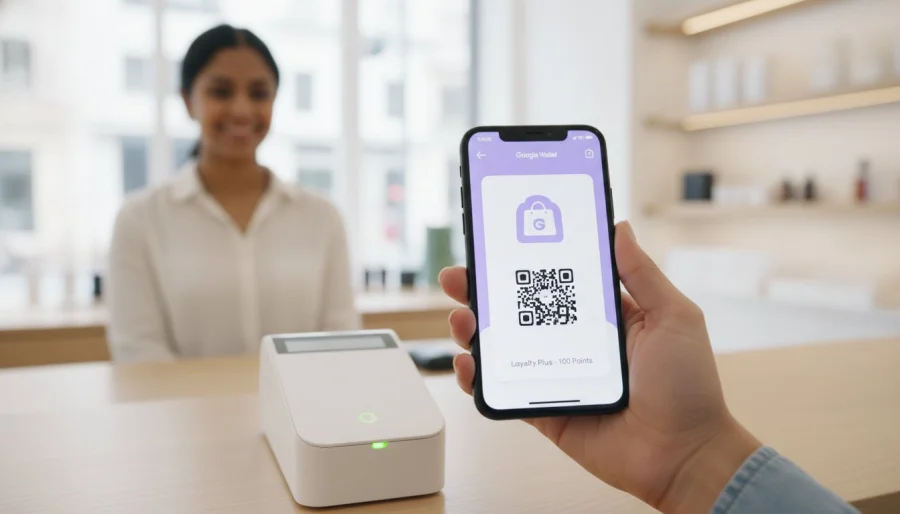
A digital pass is designed for maximum brand impact. Your logo and brand colors appear prominently at the top of the wallet, ensuring your business is recognized instantly. The center of the pass features a high-definition QR code or barcode. This is what your staff scans to verify the customer. The "back" of the card functions like a compact information hub. It stores your store's location, terms of service, and direct links to your website. It's an organized way to keep all your vital business info in the customer's pocket.
Dynamic Updates and Notifications
Digital passes are far more capable than their physical ancestors. They can change their appearance based on customer behavior. For example, a card can transform from a standard stamp card into a "VIP Gold" pass once a certain threshold is reached. Lock-screen notifications are the most powerful part of this system. You can send alerts about earned rewards or upcoming sales directly to the customer's home screen. This provides high visibility without the friction of a custom app. A digital pass is a living document that evolves with the customer journey.
If you want to see how easy it is to manage these dynamic features, you can get started with a professional dashboard to launch your own program today.
API vs. No-Code Platforms: Choosing Your Implementation Path
Choosing how to create a google wallet loyalty card depends entirely on your resources and your timeline. Many operators assume they need to hire an expensive engineering team just to get started. This misconception often stops great businesses from modernizing. In reality, the tech barrier has vanished. You can either build a custom solution from scratch or use a dedicated loyalty platform to launch your program immediately. For most, the choice comes down to whether you want to manage code or manage customers.
Custom development offers total control but comes with a heavy price tag. You aren't just paying for the initial build; you're signing up for long-term maintenance. API versions change, and your code must stay updated to avoid service breaks. For most small to medium businesses, this creates a maintenance burden that outweighs the benefits of a custom build. Loyalty software removes this weight by handling the backend updates for you, ensuring your system always stays current with Google's latest standards.
The Developer Route (Google Wallet API)
This path is designed for enterprises with dedicated engineering teams and highly specific CRM needs. It requires setting up the Google Cloud Console and managing complex service account credentials. Your developers will need to navigate the latest e-Wallets API, such as version 1.8.21, and manage technical constraints like the 20 requests per second rate limit. While this allows for deep customization, the rollout is slow. A stable, custom-built system usually takes 3 to 6 months to reach the public. It's a significant investment in both time and technical overhead.
The Business-First Route (Loyalty Platforms)
If you want results this week, the business-first route is the clear winner. Loyalty platforms provide a visual drag-and-drop environment where you can design your card in minutes. You get built-in analytics and customer management tools without writing a single line of code. With systems like BonusQR, you can go live in under 24 hours. It's the most efficient way to scale your retention strategy without the technical headaches. You'll have access to unlimited customers and multiple loyalty schemes right from the start.
BonusQR acts as a professional bridge between Google's powerful technology and your daily operations. It simplifies the complex Google Wallet API into a user-friendly dashboard. You get the same enterprise-grade features used by global chains, but with a setup process that feels as easy as updating a social media profile. This path allows you to focus on growing your business while the software handles the encryption and security updates in the background.
5 Steps to Create Your Branded Google Wallet Loyalty Card
Launching your digital program is a straightforward process when you have the right tools. You can move from a concept to a live product in a single afternoon. When you create a google wallet loyalty card, you are building a bridge to your customer's most used device. Follow these five practical steps to modernize your retention strategy without any technical friction.
- Step 1: Define Your Reward Logic. Decide if a digital stamp card or a points system fits your business best. Coffee shops often thrive on simple "buy 9, get 1 free" logic, while retail boutiques might prefer reward points for every dollar spent.
- Step 2: Design Your Pass. Upload your high-quality brand assets. This is where you select your primary brand colors and logo to ensure instant recognition in the wallet.
- Step 3: Connect Your Customer Database. Sync your existing CRM or customer list with your loyalty software. This ensures that your most loyal regulars are the first to receive their new digital passes.
- Step 4: Set Up Distribution Channels. Create multiple ways for customers to join. This includes printing QR codes for your checkout counter and adding "Add to Google Wallet" buttons to your website.
- Step 5: Train Your Staff. Educate your team on the scanning process. Since no specialized hardware is required, your staff can use their own devices or a shop tablet to update customer balances in seconds.
Designing for the Digital Wallet
Readability is your top priority for mobile design. Choose high-contrast background colors that make your logo stand out. Keep the text on the front of the card minimal to avoid clutter. A branded customer loyalty program should feel like a premium, native part of the smartphone experience. Simplicity always wins on small screens. Ensure your visual identity remains consistent across both Google and Apple platforms to maintain professional authority.
Mastering Pass Distribution
Getting the card into the wallet is the most critical part of the journey. Implementing a QR code loyalty system at your physical checkout counter is the fastest way to onboard new members. In 2026, the "Scan-to-Join" method is the industry standard for reducing friction. You should also include digital links in your social media bios and email signatures. This multi-channel approach ensures that every customer interaction is an opportunity to grow your database.
Ready to see your brand on your customer's home screen? You can register your business account today and begin designing your custom loyalty pass in minutes.
Scaling with BonusQR: The All-in-One Google Wallet Solution
BonusQR takes the technical complexity of the Google Wallet API and hides it behind a clean, intuitive dashboard. You don't need to be a developer to create a google wallet loyalty card that looks and performs like an enterprise-grade tool. The platform manages the backend connections and security protocols automatically. This allows you to focus on your high-level retention strategy rather than technical maintenance or code updates. It's a professional solution designed for operators who value both speed and reliability.
The "Scan to Earn" mobile approach is the centerpiece of the BonusQR system. You can finally retire your old scanners and proprietary terminals. Your team simply uses a standard mobile device to scan a customer's pass at the point of sale. This hardware-free method works perfectly for both digital stamp cards and sophisticated points systems. It creates a unified experience that feels premium to the customer and effortless for your staff. You get the data you need without the clutter of physical equipment.
Integration is seamless. You can run multiple loyalty schemes side-by-side, allowing for a mix of simple rewards and long-term points accumulation. This flexibility ensures your program can grow alongside your business. As your customer base expands, the platform scales with you, providing the analytics needed to understand shopping patterns and reward your most valuable regulars effectively.
White-Label Excellence for Your Brand
For growing agencies and ambitious businesses, white label loyalty app development is the ultimate tool for maintaining brand authority. It removes third-party logos and puts your company front and center on the customer's home screen. You control the entire user journey. From the initial sign-up screen to the final reward notification, every touchpoint reinforces your brand's unique identity. This level of ownership builds deeper customer trust and ensures your business remains the primary focus of the loyalty experience.
Getting Started with BonusQR
Transitioning to a digital system is an investment in your business's long-term sustainability. You can review the BonusQR pricing to find a plan that matches your current scale. Whether you're a single boutique or a multi-location franchise, there's a tier that fits your needs. The "No Hardware" promise means you can start today using only the smartphones your team already carries. There are no hidden setup fees or expensive equipment leases to hold you back.
Your next step is simple. By setting up your first digital loyalty card for Google Wallet, you are choosing to modernize your customer experience. You'll stop losing regulars to big-box chains and start building a database of engaged, loyal fans. The transition to digital rewards is the most effective way to grow your bottom line in 2026. Start your journey today and watch your retention rates climb as you offer the frictionless experience your customers expect.
Take the Next Step Toward Digital Loyalty
The future of customer retention is digital, frictionless, and always within reach. You now have the roadmap to move beyond outdated paper cards and embrace a system that grows with your business. By choosing a no-code implementation, you bypass the high costs and long timelines of custom development. You've learned how to design a professional pass, automate your rewards, and scale your brand without adding technical overhead.
It's time to put these steps into action and meet your customers on their favorite devices. Integrating directly into the smartphone wallet is the most effective way to create a google wallet loyalty card that drives repeat visits. You can manage your entire program with a simple smartphone app because no expensive POS hardware is required. These systems come fully Google and Apple Wallet integrated, and custom white-label options are available to keep your brand front and center.
Take the lead in your local market by offering the modern experience your customers expect. Create your first Google Wallet loyalty card with BonusQR today and start building relationships that last.
Frequently Asked Questions
Do I need to be a developer to create a Google Wallet loyalty card?
No, you don't need any coding skills or developer experience to launch a professional program. While the Google Wallet API is available for custom builds, no-code loyalty platforms allow you to set everything up using a visual dashboard. You can create a google wallet loyalty card by simply uploading your logo and choosing your reward rules in a few minutes.
How much does it cost for a business to use the Google Wallet loyalty system?
Google does not charge businesses a fee to use the Google Wallet API for creating or distributing loyalty passes. It is currently free to issue and update cards through the native Google infrastructure. If you choose to use a third-party loyalty platform to manage your rewards and customer data, you will typically pay a monthly subscription fee for those management tools.
Can I send push notifications through a Google Wallet loyalty card?
Yes, you can send automated push notifications directly to a customer's lock screen. These alerts can trigger when a customer earns points, reaches a reward milestone, or is physically near your business location. This feature provides high visibility for your brand and keeps your rewards program top-of-mind without the friction of a custom mobile app.
How do customers add my loyalty card to their Google Wallet?
Customers add your card by scanning a QR code at your checkout counter or clicking a link in an email or SMS. This "Scan-to-Join" process is the industry standard for onboarding new members quickly. Once they tap the "Add to Google Wallet" button on their screen, the card is stored securely on their device instantly.
Do I need a special scanner to read digital loyalty cards?
No special hardware or expensive POS equipment is required to scan digital cards at your shop. Your staff can use a standard smartphone or tablet to scan the QR code on the customer's digital pass. This hardware-free approach makes it easy to create a google wallet loyalty card system for businesses that want to stay lean and efficient.
Can I update a loyalty card after a customer has already added it to their phone?
Yes, you can update the card's content at any time through your loyalty software dashboard. When you change a customer's point balance or update your brand colors, the pass on their phone updates automatically in real-time. The customer doesn't need to download anything new to see the latest version of their rewards and status.
Is Google Wallet secure for my customers data?
Yes, Google Wallet uses industry-leading encryption and security protocols to protect all customer information. Your business doesn't store sensitive financial data, and the digital pass infrastructure is built on Google's secure cloud. This ensures your loyalty program remains compliant with modern data protection standards while building long-term trust with your clientele.
What happens if a customer switches from Android to iPhone?
Customers won't lose their progress if they switch devices as long as you use a cloud-based loyalty platform. Professional systems are wallet-agnostic, meaning they support both Google and Apple Wallet simultaneously. The customer's points and stamps are tied to their digital identity in your database, allowing them to access their rewards on any compatible smartphone.


