
 Deutsch
 Español
 Français
 Italiano
 Magyar
 Polski
 Slovenčina
 Čeština
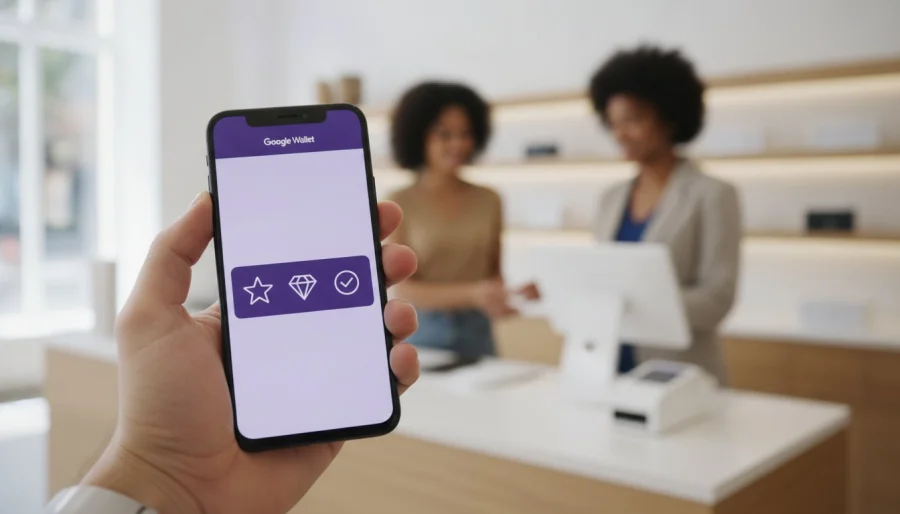
Did you know that 62% of consumers now say the ability to add a loyalty program to their phone is a major factor in their brand choice? For Gen Z, that number climbs to 74%. If you're tired of watching customers lose paper punch cards or seeing your printing budget disappear, you're not alone. Launching a digital loyalty card for google wallet puts your business directly into your customer's pocket without the cost of physical hardware. It turns a simple transaction into a lasting relationship by removing the friction that usually kills customer retention.
We know the hurdles you face, from the high cost of physical cards to the confusion over whether digital wallets even work on iPhones. You need a reliable way to track visits and reward your fans without a complicated tech stack. This guide will teach you how to launch, manage, and optimize a digital program that increases repeat visits automatically. We'll show you how to create a seamless scan-to-add experience that works across all devices, including iPhones running iOS 16 or later. Since a 5% boost in retention can increase profits by up to 95%, it's time to modernize your strategy and grow your bottom line.
Key Takeaways
- Stop losing customers to misplaced paper cards by launching a digital loyalty card for google wallet that stays securely in their smartphone.
- Master the "Scan-to-Join" process to capture customer data instantly and build your marketing list without manual entry.
- Clear up the iPhone confusion by using a single, intelligent link that works perfectly for every customer, regardless of their device.
- Build your own custom-branded loyalty system without any coding knowledge, from choosing reward rules to uploading your logo.
- Transition from physical punch cards to a scalable digital platform that automates tracking and rewards for long-term growth.
What is a Digital Loyalty Card for Google Wallet?
A Google Wallet loyalty card is a dynamic digital pass that lives directly on a customer's smartphone. Unlike a static image or a simple PDF, these passes are live "objects" that connect to a business's reward system. If a customer earns a point or unlocks a discount, the card updates in real-time. By 2026, the shift from physical plastic to cloud-based rewards is nearly complete. Modern businesses have traded expensive printing for eco-friendly, digital-first experiences that never end up in a landfill.
Most businesses utilize QR or barcode-based cards because they don't require specialized POS hardware. You simply scan the customer's phone screen with your existing scanner or a tablet. While some high-end retailers opt for NFC-enabled passes for a "tap-and-go" experience, QR codes remain the most accessible entry point for small to mid-sized operators. These digital passes also unlock proximity marketing. You can set up your system to send a push notification to a customer's lock screen when they walk near your storefront, inviting them in to use their rewards before they expire.
How do digital loyalty cards differ from paper punch cards?
Paper cards are blind. You don't know who has them, how often they're used, or when a customer has stopped coming back. A digital loyalty card for google wallet provides deep data tracking through a modern loyalty platform. You'll see exactly which rewards drive the most visits and identify which customers are at risk of churning. Digital cards are also "forget-proof." Since customers rarely leave home without their phones, your loyalty program is always in their pocket. You save money by eliminating printing costs while gaining a direct, digital communication channel to your best buyers.
The role of Google Wallet in the 2026 retail landscape
In 2026, the contactless journey is the standard for retail. Consumers now use digital wallets as a central hub for their identity, event tickets, and payment methods. This shift has streamlined the checkout process significantly. Digital loyalty cards in Google Wallet reduce checkout friction by up to 40% compared to physical alternatives. By integrating your program into this ecosystem, you meet your customers where they already spend their time. It's about making the path to purchase as smooth and rewarding as possible.
How Customers Save and Use Loyalty Passes in Google Wallet
Friction is the enemy of customer retention. If a signup process takes more than a few seconds, most people will simply walk away. The digital transition solves this by making the "Add to Google Wallet" button the centerpiece of your strategy. This button acts as a powerful trust signal. When customers see the familiar Google branding, they feel confident that their data is secure and that the process will be effortless. It eliminates the need for long forms or manual data entry, allowing a digital loyalty card for google wallet to be issued in a single tap.
For physical storefronts, the "Scan-to-Join" process is the most effective acquisition tool. You place a QR code on your counter or at the point of sale. A customer scans it with their phone camera, hits the save button, and the pass is instantly stored. This flow leverages the Google Wallet API for loyalty cards to create a direct link between your business and the user's device. There's no app to download and no password to remember. Everything they need is already built into their phone.
The "Add to Google Wallet" button experience
This button is incredibly versatile. You can embed it in post-purchase emails, include it in SMS marketing campaigns, or place it on your website's checkout page. It offers a one-click save feature that bypasses the friction of traditional app stores. Because the pass is stored in a Google-backed environment, users enjoy high-level privacy and security. It's a professional way to stay connected to your audience without invading their digital space with unnecessary software.
Redeeming rewards at the point of sale
The redemption process is designed for speed. When a customer reaches the counter, they simply open their wallet and present their pass. Your staff can scan the screen using a basic tablet or even a personal smartphone. You don't need to invest in expensive POS hardware to make this work. As soon as the scan is complete, the points or stamps update in real-time. The customer receives instant visual confirmation of their progress, which creates a positive feedback loop that encourages them to return sooner.
Modernizing your checkout experience doesn't have to be a massive technical project. If you want to see this process in action for your own brand, you can set up a digital loyalty program and issue your first pass today. It's the simplest way to turn a one-time visitor into a lifelong fan.
Can You Use Google Wallet on iPhone for Loyalty Cards?
Many business owners hesitate to go digital because they fear alienating half their customers. It's a common misconception that you need separate, complex systems for Android and iPhone users. While a digital loyalty card for google wallet is the gold standard for Android users, the modern retail ecosystem is designed to be inclusive. You don't need to manage two different databases or print two sets of QR codes. A single, intelligent link detects the customer's phone type instantly and directs them to the correct wallet app. It's a friction-free way to ensure every customer feels rewarded.
For iPhone users, Google Wallet is available as a free download from the Apple App Store for devices running iOS 16 or later. However, most iOS users still prefer their native Apple Wallet for daily use. The beauty of using a professional loyalty platform is that it handles this complexity for you. Your marketing materials stay clean and simple because one point of entry serves every smartphone on the market. You focus on the rewards, while the software handles the technical handshake with the device.
The difference between Google Wallet and Apple Wallet passes
While the core function remains the same, the visual layouts differ to match each operating system's design language. Google Wallet passes often prioritize a clean, card-like view with easy access to transaction history and store details. In contrast, digital loyalty cards for Apple Wallet are optimized for the iOS Lock Screen and Siri suggestions. Both platforms support real-time updates and location-based notifications. By using a universal link, you ensure your branding looks professional and consistent whether it's viewed on a Pixel or an iPhone.
Managing cross-platform loyalty programs
Success in 2026 requires a wallet-agnostic approach. You want to reward the customer, not their choice of hardware. Our loyalty software synchronizes data across both platforms effortlessly. If a customer switches from Android to iPhone, their points and rewards follow them because the data is stored in the cloud. This cross-platform reliability makes staff training much easier. Your team only needs to know one process: scan the code, regardless of which wallet the customer presents. Managing a digital loyalty card for google wallet alongside other platforms doesn't double your workload; it simply doubles your reach.
Creating Your Own Google Wallet Loyalty Program Without Coding
Building a loyalty system used to require a team of developers and a massive budget. In 2026, that barrier has vanished. You can now launch a digital loyalty card for google wallet in minutes using a no-code approach. This shift allows you to focus on your customers instead of managing complex API documentation. By following a structured setup process, you can move from a paper-based system to a fully automated digital program by the end of the day.
- Step 1: Select a professional loyalty platform like BonusQR. This software acts as the bridge between your business and Google's infrastructure, handling all technical integrations for you.
- Step 2: Design your card. Upload your high-resolution logo, choose brand colors that stand out, and set your reward rules. Whether it's a points system or a digital stamp card, the interface makes it easy to customize.
- Step 3: Generate your distribution tools. The platform provides a unique "Add to Wallet" link and a QR code that you can print for your counter or include in your digital marketing.
- Step 4: Invite your team. Provide your staff with access to the scanning app on their own devices. This removes the need for expensive hardware.
- Step 5: Watch the data. Use your dashboard to monitor enrollment rates and see exactly how many rewards are being redeemed in real-time.
Designing a high-conversion digital stamp card
Visibility is the key to a successful digital pass. Use high-contrast colors for your logo to ensure it's readable even when a customer's screen brightness is low. On the back of the card, write clear, punchy descriptions for your rewards. Use active verbs like "Claim" or "Unlock" to drive action. The ideal digital stamp card offers a clear path to the first reward within three visits. This quick win builds momentum and ensures the customer keeps your card at the top of their wallet.
Staff-side management: No POS hardware needed
Modern loyalty programs shouldn't complicate your checkout flow. Your team can use the BonusQR app on any smartphone or tablet to scan and stamp customer cards. This mobile-first approach is secure and prevents fraud by validating every transaction against your central database. Stamping a card takes just a single tap on the screen. It's a fast, reliable process that keeps your line moving while making every customer feel recognized.
Stop overcomplicating your customer retention strategy. You can create your digital loyalty program today and start rewarding your fans without writing a single line of code.
Why BonusQR is the Best Choice for Google Wallet Loyalty in 2026
Selecting the right partner for your loyalty strategy determines whether your program thrives or becomes another abandoned tech project. BonusQR stands out as the premier loyalty platform because it simplifies the transition to a digital loyalty card for google wallet from start to finish. We've built an all-in-one ecosystem that eliminates the need for third-party developers or complex coding. Whether you're a single boutique or a multinational brand, the platform scales with you, providing the same high-level reliability across every location.
Our "zero hardware" philosophy is a game-changer for your bottom line. Traditional loyalty programs often require expensive POS upgrades or specialized scanners. With our system, your existing smartphones and tablets become your most powerful marketing tools. You save thousands on hardware and maintenance while completely removing the environmental impact of physical plastic cards. For larger enterprises, we offer custom white-label app development to ensure your loyalty experience remains perfectly aligned with your brand's unique identity.
Simple pricing and rapid deployment
Time is a luxury most business owners don't have. That's why our platform is designed for speed. You can go live in minutes, not months, which means you can start capturing customer data today. When you check the latest pricing plans, you'll see a range of options designed to fit any business size. The ROI of switching from paper to digital stamps is immediate. You'll stop paying for printing and start earning through increased customer lifetime value and automated tracking.
Advanced features for 2026 growth
Success in the current market requires more than just a basic punch card. Our software includes an integrated points system and customizable reward tiers that keep your audience engaged. These tools are specifically designed to increase repeat customer visits by providing personalized incentives. You can segment your audience, track redemption trends, and adjust your strategy based on real-world performance. It's time to trade your manual processes for a system that works for you. You're invited to start a free trial or book a demo to see how we can transform your customer retention overnight by launching your own digital loyalty card for google wallet.
Future-Proof Your Customer Retention Today
The era of physical punch cards and expensive POS integrations is over. By launching a digital loyalty card for google wallet, you're choosing a path that prioritizes customer convenience and business efficiency. You've seen how easy it is to bridge the gap between Android and iPhone users with a single, intelligent link. You've also learned that sophisticated tracking and real-time rewards don't require a background in software engineering or a massive tech budget.
It's time to put these tools to work for your brand. Our platform offers a Red Dot-style intuitive design interface that makes customization a breeze, all while requiring zero POS hardware. You can support both Google and Apple Wallets from a single dashboard, ensuring no customer is left behind. Success in 2026 belongs to the businesses that remove friction and reward loyalty instantly. Take the next step toward a more connected and profitable relationship with your clientele.
Start your digital loyalty journey with BonusQR today and watch your repeat visits grow. We're here to help you turn every first-time visitor into a lifelong fan with a modern, professional experience that stays right in their pocket.
Frequently Asked Questions
How do I add a digital loyalty card to Google Wallet?
You add a card by scanning a QR code at the checkout or clicking a link in a brand's email or text message. Once you tap the "Add to Google Wallet" button, the pass saves instantly to your app. It's a one-tap process that requires no manual typing or form filling. This makes joining a new program fast and easy for every customer.
Can I use Google Wallet on my iPhone to store loyalty cards?
Yes, you can download the Google Wallet app from the Apple App Store on iPhones running iOS 16 or later. While many iPhone users prefer the native Apple Wallet, the Google app is fully functional for storing loyalty passes and gift cards. Most businesses use a universal link that automatically detects your phone and adds the card to your preferred wallet app without any extra steps.
Do I need a special scanner to accept Google Wallet loyalty cards?
You don't need expensive new hardware to start accepting a digital loyalty card for google wallet. Standard 2D barcode scanners can read the QR codes directly from a phone screen. If you don't have a scanner, your staff can use a smartphone or tablet with a scanning app to validate visits and issue stamps. This flexibility saves you money and simplifies your setup.
Is there a limit to how many loyalty cards I can store in Google Wallet?
There is no practical limit to the number of loyalty cards, tickets, or passes you can store in your digital wallet. The app is designed to keep your digital life organized, allowing you to carry dozens of different programs without the bulk of a physical wallet. You can easily scroll through your passes or search for a specific brand when you're at the counter.
How much does it cost for a business to issue Google Wallet loyalty cards?
Google does not charge businesses a direct fee for each loyalty pass created or saved through their API. Instead, your costs typically involve a monthly subscription for a loyalty platform that manages the integration and data for you. This approach is far more cost-effective than printing plastic cards or paper punch cards, especially as your customer base grows.
Can I send push notifications to customers through their Google Wallet card?
Yes, you can send automated notifications to keep your brand top-of-mind. These can include alerts when a customer earns a new reward or location-based reminders that appear when they walk near your store. These messages help increase repeat visits by reminding customers they have points to spend right when they're in a position to buy.
What happens if a customer changes their phone; do they lose their loyalty points?
Your customers won't lose their progress because their digital loyalty card for google wallet is synced to their Google account. When they sign into their new device, their passes and point balances appear automatically. This cloud-based synchronization ensures a seamless transition and prevents the frustration of losing hard-earned rewards, which is a common problem with physical punch cards.
Is Google Wallet more secure than a physical loyalty card?
Digital wallets provide much higher security than physical cards because they're protected by your phone's biometric locks or passcodes. If a customer loses their phone, their data remains encrypted and inaccessible to others. For businesses, digital cards prevent fraud like double-stamping or forged paper cards since every transaction is validated through a secure, centralized database in real-time.