Loyalty Card Holder Guide: Storing Cards Digitally
A purse that has become a filing cabinet is why the queue stalls. The loyalty card you need is somewhere under a receipt, the barista is waiting, and the person behind you has started to sigh.
That small moment happens to nearly everyone who shops regularly, and it isn't a sign of disorganisation. It's arithmetic. Every shop issues its own card, each card ends up in a different pocket, and nobody prunes the pile until it fails at the till.
Storage is a practical problem, not a design one. Judge every method by a single test: what happens on a busy morning when four people are behind you and the card has to scan on the first attempt.
Why Loyalty Cards Pile Up So Quickly
Stand at the till of any café, salon, gym or corner shop for ten minutes and count the cards that come out of wallets. Customers often carry more than they can name.
The volume is measurable. The Competition and Markets Authority's 2024 review of grocery loyalty pricing found that 97% of surveyed UK shoppers belonged to at least one supermarket loyalty scheme, and the average shopper held memberships in three. A further 21% belonged to five or more. Tesco Clubcard reached 77% of regular grocery shoppers, with Sainsbury's Nectar on 57%.
Supermarkets set the pattern rather than the limit. A 2024 survey of more than 1,000 UK consumers found 91% actively participate in at least one loyalty programme, with participation at 35% for coffee shops and 22% for health and beauty businesses (FashionNetwork report). The card tucked into a salon mirror is the same habit as the Clubcard in a purse. A loyalty card holder in the UK is rarely tied to one shop.
Three things usually go wrong with the pile:
- The card stays at home. It sits in the wrong bag, or in the drawer next to the passport.
- The card expires. Points lapse, a reward window closes, and nobody notices until the next visit.
- The plastic is never read. Half the stack belongs to shops the owner has stopped visiting, and it still takes up room in the wallet.
Travel brands learned this early. Loyalty perks for repeat cruisers work because they attach a benefit to a repeat behaviour rather than to a sign-up form. A card at the till is the same bargain, and it breaks the same way when the card is in a drawer.
The aim from here is narrow. One storage method that keeps every card within reach, scans reliably, and takes seconds to manage on each visit.
Compare Ways to Store Your Loyalty Cards
No single option wins outright. The right home for a card depends on how many are in play and how often each one gets used.
| Option | Best for | Works without signal | Holds many schemes | Usually scans at till |
|---|---|---|---|---|
| Keyring card or tag | Two or three cards used every week | Yes | No, bulky beyond about five | Yes, if the barcode is printed clearly |
| Card holder or wallet | Several physical cards from different shops | Yes | Yes, usually four to eight cards | Yes |
| Phone wallet pass | Cards from shops that issue Apple or Google passes | Yes, once the pass is saved | Yes, as many as you add | Yes, if the till reads phone screens |
| Retailer or loyalty app | Chains that send offers and track points | Partly, needs a recent sync | Yes | Yes, if the shop supports app scans |
| Paper card in a purse | One old card you cannot replace | Yes | No, one card per slot | Yes |
Three rules cover most situations.
- Keep the weekly cards on a keyring. The two or three shops visited every week earn their place on the outside of the bag. A keyring tag is the fastest thing to hand over, and it never runs out of battery.
- Send digital-capable cards to the phone. Where a shop issues an Apple or Google pass, the phone replaces the plastic entirely, and Google Wallet setup with BonusQR shows how a pass is added on an iPhone in a couple of taps.
- Park everything else in a card holder. Paper cards from places that have no digital option belong in one slim holder at home, sorted by shop, not scattered across three bags.
Ask before you bin the plastic. Some tills read only a printed barcode, and a few shops accept the card only through their own app. One question at the counter settles which kind you're holding.
Write down every card, the shop it belongs to and the last time it was used. The count usually surprises people, and it's the only way to know which cards have earned a place in the front pocket.
How to Add Loyalty Cards to Your Phone Wallet
A phone wallet pass is the closest thing to carrying nothing. It opens with a double tap on the lock screen, keeps working without a signal once saved, and doesn't need an app left open.
The infographic below maps the route most shops use, and the sequence is nearly identical on iPhone and Android.
Most wallet passes start from a link or QR code on the shop's app, email or sign-up page. Run through these steps on the phone that will be at the till, not on a laptop at home.
- Open the shop's sign-up link or scan its QR code on your phone. The pass installs on the device that opens the link, so a laptop leaves you with nothing to scan.
- Enter your name and mobile number, or sign in to your existing account. The shop matches the pass to your record, and a mistyped digit is the commonest reason points vanish later.
- Tap the option to add the card to Apple Wallet or Google Wallet. Shops running a platform that can issue wallet passes for salon clients place this button on the sign-up screen itself, so there's no second app to install.
- Confirm the pass appears in your wallet app and check the barcode. Open the wallet and look for the card among your bank cards and travel passes. If it isn't there, the save failed, and step three needs repeating.
- Test one scan at the till, or ask staff to scan it. A staff member can check the pass in a second while the shop is quiet. A pass that fails here would fail in front of a morning queue.
- Turn on location or notifications only if you want offer alerts. Both add convenience and both add noise. A café that sends one message a week is useful, one that sends three gets muted.
What a working pass should show before you leave
The card should display your name or member number, your current points or stamps, and a barcode that stays bright when the screen is at full brightness. If the points figure reads zero on day one, ask staff to check the account before the next visit.
Practical rule: a digital card isn't finished until someone has scanned it. Signing up is the easy half.
Delete passes for shops you've stopped using as you go. A wallet with eleven passes is slower to open than one with four, and the extra taps are exactly what makes people give up at the counter.
Keep a Large Set of Cards Tidy
Once the cards are home, the job becomes sorting rather than storing. Plenty of shoppers are managing a crowd: an Ipsos survey of 1,100 Great Britain adults aged 16 to 75 found that 95% possessed at least one supermarket loyalty card and 79% used multiple cards.
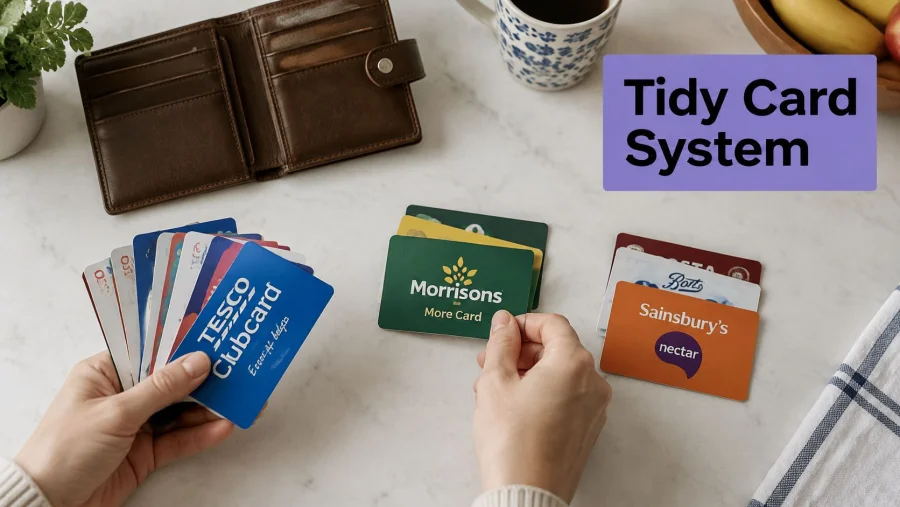
Split the pile into three groups and the daily decisions disappear.
- The everyday set. These are the two or three cards used every week. Keep them on a keyring or at the front of the wallet, and never let the set grow past four. Each new addition pushes the slowest card out.
- The digital set. Cards from shops that issue passes belong in the phone wallet. Where a shop runs a no-download loyalty web app, the card can be saved to the home screen without a visit to the app store. Delete any pass that hasn't been opened in three months.
- The reserve set. Old paper cards, especially the ones that can't be replaced and still hold a balance, go into one card holder kept at home. This is storage, not a shopping list.
The five-minute monthly reset
Pick the same day each month and run the same routine.
- Remove expired cards. An expired card in the wallet costs a scan and gains nothing.
- Check which points are about to lapse. Balances with a long dormancy rule tend to disappear without warning.
- Merge duplicate memberships. Plenty of shops will combine two accounts into one if asked at the counter, which brings two half-finished balances together.
Write the earliest expiry date on the back of any paper card, or in a phone note, so a reward can't slip past unnoticed.
Before relying on a reward, read its significant conditions: expiry date, minimum spend, eligible products, one reward per visit, booking requirements, and whether it can be combined with another offer. The Advertising Standards Authority's CAP Code on promotions requires those significant conditions to be stated where leaving them out could mislead, so they should be visible on the card, the sign or the sign-up page rather than hidden in small print.
Sort every card into one of the three groups before the next shopping trip. The wallet gets thinner, and the cards that matter stop competing for space.
Fix Cards That Will Not Scan
The worst version of this problem has an audience. The barcode won't read, the screen looks fine, and the queue behind you is not interested in a troubleshooting session.
Most failures fall into five patterns, and each has a fix that takes under a minute.
| Symptom | Likely cause | Quick fix |
|---|---|---|
| Barcode will not read on the phone | Screen brightness too low or the screen dimmed by a timeout | Raise brightness to full and switch off auto-lock before scanning |
| Pass is missing from the wallet | The pass was never saved or was removed by mistake | Reopen the shop's sign-up link and save the pass again |
| Points look out of date | The app or pass has not synced recently | Open the shop app with a signal, then check again |
| Card refused at the till | Card expired or linked to another account | Check the expiry date and sign in with the account used to join |
| Card scans but no reward appears | The reward needs a code or a separate sign-in | Ask staff to note your number and claim the reward before leaving |
A few habits prevent most of these before they happen.
- Raise brightness first. Most failed phone scans are a screen at half brightness under shop lighting.
- Keep the app updated. Older versions lose track of new reward rules and sometimes stop refreshing points.
- Ask for a re-scan rather than walking away. Staff can usually enter the number by hand when the barcode refuses.
- Check the pass after each update. A software update can remove passes in rare cases, and two seconds of checking catches it at home rather than at the till.
A reward missed at the till can often be claimed afterwards, provided the shop records the member number with the transaction. Ask before leaving the counter, because the answer is usually yes while the transaction is still on the screen and much harder once the day's sales are closed off.
The rule that saves the most time: a working test scan on day one beats any amount of fixing later. Test while the shop is quiet, then forget about it.
Protect Your Details When You Go Digital
A loyalty card ties a name, a phone number and a purchase history to an account. Move that card onto a phone and the shop holds the same information in a form that's easier to search, which is worth thinking about before the sign-up form is filled in.
UK rules are clear on the shop's side of the arrangement. As Sprint Law's guide to loyalty programme terms sets out, a business needs a lawful basis under the UK GDPR and the Data Protection Act 2018 to process customer data, has to provide transparent privacy information, and must handle direct marketing under the Privacy and Electronic Communications Regulations. Joining a rewards scheme does not give a shop permission to send unlimited promotions.
Three checks take a minute during sign-up.
- Read the privacy notice and see whether marketing is optional. Programme administration and promotional email are usually separate consents.
- Untick the marketing boxes you don't want. A pre-ticked box is a prompt, not an obligation.
- Find how to delete the account or the pass. If the answer isn't written down, ask before joining.
Two phone habits finish the job. Keep a lock screen passcode or biometric lock on the phone, so saved passes aren't readable by anyone who picks it up, and remove passes for shops you no longer visit so old accounts don't sit there live.
If the privacy notice is hard to find, treat that as information. Ask the person at the counter what happens to your details, and decide from the answer.
Choose Your Setup and Start Today
A useful setup is one that works at a busy till: the right card is easy to find, and it still scans when you need it. Give yourself a week to check both digital passes and the physical cards you plan to keep.
- Day one. List each card and its shop, including cards in the car or a drawer.
- Day two. Save available passes to your phone wallet and test one at the counter.
- Day three. Take the physical cards you're keeping to the till and confirm they scan.
- Days four to seven. Remove duplicates and expired cards, and choose only the marketing preferences you want.
For a café, salon, gym or independent shop, BonusQR offers a free loyalty system with unlimited members. Customers can join by scanning a QR code without downloading anything, and loyalty cards can be saved to Apple Wallet or Google Wallet. That gives regulars an option beside the bank cards they already open often, while a printed card remains available for anyone who prefers one.
Shoppers can start by writing their card list and testing a wallet pass at a counter this week. Shop owners can set up a BonusQR loyalty programme in a few minutes and use a QR code to invite customers to join. Check which option works smoothly at the till, with or without a phone pass, then keep the setup that makes each visit easier.


