Welcome Email Series for Rewards Members: What to Include
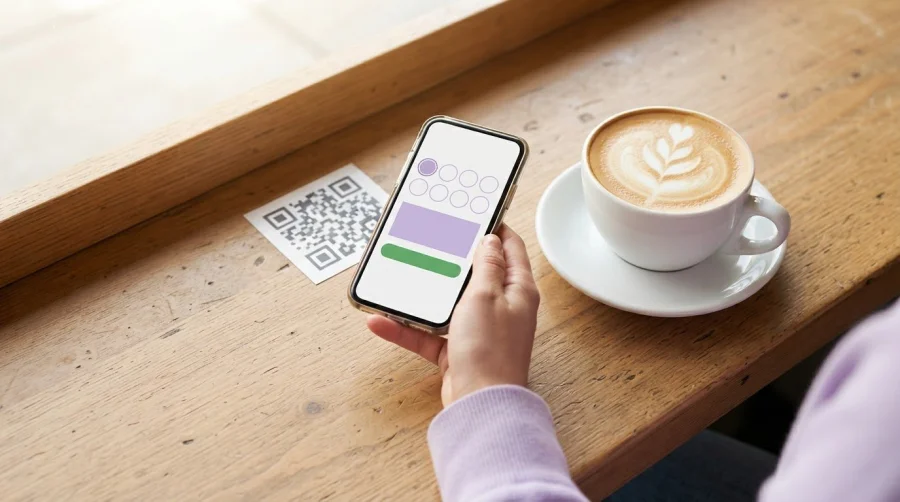
A welcome coupon can fall flat if new members don’t know how to use it. A strong welcome email series for rewards members pairs a clear offer with the essentials: how the program works, how to earn and redeem rewards, and what to do next.
Make the benefit easy to understand in the first message, not buried beneath program details. Explain the reward, show how members can make progress, and give them a simple first-earn prompt, such as making an eligible purchase or completing a profile step.
This guide explains what to include in each email, when to send it, and how to test subject lines, offers, and calls to action. You’ll also learn how to shape the series around a new member’s behavior, so each welcome message feels timely and relevant. Start with a clear offer, then connect it to a straightforward action members can take.
Key Takeaways
- Make the welcome message useful at a glance: explain the perks, how points are earned, and how members redeem rewards.
- Use signup and member actions to trigger relevant messages, then test different versions for distinct customer segments.
- Write a concise subject line and pair it with one clear call to action that guides members toward their next step.
- Plan the timing around the signup and prompt a simple first earn, such as an eligible purchase or another available way to collect points.
- Consider a welcome coupon, and explain its value and how to use it so the offer supports a first reward-program interaction.
1. What should a loyalty program welcome email include?
A useful welcome email answers four questions: What are the perks? How do points work? How can a member redeem them? What should they do next? Put the core benefit near the top, then explain the program in plain language. For example, show how many points members earn per purchase, how many points a reward costs, and where they can use it.
Make membership benefits specific. Explain whether members get exclusive offers, earn points on purchases, or receive progress updates. If the program has tiers, name the member’s current tier and its benefits. A points system should also show the balance and a clear path to redemption. A loyalty points system makes those earning and redemption rules central to the program, so the email can explain them simply.
Keep the first message focused. Show the member’s starting balance, the next reward they can work toward, and one action that earns progress. A café study found that customers with two bonus stamps on a 12-stamp card completed the 10 required purchases faster than customers with a regular 10-stamp card. That example illustrates endowed progress: a head start can make the goal feel closer. If you offer a welcome bonus, explain its conditions and make clear whether members must take an action to receive it.
Trigger the welcome message when someone joins the loyalty program. A practical timing recommendation is 30 to 60 minutes after signup, which can help the message avoid colliding with an order confirmation. Use the email to explain the rewards program and set expectations for future messages. Welcome emails tend to have an open rate of about 50%, so make the first screen count.
In the United States, the CAN-SPAM Act covers email whose primary purpose is commercial advertising or promotion, including business-to-business email. Promotional messages should include a valid physical postal address and a clear opt-out method; honor opt-out requests within 10 business days.
Personalize messages with useful member data, such as signup source, points balance, purchase history, or tier. Use those details to make the offer and next step relevant, rather than adding personal details that don’t help explain the program.
Avoid burying reward conditions, using unclear redemption instructions, or promising benefits the program doesn’t provide. For programs involving children, treat COPPA as a separate compliance consideration. For age-restricted categories such as alcohol, tobacco, or lottery, confirm a member’s age at enrollment before sending a welcome offer.
2. A/B testing and triggered welcome workflows
A triggered workflow starts with a member action, such as creating a loyalty account. It can also respond to a purchase or an important program milestone. This sends each message in context instead of relying on a manual send. For example, someone who joins through an in-store signup can receive instructions suited to that route.
Build the automation around a clear entry event, then map each message to a member action or status. A signup trigger starts the welcome flow; a later purchase can stop a first-earn reminder or prompt a progress message. Add conditions for members who already have points, so they don’t receive a beginner message that ignores their existing activity.
Use signup source to tailor the format and emphasis. Someone joining after a purchase may need a concise explanation of how that transaction counts. Someone joining through a general program invitation may need the core earning steps first. The workflow can send different welcome emails based on how each customer signed up, while keeping the program’s rules consistent.
A/B testing helps identify which message works better for a specific segment. Test one meaningful difference at a time, such as a benefit-led subject line versus an instruction-led one, or a points example versus a description of exclusive perks. Keep the audience and sending conditions comparable. If you change the offer, subject, and layout together, it’s harder to tell which change influenced the result.
Choose a success measure that matches the test. For a first-earn prompt, track whether recipients make an eligible purchase or complete another earning action. For a redemption explanation, track clicks on the relevant action and subsequent reward use. Open rates can offer context, but Apple Mail Privacy Protection prevents senders from seeing whether a recipient opened a message, so don’t rely on opens alone.
A holdout group gives you a comparison: selected members receive the usual experience, while the test group receives the changed message. Compare the same outcome across both groups, such as first earning or reward redemption. Keep the groups’ entry conditions aligned, and don’t change the workflow midway through the comparison.
Before sending, test the automation from signup through its final message. Create sample profiles for different entry routes, then confirm that each receives the right format, points details, links, and promotional content. Check what happens after a purchase or milestone, too. A test profile with existing points can reveal an incorrect starting message before members see it.
For a points-based program, connect each trigger to a clear earning or progress step. If you’re ready to shape that workflow, set up a points-based program.
3. Welcome email subject lines and calls to action
A subject line sets the expectation before a member opens the message. Keep it under 50 characters, and make the loyalty benefit clear without promising more than the program delivers. “You’ve earned 990 Points!” is one example. “Earn 2X Reward Points” is another. Use the member’s real balance or offer only when the message accurately reflects their account.
Pair the subject with pre-header text of 30 to 90 characters. This second line can explain what the subject leaves out. For “You’ve earned 990 Points!”, a pre-header might say, “See your balance and how to use your points.” Keep the two lines complementary. Repeating the same phrase wastes space that could clarify the next step.
Make the call to action specific. “View your rewards” tells members what happens after a click; “Learn more” doesn’t. Match the action to the message. An email that explains earning can use “See how to earn points,” while a message about a reward can use “View available rewards.” One primary button keeps the next step easy to spot.
Choose an action that fits the member’s stage. If the email introduces a loyalty program, direct new members to the earning rules or their account. If membership requires a first step, name it plainly, such as completing a profile or making an eligible purchase. For an app-based program, a “Download the app” button makes sense only when downloading the app is the intended next action.
Use words that describe a real benefit, not vague urgency. “Earn 2X Reward Points” works when the offer applies to that member and the terms are clear nearby. Avoid a subject that implies a reward is ready if the member still needs to earn points. Clear wording protects trust and helps members understand what action starts their progress.
Focus each email on one main goal. Put the key benefit and action near the top, then use supporting copy for details such as earning conditions or redemption steps. A member reading on a small screen should be able to identify the offer, understand the next action, and find the button without scanning several unrelated promotions.
Review each subject and button together before sending. Check that the subject describes the message, the preheader adds useful context, and the destination matches the button text. For example, “View your points balance” should lead to the balance, not a general promotion page. This simple check makes every click feel consistent and supports stronger member engagement.
4. Welcome email timing and first-earn prompts
Timing shapes whether a new member sees the message while signup is still fresh. One suggested welcome-series schedule sends its first email within five minutes of signup. If joining happens during checkout, a separate recommendation places the loyalty welcome 30 to 60 minutes later, reducing overlap with the order confirmation. Choose a trigger that fits the signup flow and keeps the two messages distinct.
A simple ecommerce series can run for three to five days, while another suggested structure uses three to five emails over seven to 14 days. Treat these as planning options, not fixed rules. The right pace depends on how quickly members can earn, whether they need to complete setup, and how much explanation the program requires. Keep each message focused on one next step.
Use the early messages to move from orientation to action. If a member’s profile is incomplete, send a completion prompt on day two or three. If they still haven’t earned, an optional onboarding reminder on day 10 to 14 can restate an eligible purchase or another available earning action. Avoid sending that reminder after the member has already earned.
Let member behavior shape the schedule. A purchase can trigger an email confirming points earned and showing progress toward a reward. Once the member has enough points, a reward notification can explain how to redeem them and where to find the redemption step. Use the latest account activity in a purchase-triggered message, not an older balance from the original welcome email.
Set clear measurement windows before sending. Track whether new members earn for the first time within 14 days of the welcome email, then measure the share who redeem their first reward within 30 days. A first-summary email around 30 days after joining can recap points, activity, and the next available action. These checkpoints help brands see where members pause, instead of treating every click as progress.
Review the subject and reminder timing together. A day 10 nudge should reflect the member’s current status, not imply progress that hasn’t happened. Email examples can use a subject that names the actual next step, such as “Make your first purchase count,” with copy explaining how that action earns points. If a member already earned, shift the message toward their balance or redemption option.
Control frequency across the full sequence. Before sending a welcome reminder, account for purchase confirmations and other loyalty messages triggered by the same event. Suppress a first-earn prompt after the member earns, and stop redemption reminders once a reward is used. This keeps messages relevant and gives each email a distinct purpose.
5. Welcome email coupon for new members
A welcome coupon can turn enrollment into a first purchase, but its value needs context. State what the discount applies to, how a member uses it, and whether it works alongside points. For example, one welcome-email example offers new Crown Rewards members a coupon for $5 off their next purchase. The takeaway is clarity, not a particular discount amount.
Keep the offer easy to recognize. A subject line can name the benefit, while the email explains how to claim or redeem it. For example, a reward-redemption email uses the code SAVE15XYZ for $15 off. That example shows why the code, its value, and the redemption action should appear together, rather than leaving members to search through the message.
Separate a coupon from a points bonus. A discount reduces the cost of a purchase under its stated terms; bonus points add progress toward a program reward. A promotional email example combines 2x rewards with an extra 15% off. If a campaign combines benefits, spell out each one and explain whether members must complete separate actions.
Make the first-earn path clear. If the coupon requires a qualifying purchase, say so beside the call to action. If members earn points on that purchase, explain how the transaction adds to their balance. Don’t imply that using a coupon automatically earns points unless the program rules make that true.
Use the coupon to support the broader rewards experience, not replace it. Members should understand what happens after the first purchase: where points appear, how progress continues, and what redemption requires. For a points-based program, show the relevant balance or earning rule alongside the offer when available.
Plan coupon campaigns around real member behavior. Suppress a reminder after redemption, and avoid sending the same offer to someone who already used it. Track first earning within 14 days of the welcome email as a useful onboarding measure, but don’t confuse that measurement window with the coupon’s validity period. State the actual expiration terms separately.
Check each example before sending: confirm the subject line matches the offer, the code works as described, and the destination explains how to redeem it. Keep any conditions visible beside the offer. A clear coupon helps members act without mistaking a limited promotion for a permanent rewards-program benefit.
Build a rewards experience around clear offers and measurable member actions. Set up your rewards program.
BonusQR
BonusQR helps businesses create a clear rewards experience to support welcome emails. Its loyalty platform includes digital loyalty programs with Points and Stamp Card options. Connect an email’s first-earn prompt to the program members use to collect rewards, with digital cards available in Apple Wallet and Google Wallet.
Turn to BonusQR when you’re ready to organize member rewards and make the welcome journey part of a broader loyalty experience. The loyalty application supports a branded member experience, while a Digital Stamp Card offers a straightforward way for businesses to reward repeat visits. Choose the approach that fits how your customers earn and redeem rewards.
Contact BonusQR to discuss your loyalty program.
Build a stronger member journey
A welcome email series for rewards members can start an ongoing relationship, not just confirm a signup. Use member responses to refine the experience over time. Notice where people engage, where they stop, and which next steps feel most relevant. Then adjust the journey so each message supports a useful interaction with your program.
Keep the member’s experience at the center as your rewards program grows. Clear communication helps new members understand how to participate, while thoughtful follow-up keeps the relationship moving beyond their first interaction. Small, deliberate improvements can make the welcome journey easier to follow and more connected to your business goals.
Ready to put your next rewards-program idea into action? Contact BonusQR to discuss your rewards program. A clear plan is a strong place to start.
Frequently Asked Questions
What should a loyalty program welcome email include?
Include the information a member needs for their next step, without making them search through other messages. For example, confirm their enrollment, show where to find their member account, and explain how to get help with a missing transaction. If the program has exclusions, put them beside the relevant earning or redemption information. A short example purchase can also show how the program works in practice.
Which emails belong in a loyalty onboarding series?
A useful sequence can include an enrollment confirmation, a program-orientation email, an action prompt, and a progress update. Add a profile-completion message only for members with unfinished profiles, and send an inactivity reminder only to those who haven’t acted. For example, a member who has already earned points should receive progress information, not another prompt to make their first qualifying purchase.
3-Email vs 5-Email vs 7-Email: Which Welcome Series Length Is Right for You?
Choose the length based on how much guidance members need before they can participate. A three-email flow can suit a simple program with one clear earning action. A five-email ecommerce flow provides more room for program education and follow-up. Seven or more emails may fit SaaS onboarding, high-consideration goods, B2B, and subscription boxes, where decisions or setup take longer. Remove messages that add no distinct value.
What should you send when a new member does not act?
Send a reminder that addresses the likely point of friction instead of repeating the same welcome offer. If a member hasn’t earned, clarify which action qualifies and where to complete it. If they’ve earned but haven’t redeemed, show how to use the available reward. Suppress the message as soon as they act, and don’t add an incentive unless it fits the program’s rules.
What is a welcome email series for rewards program members?
A welcome email series for rewards members is a set of messages sent after enrollment to help new participants understand and use a rewards program. It can guide someone from joining to taking an initial action, then provide relevant updates as their activity changes. For example, a member might receive an introduction first, followed by a message tailored to whether they’ve earned or redeemed.
How many emails should a rewards member welcome series include?
There isn’t one ideal number for every program. A suggested ecommerce flow uses three to five emails over seven to 14 days, while more involved onboarding may use seven or more emails over 14 to 30 days. Base the length on how many distinct steps members need to understand. If a message repeats information without moving the member forward, shorten the sequence.
What should the first rewards program welcome email say?
Start by confirming the member’s signup and giving them one practical next step. For example: “You’re enrolled. Open your account to see how your next eligible purchase earns rewards.” Make sure the instruction matches the actual program and account experience. If a welcome bonus requires a separate action, explain that clearly rather than implying the reward has already been added.
What incentives and rewards should welcome emails highlight?
Highlight incentives available to the member and easy to explain, such as a stated welcome bonus, a points-earning opportunity, or an exclusive member benefit. Describe what action unlocks the incentive and how the member can use it. A campaign promoting bonus points should distinguish those points from a discount, so members know whether they can redeem them immediately or must earn toward a reward.


