QR vs NFC Loyalty: Which Fits a Small Business?
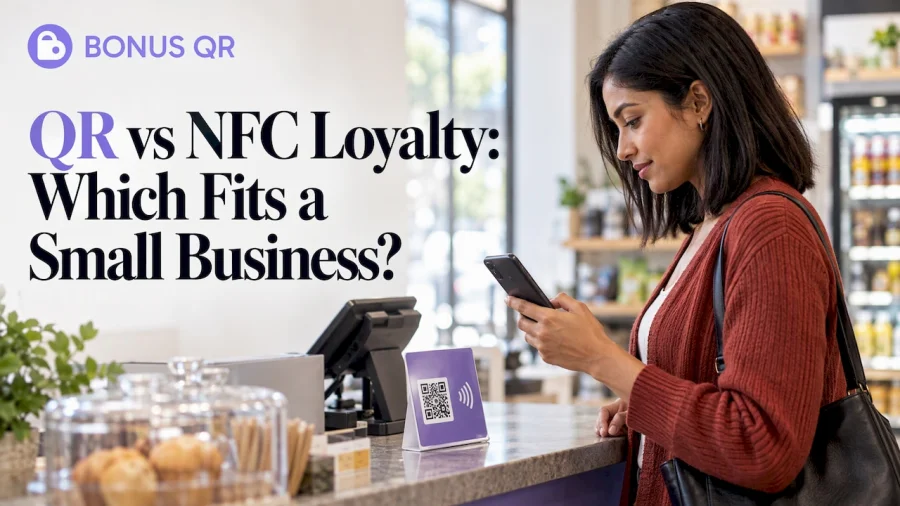
For most small and mid-sized businesses, QR is the better foundation for a loyalty program. A QR code works with the camera already in every customer’s phone, needs no terminal or POS integration, and can be printed on a counter card, receipt or table tent. NFC is a fast tap-to-join mechanic, but it depends on the customer’s phone, your hardware and often your payment setup. If you want rewards running this week, with points, stamps or cashback and no new equipment, start with QR. Our platform is built for exactly that.
This guide explains how each technology works in a real shop, what each asks of you and your customers, how to handle data and privacy, and how to decide for a cafe, gym, hotel, grocery store or gas station.
Key Takeaways
- QR needs only a phone camera and a printed code. NFC needs a phone with an NFC chip, a tap target and, for payment-linked loyalty, compatible terminals.
- A QR-based program can run without a POS. Payment-linked NFC wallet passes depend on terminals and POS software that support the wallet protocols.
- The two are not rivals at the wallet level: Apple documents QR codes and NFC tags as ways to enroll customers in the same wallet loyalty pass.
- Measure results carefully. A new way of capturing purchases can inflate numbers without changing customer behavior.
- Plan for privacy from day one: collect only what you need and get clear consent for marketing messages.
What QR and NFC loyalty actually mean at the counter
Both technologies do the same job: they connect a customer standing in your shop to a digital loyalty record. The difference is how that connection is made.
QR loyalty. A QR code is a printed square pattern that a phone camera reads. The customer points the camera at it, taps the notification that appears and lands on your loyalty page or card. From there they join, collect a stamp, earn points or claim a reward. Because the code is just ink on a surface, you can place it anywhere: on the till, on a poster by the door, on a receipt, in a hotel room or on a gym front desk.
NFC loyalty. NFC (near-field communication) is the short-range wireless technology behind contactless payments. The customer holds a phone close to a reader or a small tag, and the phone exchanges data without any scanning. There are two quite different ways to use it:
- Tag-based: a small NFC sticker or plate on your counter opens your loyalty page when tapped, much like a QR code does.
- Terminal-based: the customer taps a phone with a wallet loyalty pass on a contactless reader. Apple’s developer documentation describes how customers hold an iPhone to an NFC reader to check in, earn points and redeem rewards, and how a one-tap experience can attach the loyalty pass to an Apple Pay transaction so that earning, redeeming and paying happen in a single tap.
The terminal-based version is the one that feels most seamless, and also the one that asks the most of your business. It needs certified readers and POS software that support the wallet protocols. A tag-based NFC setup is simpler, but then it behaves like a QR code that needs a tap instead of a scan.
How QR and NFC compare for customers
Customers decide in a few seconds whether joining a program is worth the effort. Three things matter to them: how quickly they can join, whether their phone supports it and whether it is obvious what to do.
Speed and effort
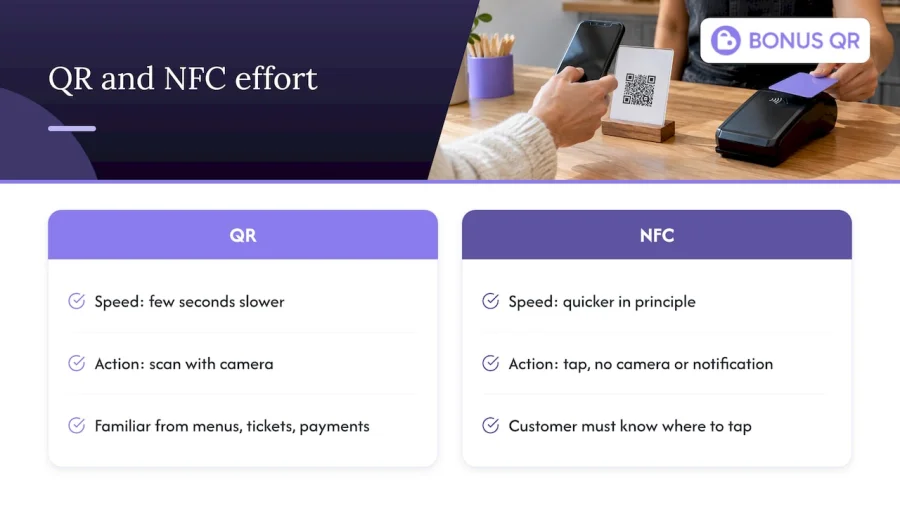
A tap is quicker than a scan in principle: no camera to open, no notification to tap. That is NFC’s real strength. In practice, though, the speed difference is a matter of a few seconds at most, and it only helps if the customer knows to tap and where. A QR code with a clear instruction (“Scan to collect your stamp”) is understood by almost everyone, because people have used QR codes for menus, tickets and payments for years.
The quickest experience of all is the one the customer does not have to repeat. When the loyalty card sits in the phone’s wallet, later visits are just opening the card or tapping at a reader. That is why we support Apple Wallet and Google Wallet passes: a customer can join by scanning a code once and then carry the card in the place they already keep their cards. Our guide to digital loyalty cards for Google Wallet walks through that setup.
Phone compatibility
Every smartphone sold in recent years can read a QR code through its camera. NFC support is common but not universal: it depends on the phone model, whether the chip is present and whether the owner has the setting switched on. Apple’s documentation lists NFC tags and QR codes side by side as ways to start enrollment, which tells you something useful: even the company behind the most polished tap experience treats QR as a first-class entry point.
For a business, the practical consequence is simple. A QR code never has to be explained away to a customer whose phone cannot read it. An NFC-only setup can leave some customers on the outside, and those are the customers least likely to say anything. They just do not join.
Clarity at the point of sale
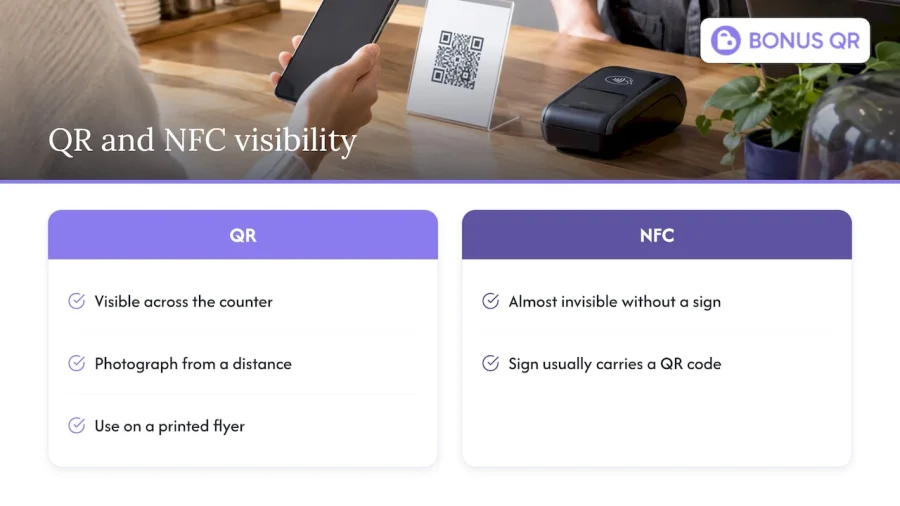
A QR code is visible. A customer can see it from across the counter, photograph it from a distance and use it from a printed flyer. An NFC tag is almost invisible unless you add a sign, and then the sign usually carries a QR code anyway. Many businesses that offer both put the two on one card: scan or tap, whichever you prefer.
What each approach asks of your business
The real separation between QR and NFC loyalty is on your side of the counter.
| Question | QR loyalty | NFC loyalty |
|---|---|---|
| What does a customer need? | A phone with a camera | A phone with an NFC chip, enabled |
| What do you need on site? | A printed code or a code on a screen | Tags or readers, and for payment-linked passes, certified terminals |
| Does it need POS integration? | No | Often, for tap-to-earn at payment |
| Where can it go? | Counter, receipt, table, flyer, window, packaging | A fixed tap point near the customer |
| Replacing a damaged one | Reprint it | Replace the tag or reader |
| Works from a distance? | Yes, within camera view | No, the phone must be held close |
| Best for | Fast launch, any shop, any device | Tap-to-pay checkouts with compatible terminals |
The point about POS deserves emphasis. Many small businesses run a basic register, a tablet app or even a notebook. Others have a POS system they cannot easily change, or one that charges for integrations. Terminal-based NFC loyalty needs the reader and the software to work together. With QR, the staff member or the customer triggers the reward and the loyalty platform records it, independent of whichever till you use. That is why our platform works without a POS, and why a new business can go from signing up to a live program quickly.
The cost question
QR costs very little because the “hardware” is paper or a screen you already own. Reprinting a faded code is trivial. NFC tags are inexpensive individually, but the cost grows with the number of tap points, tables, rooms or locations, and terminal-based setups add readers and integration work on top. Whatever figures you see quoted for tags, the shape of the comparison is the same: a printed QR code scales across tables and locations at almost no cost, while physical NFC points have to be bought, placed and maintained.
The larger cost is the loyalty software itself. Our pricing is published, and you can start without paying:
- Free: a starting plan with no published price.
- Basic: €19 per month.
- Premium: €69 per month.
Full details of what each plan includes are on the BonusQR pricing page.
Which businesses should use which
There is no single answer by industry, but the pattern is consistent: the more varied your customers and the more places a code can sit, the more QR helps. The more your checkout is already a contactless payment moment, the more NFC adds.
Cafes and restaurants
The typical cafe has a short, fast queue at the counter and a handful of tables. A QR code at the till and on table cards lets customers join while they wait for coffee or between courses. Staff do not need training on new hardware. If you want to see how restaurant-focused systems stack up, our roundup of restaurant rewards systems compares the options.
Retail and grocery
Shops with a steady flow of regulars gain most from low-friction stamps and points. A code at each register, plus one on the receipt or bag, covers customers who forget to scan on the spot. For small stores weighing different reward models, see our comparison of customer reward systems for small retail stores.
Gyms, wellness centers and service businesses
Visits are scheduled and members are known, so the reward moment is usually a check-in or a completed session. A QR code at reception or in each treatment room is enough, and a rewards page that remembers the member does the rest.
Hotels
Guests are often travelers with phones from many countries and carriers. A code in the room, at the front desk and on the confirmation email works for all of them. We have a dedicated page on a loyalty application for hotels.
Gas stations and convenience stores
Customers are in a hurry and paying at the pump or the counter. A visible code at the pump island or register lets them join in seconds, and a wallet pass keeps the card at hand for next time.
When a hybrid makes sense
Some businesses put a QR code and an NFC tag on the same sign: scan if you like, tap if you prefer. That is a sensible refinement once your QR program is running and you have found where customers hesitate. It is an addition, not a prerequisite. If you want to plan for it, start with the program that reaches everyone and layer the tap option where it helps.
Customer data, analytics and privacy
Whichever way a customer joins, the value of a loyalty program is what you learn from it: who comes back, how often, what they redeem and which promotions bring them in. Our platform tracks customer behavior and provides analytics so you can see the results of your loyalty and marketing efforts in sales and repeat visits.
Be careful about what the data does and does not tell you:
- Join method does not equal behavior. A customer who scans is not necessarily a different customer from one who taps. Compare groups on visit frequency and spend, not on how they enrolled.
- Better counting is not better behavior. When a new mechanic makes more purchases visible, the numbers rise even if customers did not change. To judge a change honestly, compare participants with similar non-participants, or launch at one location first. For a practical framework, this guide to fostering customer loyalty step by step is a good companion to your own analytics.
- Collect only what you need. A name or email, a pass identifier and visit history are enough for most programs.
Privacy basics for US businesses
If you have customers in California, the state’s privacy rules can apply to a loyalty program that offers rewards in exchange for personal data. Check the California Consumer Privacy Act requirements for a notice of financial incentive before customers opt in, and keep marketing consent separate from the loyalty sign-up. If you serve European guests, GDPR adds expectations for consent and data processing agreements. For anything beyond the basics, a lawyer who knows your state and customer base is the right person to review your sign-up flow and privacy policy.
How to launch a QR loyalty program in a week
A program that launches quickly and stays simple beats an elaborate one that never gets finished. Here is a sequence that works for most small businesses.
- Choose one reward. Pick a single, easy-to-understand offer: a stamp card (buy nine, get the tenth free), a points system or cashback. Our platform supports stamp cards, points, tiered cashback and fixed discounts, so you can change the model later.
- Set up your card and branding. Add your logo and colors so the card looks like yours. Brand and app customization are part of the platform.
- Place the code where customers already pause. The till, the table, the reception desk, the receipt. Add a plain instruction beside it.
- Give staff one sentence to say. “Scan this to collect your stamp today.” Consistency at the counter drives sign-ups more than any design choice.
- Add an onboarding reward. A small welcome gift or bonus gives new members a reason to scan on the first visit. Onboarding promos and special occasion rewards, such as birthday offers, are part of our feature set.
- Turn on automated messages. Push or email notifications remind members of unused rewards and announce promotions without you sending anything by hand.
- Review after a month. Look at sign-ups, repeat visits and redemptions. Adjust the reward or the placement, not the whole program.
If you later want tap-based entry, you can add it to the same program. For ideas on reducing effort at every step, read our overview of frictionless loyalty program options.
Where BonusQR fits
If you want QR loyalty without a POS, start with the free plan and move up as you need more. Basic is €19 per month and Premium is €69 per month, with details on the pricing page. Our platform covers digital stamp cards, points, tiered cashback, coupons, referral and review modules, automated notifications and analytics. For a branded app of your own, there is a white-label option with a one-off setup fee of €690 and a monthly subscription of €69, described on the white-label page. Businesses that need something fully custom can look at custom app development, which starts from €1,500 one-off.
If you are still comparing tools, our guide to the best QR loyalty app for small business lays out what to look for, and our loyalty card software page shows how the pieces fit together.
Our view: start where every customer can join
Small businesses rarely fail at loyalty because they picked the wrong technology. They fail because the program is too hard to launch, too hard to explain at the counter or too dependent on equipment they do not have.
That is why we built BonusQR around QR. A code on the counter is something every owner can set up today and every customer can use without downloading or learning anything. There is no POS to integrate, no terminal to certify and no tag to replace when it wears out. The owner’s attention stays on the shop while the system handles rewards, insights and promotional messages.
We also see wallet passes as the natural next step. A customer scans once, adds the card to Apple Wallet or Google Wallet and carries it with their other cards. The QR code is the door, and the wallet is the room the customer stays in. Tap-based entry can sit beside that door when it suits a business, but the foundation should be the one that works for everybody.
Our advice to a new owner is short: choose one reward, put one clear code in the right place, tell every customer about it and measure after a month. Then improve it.
Michal Palus
FAQ
Is QR or NFC better for a small business loyalty program?
For most small businesses, QR is the better starting point. It works with any phone camera, needs no special hardware and can be placed anywhere you can print or display a code. NFC adds a tap option that suits payment-linked setups with compatible terminals.
Can I use both QR and NFC?
Yes. Many businesses place a QR code and an NFC tag on the same sign so customers can scan or tap. Apple’s documentation lists both NFC tags and QR codes among the ways to enroll a customer in a wallet loyalty pass, so the two can feed the same card.
Do I need a POS system for a QR loyalty program?
No. With BonusQR, customers earn points, stamps or cashback without an additional POS system, so the program runs alongside whatever register or tablet you already use.
Does a QR loyalty card work with Apple Wallet and Google Wallet?
Yes. Our platform supports Apple Wallet and Google Wallet, so a customer can scan a code once and keep the loyalty card with the other cards in their phone.
How much does a QR loyalty program cost to run?
Printing a QR code costs next to nothing, and the software is the main expense. BonusQR offers a Free plan, Basic at €19 per month and Premium at €69 per month, as listed on our pricing page.


