Paperless Rewards Program: How to Build One Customers Will Use
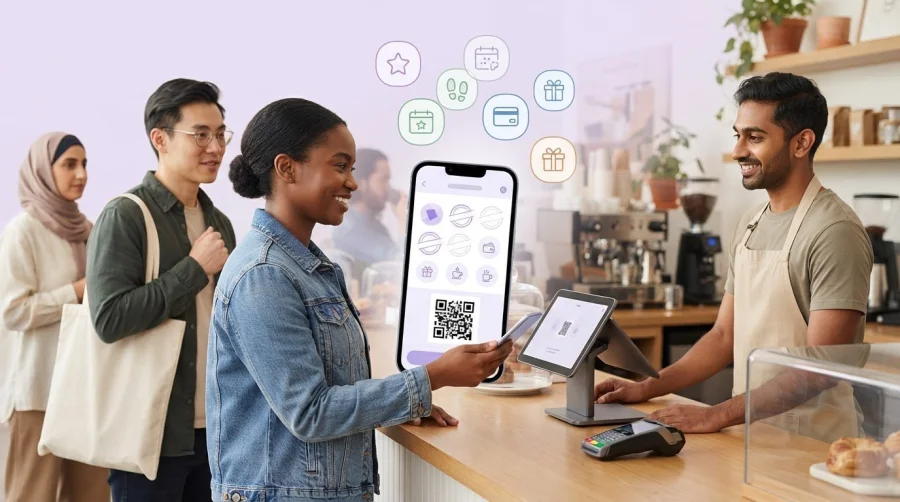
What if customers could earn rewards without carrying another card or remembering another login? Paper cards are easy to lose, while a complicated digital process can create a new checkout headache. A paperless rewards program works best when joining takes little effort, earning is easy to understand, and the reward gives customers a reason to return.
To choose between stamps, points, and different ways to access rewards, start with how your customers shop and what you want to encourage. The setup should be simple for customers to use and straightforward for staff to explain. If the earning rule takes more than a sentence to describe, simplify it before launch.
This guide shows you how to choose a reward structure, make sign-up and earning easy, and prepare a process your team can use confidently. You’ll also learn how digital stamp cards, points, and Apple or Google Wallet access can fit into the experience, and what to track so you can improve the program over time.
Key Takeaways
- Define what you want the program to encourage, then match the customer action, reward, and earning rule to that goal.
- Compare paper and digital experiences to decide where familiarity matters and where digital access could reduce lost-card friction.
- Make your paperless rewards program easy to join and understand, with clear steps for customers and staff.
- Prepare a practical launch plan, then track enrollment, active participation, redemptions, and repeat visits where measurable.
- Use digital stamp cards, points, and Apple or Google Wallet integration to support convenient customer access to rewards.
What Is a Paperless Rewards Program, and What Changes for Customers?
A paperless rewards program lets customers earn and redeem rewards through a digital record instead of relying on a paper card or printed stamps. That record might show stamps collected, points earned, or progress toward a reward. It’s a digital format for a familiar loyalty program, not a promise that customers will visit more often or spend more.
The main change is how reward progress is stored and accessed. A paper card is familiar and easy to understand, and may suit a simple offer. A digital record gives customers another way to keep track, such as through a digital card or points balance. With Apple Wallet or Google Wallet integration, loyalty access can sit in a customer’s phone wallet without requiring every customer to use a separate brand app.
Either format needs clear rules. Customers should know what action earns progress, how much progress they need, and what they can redeem. Digitizing the record won’t fix unclear terms or guarantee repeat visits. It changes how customers participate; the offer’s value and ease of use still depend on the program design.
How does a paperless rewards program work?
Think of the experience in three steps: join, earn, redeem. A customer joins through the business’s digital loyalty experience. On a visit or qualifying purchase, progress is added to a digital stamp card or points balance. Once the customer meets the stated rule, they can redeem the reward according to the program’s terms.
For example, a café might give a digital stamp for each qualifying drink purchase. The customer checks the card to see their progress, then presents it when they’re ready to claim the reward. A service business might instead award points for a defined action. In either case, customers don’t need to keep a paper record, and staff can follow a consistent process for recording progress and handling redemption.
Which businesses can use digital rewards?
Digital rewards can fit businesses where customers have a reason to return and a repeatable action can earn progress. Cafés might reward visits or qualifying orders; a salon, retailer, or other small business could connect rewards to repeat bookings or purchases. The best fit depends on customer habits and the action the business wants to recognize, not on a particular industry.
For a closer look at how rewards can suit different small-business needs, explore this small-business loyalty program overview. BonusQR’s digital loyalty program includes stamp cards and points, helping businesses choose a format that matches how customers earn rewards.
How to Design Rewards Customers Want to Earn
A strong rewards structure starts with customer behaviour, not a feature list. Decide what you want the program to encourage, then make the action, reward, and path to earning it easy to explain. For a paperless rewards program, digital access is only the format. The offer still needs to feel relevant and achievable.
Use this framework to shape the offer:
- Choose a business goal. Be specific about the behaviour you want to support, such as repeat visits, return bookings, or purchases from a particular category.
- Name the customer action. Decide what earns progress. It could be a qualifying visit, purchase, or another clearly defined action.
- Select a relevant reward. Choose something regular customers will value and that makes sense for your business, such as a product, service, or benefit.
- Set the earning rule. State exactly how customers make progress, when they qualify, and how they redeem. Keep the rule consistent and easy to communicate.
Then check the balance between effort and value. If customers must make many visits or take several actions, the reward should feel worth working toward. A reward that’s too distant may lose its appeal; one that’s too easy to earn may not support your business goal. Consider the customer’s perspective and make the terms clear before launch.
A clear earning rule tells customers what counts, how progress builds, and when they can claim a reward.
When should a business choose stamps or points?
Stamps are a straightforward fit when the reward is tied to repeat visits or similar purchases. Customers see each stamp move them closer to a defined reward. Points offer more flexibility when different purchases or customer actions need to carry different values. Neither format is right for every business. Compare digital stamp cards and points systems against the actions you want to recognize.
How can you make a reward feel achievable?
Keep the earning rule short enough to explain at a glance. Choose a reward that connects to your business and what regular customers come back for. Before launch, spell out any qualifying purchases, limits, or redemption conditions in plain language. Avoid a long list of exclusions: extra conditions can make an appealing offer harder to understand and use.
Once you’ve settled on the mechanics, map them to a digital stamp or points format. Explore setting up a rewards program as a practical next step.
Paper vs. Digital Rewards: Compare the Customer Experience
Switching formats changes how customers carry, find, and present their reward progress. Paper can feel familiar and quick to understand. Digital access can reduce the chance that a customer arrives without a card, but it also asks them to use a phone-based option. The better choice depends on your audience, your offer, and how rewards fit into the checkout routine.
Compare the experience across four practical points:
Enrollment: Paper cards are easy to hand out, with little explanation. Digital enrollment involves a screen-based step, so staff should be ready to explain how to join in plain language.
Portability: A paper card travels in a wallet or bag and can be misplaced. A digital record can be accessed through the chosen loyalty experience, including Apple or Google Wallet where integrated, but customers still need a suitable way to access it.
Staff handling: Paper may be familiar at the counter, though staff need to stamp or mark each card. With digital rewards, staff follow the program’s process to record progress and redeem rewards. Practice helps keep the interaction consistent.
Reward tracking: Customers can inspect a paper card to see its marks. A digital card or points balance stores progress digitally, so customers don’t need to keep a paper record. The precise display and steps depend on the chosen setup.
Neither format guarantees more repeat visits. A paperless rewards program still needs a reward customers value, clear earning rules, and a smooth experience. Digitization changes the record and access method; it doesn’t replace thoughtful program design.
What changes when rewards move from paper to digital?
With paper, customers carry the card, find it at checkout, and hand it over for a stamp or redemption. With digital access, they open the relevant card or loyalty experience on their device and present it to staff. Progress is recorded digitally rather than on a physical punch card. Wallet integration offers one access option, and a separate app isn’t the only possible approach.
How can a business reduce switching friction?
Make the new routine easy to learn. Brief staff on enrollment, recording progress, and redemption, then use the same simple explanation across the team. Add concise counter signage and a short verbal invitation. If existing customers have paper cards, plan a transition period and explain clearly how they can use or move from their current card.
Before choosing the access method, think through a typical checkout: how much time is available, what customers already use, and what staff can explain in a sentence. A familiar paper card may remain convenient for some customers; others may prefer digital access. Match the option to real customer habits, and keep the steps consistent from sign-up through redemption.
How to Launch and Improve a Paperless Rewards Program
A smooth launch starts before the first customer joins. Set a clear objective, prepare the customer journey, and make sure staff can explain each step. Then review real use over a defined period. This helps you spot friction and adjust the program without assuming that digitizing rewards will automatically improve results.
What should you prepare before launch?
Start with one primary business objective, such as encouraging return visits or repeat bookings. Record a baseline using information you already track, so you have a point of comparison after launch. Then write the earning rule, reward details, and redemption instructions in plain language. Customers should be able to understand what qualifies and what to do next without a long explanation.
Prepare the team and customer-facing message before inviting people to join. Give staff a short explanation they can use consistently, and walk through how to enroll a customer, record progress, and handle a redemption. Keep the launch message focused on the reward and how to participate. If the program uses a digital stamp card, a digital stamp card software guide can provide related implementation context.
Use this sequence to get ready:
- Choose the objective and note your baseline.
- Confirm the earning rule, reward, and redemption steps.
- Test the customer journey and staff process from enrollment to redemption.
- Brief staff, prepare launch messaging, and set a date to review early results.
Which results should you review after launch?
Choose a review period that fits your normal customer cycle, and decide in advance what you’ll examine. Track sign-ups to see whether customers are enrolling. Look at active participation too, since enrollment alone doesn’t show whether people are earning progress or returning to use the program. Define “active” in a way that makes sense for your business, such as a customer earning progress during the review period.
Next, review redemptions alongside repeat visits or purchases where your records allow. These measures can help you understand whether customers are using the reward and whether returning activity is changing. They don’t prove that the program alone caused a change, so compare results with your baseline and consider other factors that affect customer traffic.
Numbers show what’s happening; feedback can help explain why. Ask staff where customers pause or need clarification, and listen for questions about enrollment, earning, or redemption. If customers misunderstand a condition, simplify the wording. If staff find a step awkward during checkout, revisit the process. Make one thoughtful adjustment at a time, then assess it in your next review window.
Build your program, prepare the customer journey, and set up your rewards program with a clear plan for reviewing results.
How BonusQR Supports a Paperless Rewards Program
The reward structure you choose should guide the digital format, not the other way around. BonusQR offers digital stamp cards and points systems, so businesses can match the program to the customer actions they want to recognize. A simple repeat-visit offer may suit stamps; a program that assigns different values to qualifying actions may suit points. Clear rules still matter. The digital format supports the experience, but it doesn’t decide what customers will value or guarantee more visits.
Access matters too. Apple Wallet and Google Wallet integration gives customers a way to access loyalty offerings through their phone wallet. It’s an option for customer access, not a requirement that every participant download a separate app. Consider how your customers prefer to join and how staff will explain the process at checkout, then choose a format that fits those routines.
Choose a digital format that fits your reward rules
Digital stamp cards make progress straightforward when customers earn a stamp for a defined visit or purchase. Points systems can suit programs that assign points to qualifying activity. Start with the action and reward, then select the format that makes the earning rule easiest to follow. The loyalty program overview offers a product-level look at the digital rewards options.
Before launch, write down what earns progress, how customers can check it, and what happens when they redeem. Use that same description to guide staff and customer-facing instructions. This keeps the program model at the centre of the setup, rather than choosing a digital feature first and trying to fit the reward around it.
Take the next step with BonusQR
BonusQR helps businesses move loyalty rewards from paper records to digital access. Customers can use digital stamp cards or points, with Apple Wallet and Google Wallet integration as access options. The platform replaces the need for physical plastic loyalty cards and specialized POS hardware, so businesses can digitize rewards without adding specialized POS equipment. Custom white-label app development is also available for businesses seeking a branded app experience.
As you prepare, keep the customer journey consistent: explain how to join, how progress is earned, and how rewards are redeemed. Then use your chosen measures and customer feedback to refine the offer after launch. That way, the digital setup supports a clear program plan instead of adding complexity.
Ready to put your reward rules into a digital format? Start setting up a paperless rewards program with BonusQR.
Take the First Step Toward Easier Repeat Visits
Your next move doesn’t need to be a complete overhaul. Start with one reward customers can understand, then build a program experience that feels natural at checkout. A well-planned paperless rewards program gives you room to learn from real customer use and refine the offer over time.
BonusQR provides digital stamp cards and points systems, with Apple Wallet and Google Wallet integration to support digital access. The platform replaces the need for physical plastic loyalty cards and specialized POS hardware. Choose the format that fits your reward rules, then make participation clear for customers and staff.
Give your idea a practical starting point. Start building your paperless rewards program with BonusQR and take the next step toward a smoother rewards experience. A clear offer and simple customer journey give you a program you can improve over time.
Frequently Asked Questions
Can a paperless rewards program work without specialized POS hardware?
Yes. BonusQR is designed to let businesses offer digital loyalty without specialized POS hardware. Keep the checkout routine straightforward: staff should know how to invite a customer, record qualifying activity, and handle a redemption. For example, decide in advance what staff should do if a customer asks to redeem a reward while making another purchase. Clear instructions help the team handle that moment consistently.
Is a paperless rewards program suitable for a small business?
It can suit a small business with returning customers and a reward that’s simple to explain. A local bakery, for instance, could start by recognizing a repeat purchase rather than creating several reward levels. Set a manageable objective, then check whether customers take part and redeem rewards. If explaining the program takes too much time, simplify the offer before adding more rules.
Can customers use Apple Wallet or Google Wallet for digital loyalty rewards?
Yes. BonusQR’s digital loyalty platform integrates with Apple Wallet and Google Wallet, giving businesses a wallet-based way to offer loyalty access. Explain the joining steps without assuming every customer uses the same device or wants the same access method. Staff can briefly describe the available options, then guide customers through the one that suits them.
How do I encourage customers to join a paperless rewards program?
Make the invitation brief, timely, and tied to a benefit the customer can understand. For example, staff can mention the reward while completing a qualifying purchase, rather than delivering a long explanation during a busy moment. Use a consistent phrase that answers what the customer earns and what to do next. If people hesitate, ask which part feels unclear and adjust the invitation.
What should I measure to know whether a paperless rewards program is working?
Measure the activity that connects to your chosen goal. Enrollment shows whether customers are joining; active use and redemptions help show whether they continue participating. If your records allow, compare repeat visits or purchases with a relevant baseline. Review the same measures regularly, but treat them as signals rather than proof that the program caused a change. Customer comments can reveal context the figures miss.
Can a business move customers from paper cards to digital rewards gradually?
Yes. A gradual transition gives regular customers and staff time to adjust. Set a changeover date, explain how new members can join, and state how existing card progress or earned rewards will be handled. Use the same wording on counter notices and in staff conversations. Keep a note of recurring questions during the transition; if several customers ask about the same step, clarify that instruction first.


