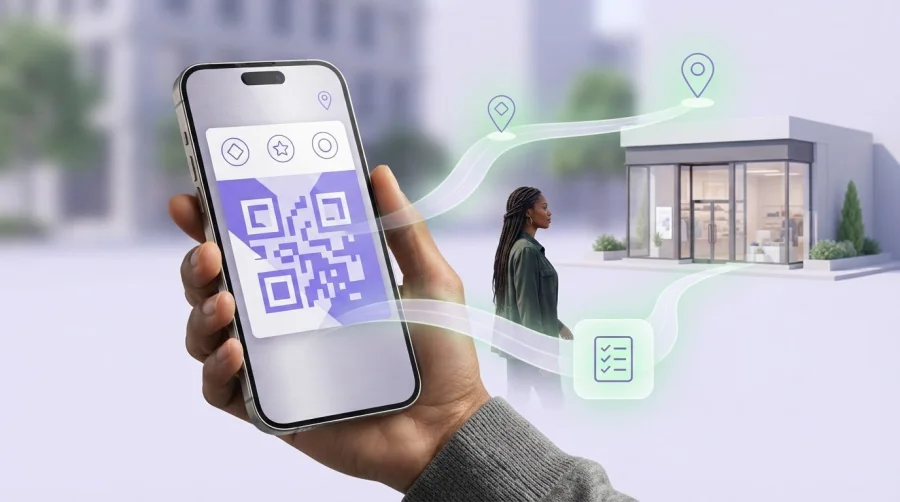
Can Apple Wallet nudge you to use a loyalty card when you’re near a store, or remind you to pick up groceries when you arrive? The answer depends on which Apple feature you use. Location-based reminders for Apple Wallet can help bring a relevant pass to your attention, but they aren’t the same as personal location alerts in the Reminders app.
It’s easy to expect one feature to handle both jobs. Apple Wallet may surface a pass based on location, while Reminders can alert you when you arrive at or leave a place. Neither is a guaranteed prompt. Location permissions, notification settings, the pass configuration, and iOS behavior can affect what appears.
This guide explains what a location-aware Wallet pass can do in 2026, how to set up a personal alert in Reminders, and what to check if a notification doesn’t appear. It also covers how businesses can use digital loyalty passes to make rewards easier to access, while treating location-aware notifications as a possibility, not a promise. Knowing the difference helps you choose the right tool for the task.
Key Takeaways
- Use Apple Reminders for personal arrival or departure alerts, and Apple Wallet to access a relevant pass.
- Know who sets the location: you choose a place for a Reminders alert, while the pass issuer associates locations with a Wallet pass.
- Review location permissions and notification settings if an alert or pass suggestion doesn’t appear as expected.
- Choose the right location-based reminders for apple wallet approach by starting with your goal: remembering a task or accessing a loyalty pass.
- Businesses can make stamp cards and points easier to access through Apple Wallet, without treating a pass as a guaranteed location notification.
What location-based reminders for Apple Wallet actually mean
A location-based reminder is an alert or pass suggestion connected to a place. Apple Reminders lets you create a personal task that can alert you when you arrive at or leave a location. Apple Wallet may surface a pass associated with a nearby place. These are separate features: a Wallet pass appearing near a store isn’t a reminder to complete a task.
What does a location-aware Apple Wallet pass do?
A Wallet pass, such as a loyalty card, may include locations selected by its issuer. When your iPhone is near one, iOS may show the pass as a Lock Screen suggestion. A pass can be associated with up to 10 locations, but that doesn’t make it a custom task or guarantee an alert at a precise moment.
Location access is controlled by the user. Location Services must be enabled for Wallet for location-related pass suggestions to work, and notification settings can affect what appears. These are passive suggestions, not alarms with a guaranteed sound or vibration. The broader role of Apple Wallet is to store and present digital items such as passes, rather than manage your personal to-do list.
How is Wallet different from Apple Reminders?
Use Reminders when you want to remember something you need to do. Create the task and choose a location-based arrival or departure alert. For example, set a reminder to pick up a prescription when you reach the pharmacy, or to call someone when you leave work.
Use Wallet to keep passes accessible. A loyalty pass may be suggested near a participating location, helping you bring it up when it could be useful. The issuer associates the pass with locations. Adding it to Wallet doesn’t create a personal errand or alert.
- Personal task: Create it in Reminders and set the relevant location alert.
- Pass access: Keep the pass in Wallet and allow location access if you want iOS to surface it nearby.
- Business loyalty: A digital pass can make rewards easier to access, but its presence in Wallet doesn’t promise a location-triggered notification.
That distinction is the key to understanding location-based reminders for Apple Wallet. Wallet may surface a relevant pass; Reminders handles the task you want to complete. Choose the feature based on whether you need to access a pass or remember to do something.
How Apple Wallet location suggestions and Apple Reminders alerts work
The key difference is who sets the place and why. A Wallet pass may be associated with locations by its issuer, while an Apple Reminders location alert is a personal trigger you create for a task. Both rely on iPhone settings and iOS behavior, so neither should be treated as a guaranteed prompt at an exact time or distance.
How a Wallet pass can be associated with a place
A pass issuer can associate a pass, such as a loyalty card, with relevant locations. If location access and other settings allow it, iOS may surface the pass when it considers the place relevant. Apple’s pass format supports location information, but whether a suggestion appears depends on the pass and the device’s current software and settings. Don’t assume every pass will appear at a fixed distance or just as you arrive.
A pass suggestion is different from a pass update. A location suggestion may bring an existing pass to your attention; an update changes information shown on the pass. Neither creates a personal to-do item. Set an errand alert yourself in Reminders if you need to remember a task.
How to create an arrival or departure reminder in Reminders
For a personal task, create a reminder and attach a location trigger. Apple’s guide to set alerts based on time and location explains the feature. The general setup is:
- Open Reminders and create a new reminder with a clear task name.
- Open the reminder’s details, then choose the location option.
- Search for or select the place on the map, then choose whether the alert should trigger when you arrive or leave, if those options are available.
- Save the reminder and check that Location Services and notifications allow the feature to work.
For example, set “Pick up a parcel” to trigger when you arrive at the collection point. Check that the selected place and arrival trigger match your plan. Menu names and available options can vary by iOS version and device configuration, so follow the wording shown on your iPhone.
What location permissions and privacy settings can affect
Location Services, app-level location access, and notification settings can all affect whether a reminder or Wallet suggestion appears. If something doesn’t show, review the settings for Reminders or Wallet. The menu path may vary by device. Location access is user-controlled and can be changed at any time.
Businesses offering digital loyalty passes should explain what the pass does and how any location-related experience works. Don’t present a nearby pass suggestion as a promised alert. A digital stamp card or points pass can still make rewards easier to access in Wallet. Businesses can explore Apple Wallet loyalty integration as part of a broader customer experience.
Apple Wallet pass or Apple Reminders: which option fits your goal?
Choose based on what you want to happen. If you need to remember an errand, create a reminder tied to a place. If you want to keep a loyalty card or ticket handy, use Wallet. A dedicated reminders app may offer additional options, but its setup and behavior depend on that app.
| Option | Best for | Who sets the location? | Likely interaction |
|---|---|---|---|
| Apple Reminders | Personal errands and tasks | You | An alert associated with arriving at or leaving a selected place |
| Apple Wallet | Accessing supported passes, such as loyalty cards or tickets | The pass issuer associates relevant locations with the pass | iOS may surface the pass when a location is relevant |
| Dedicated reminders app | Location reminders with features specific to that app | You, using the app’s available tools | Varies by app, settings, and device behavior |
When should you use Apple Reminders instead of Wallet?
Use Reminders when the prompt needs to be about your task: “Return this item when I get to the store” or “Pick up groceries when I arrive.” You choose the place and the arrival or departure trigger, where available. Whether a reminder repeats or how it is completed depends on its configuration and current iOS behavior, so check the options shown on your device.
For pass-related context, see How to Use Digital Loyalty Cards for Apple Wallet. A loyalty card belongs in Wallet; a personal instruction to use it at a particular moment belongs in your reminder list.
When does a Wallet pass make more sense?
Wallet is a practical place to keep supported passes, including loyalty cards and tickets. A pass’s location relevance is associated with the pass, not created as your personal location-based task. Apple’s developer documentation explains how location data works in Apple Wallet passes. Pass details and iOS behavior can affect whether a suggestion appears, so don’t assume every card supports a customer-created location trigger.
For broader context, read Digital Wallet Pass for Loyalty Programs. Digital stamp cards and points systems that integrate with Apple Wallet can make rewards easier to access, but integration alone doesn’t guarantee a location notification. Think of location-based reminders for Apple Wallet as two different needs: Wallet may bring a pass within reach, while Reminders helps you remember what to do.
How to set up a location reminder or check a Wallet pass
Start with the job you need done. If you want your iPhone to remind you about a personal task near a place, use Reminders. If you want to access a loyalty card or event ticket, look for it in Wallet. These location-based reminders for Apple Wallet involve different setup paths, and a saved pass doesn’t automatically create a personal alert.
- 1. Choose the task. Decide whether you need an arrival or departure reminder, or simply want to bring up a pass.
- 2. Set a personal alert. Create a reminder, open its details, choose the location option, select a place, and choose arrival or departure if available. Menu wording can vary by iOS version.
- 3. Find a pass. Open Wallet and look for the saved loyalty card or ticket. The issuer controls whether a pass is associated with relevant locations.
- 4. Check settings. Review location access and notification settings if an alert or pass suggestion doesn’t appear as expected.
Set an arrival or departure alert for a personal task
For example, create a reminder called “Pick up the parcel,” attach the collection location, and choose an arrival trigger. Review the saved reminder to make sure the place and trigger match your plan. You can adjust or remove the location in its details. Testing the setup can help you spot mistakes, but it can’t guarantee when or whether an alert will appear.
Find or manage a relevant pass in Apple Wallet
Open Wallet and browse your saved passes for the loyalty card or event ticket you need. If it’s missing, check whether it was added to Wallet and is still available on your device. If a pass doesn’t surface near a location, review Wallet’s location and notification permissions in iPhone settings. You can’t assume every pass lets you add a location yourself; relevance may be defined by the pass issuer.
Fix common location-alert problems
Use this checklist before changing your setup:
- Confirm that Location Services and the relevant app’s location access are enabled.
- Review notification settings for Reminders or Wallet, including whether alerts are allowed.
- Make sure the reminder is still active, or the pass is still saved and accessible.
- Check the selected place and arrival or departure trigger in the reminder details.
- Look for current iOS updates or changes to settings, since labels and behavior can vary by version and device configuration.
Businesses can make rewards easier to access with digital stamp cards and points systems that integrate with Apple Wallet, while keeping location messaging clear and avoiding promises of automatic alerts. Start building a digital loyalty program to give customers a convenient way to access rewards.
How location-relevant Apple Wallet passes can support customer loyalty
A digital loyalty pass can keep a stamp card or points balance easy to find in Apple Wallet, making rewards more convenient to access during a customer visit. Location may add useful context, but it shouldn’t carry the whole experience. A pass being available in Wallet doesn’t guarantee that iOS will show a location-triggered notification or reminder.
Design a useful location-aware loyalty experience
Start with the customer’s reason to visit. A café might highlight a reward that’s relevant to a returning customer, while a retailer could make the next step toward earning a reward clear. Keep the offer, any redemption conditions, and the action the customer should take simple to understand.
Make location a helpful cue, not a substitute for a strong offer. Be clear about whether a pass may use location-related features, and let customers make their own choices about permissions. Relevant, restrained communication helps the pass feel useful rather than intrusive.
Use digital Wallet loyalty without promising an alert
BonusQR’s digital loyalty platform supports stamp cards and points systems that integrate with Apple Wallet and Google Wallet. Customers get a digital way to access loyalty rewards without relying on a physical card. The integration doesn’t mean BonusQR controls Apple’s notification timing or guarantees a location prompt. Pass availability and location-triggered behavior are separate.
Businesses comparing approaches can also explore the Ultimate Guide to Choosing a Loyalty Application. Focus on the loyalty experience itself: how customers join, understand progress, and use rewards. A convenient pass works best when the program is easy to follow wherever customers choose to access it.
Take the next step with a digital loyalty program
Moving loyalty into a digital format can reduce reliance on physical loyalty cards and give customers a pass they can keep with other digital items. For example, a digital stamp card can make progress toward a reward accessible in Wallet, while a points system can give customers a clear view of their rewards. Keep the value clear, and treat any location relevance as an added convenience, not a promised reminder.
If you’re ready to make rewards easier to access, start setting up your digital loyalty program.
Choose the right location experience for your next step
The right feature depends on what you want to remember. Use Apple Reminders for personal tasks tied to arriving at or leaving a place. Use Apple Wallet to keep loyalty cards and other passes easy to access. Location-based reminders for Apple Wallet can mean either a personal alert or a pass suggestion, but those are separate experiences, and neither guarantees a notification at a particular moment.
For businesses, a digital pass can make rewards simpler to find without relying on physical loyalty cards. BonusQR’s digital loyalty platform supports stamp cards and points systems that integrate with Apple Wallet and Google Wallet. Keep offers clear, respect customer choices around location access, and treat any location relevance as a helpful extra rather than a promise of an alert.
Ready to make your loyalty program easier for customers to access? Start setting up your digital loyalty program and take a practical step toward a more convenient rewards experience.
Frequently Asked Questions
Can Apple Wallet send a reminder when I arrive at a location?
Apple Wallet may surface a pass associated with a relevant location, depending on the pass configuration and how your iPhone behaves. That’s different from creating a personal task alert. For an errand reminder, create a task in Apple Reminders, attach a location, and choose arrival as the trigger if available. Location-based reminders for apple wallet are best understood as pass suggestions or Reminders alerts, not one combined feature. Check current permissions and settings.
How do I set a location-based reminder on an iPhone?
Create a reminder in Apple Reminders, then open its details and choose the location option if it’s available. Search for or select a place, then choose whether the alert should trigger when you arrive or leave. For example, set “Pick up a parcel” to trigger near the collection point. Menu names and options can vary by iOS version. Review location access and notification settings, and test the setup before relying on it for an important task.
Can I add my own location to an Apple Wallet card?
Not necessarily. A Wallet pass may include location information configured by its issuer, but that doesn’t mean you can add a custom location to every card. Check the pass and the options available on your iPhone. If you want an alert for a personal task at a place you choose, create a separate reminder in Apple Reminders and set its location trigger, if available.
Why is my Apple Wallet pass not appearing near its location?
A pass may not appear as expected because of its location configuration, iPhone settings, or current iOS behavior. First, make sure the pass is saved and accessible in Wallet. Then review relevant location access and notification settings. A pass suggestion isn’t a guaranteed location alert, so it may not appear at a predictable time or distance. For a personal task notification, set a location alert in Reminders instead.
Can Apple Reminders repeat a location-based reminder?
Repeat options and location triggers can behave differently depending on the reminder’s settings and your iOS version. Create a test reminder and check which recurrence options appear on your device before building a routine around it. If you need a recurring prompt, consider whether a time-based schedule better suits the task. Don’t assume that an older workaround or instructions for another app describe current Reminders behavior.
Do Apple Wallet loyalty cards send location-based offers?
A loyalty pass in Wallet makes the pass available there, but it doesn’t guarantee that a location-triggered offer will appear. Any location relevance depends on how the pass is configured and how iOS handles it on the customer’s device. Businesses should describe offers and pass behavior clearly, and avoid promising alerts unless the current setup supports that experience. Treat location as a possible convenience, not the offer itself.
Can a business create Apple Wallet loyalty passes with BonusQR?
BonusQR provides a digital loyalty platform with stamp cards and points systems that integrate with Apple Wallet and Google Wallet. A digital pass gives customers a way to access loyalty information without carrying a physical card. Wallet integration doesn’t guarantee location-triggered notifications, and businesses shouldn’t imply that BonusQR controls Apple’s alert timing or location behavior. Explain the reward clearly and present any location relevance as a separate, non-guaranteed feature.


