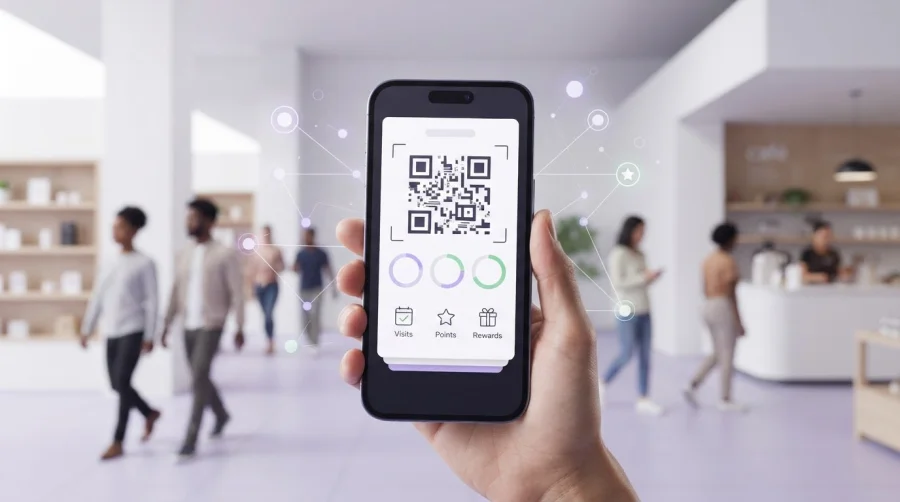
What if your loyalty card could do more than sit in a customer’s phone? A useful Apple Wallet pass makes rewards easier to carry, check, and use, giving customers a simple reason to return. The key to using apple wallet for customer engagement isn’t sending more messages. It’s making each interaction relevant and worthwhile.
If you’re wondering whether customers will notice another loyalty tool, start with the value it offers. A pass works best when it supports a clear benefit, such as tracking stamps or points, rather than adding friction to a visit. Because it lives in Apple Wallet, customers can access it without downloading a dedicated loyalty app.
This guide shows you how to use a Wallet pass across the customer journey, choose loyalty mechanics and communications that deliver value, and measure whether they encourage repeat visits. You’ll also learn how a Wallet pass compares with a mobile app and other loyalty options, so you can choose an approach that fits your business and customers.
Key Takeaways
- Build a clear customer journey, from choosing a reward to reviewing whether it encourages another visit.
- Show customers the value of joining before inviting them to add a loyalty pass.
- Compare Wallet passes, loyalty apps, and email or SMS by access, setup friction, and how you’ll measure results.
- When using apple wallet for customer engagement, track pass additions separately from redemptions and repeat visits.
- Explore how digital stamp cards, points systems, and Apple Wallet integration can support a practical loyalty program.
What Using Apple Wallet for Customer Engagement Actually Means
Using Apple Wallet for customer engagement means giving customers a saved loyalty pass that helps them access and use rewards as they interact with your business. Rather than treating the pass as a digital copy of a card, make it a practical touchpoint: it can show the loyalty details customers need and make the program part of the visit.
A Wallet loyalty pass is a scannable or viewable loyalty credential stored on a customer’s device; a mobile app is a separate application with its own interface and features. A pass can make a loyalty program easier to access without asking customers to download a dedicated app. For a neutral overview of Apple Wallet and the kinds of items it stores, see its reference page.
What can an Apple Wallet loyalty pass help a business do?
A pass gives customers a convenient place to find loyalty information during a visit. Depending on the program setup, it might show stamp or points progress, reward details, or information customers need to participate. It can also remind customers that a reward is available, but it shouldn’t replace a clear explanation of the offer or a worthwhile reason to return.
At checkout, customers can present their pass through the business’s redemption process, such as scanning a code when that option is supported. Make participation straightforward: customers should be able to access the loyalty details they need without searching for a physical card or navigating a separate app.
How is Apple Wallet different from Apple Pay?
Apple Wallet stores items such as passes, tickets, and payment cards. Apple Pay is a payment service customers can use to pay with an eligible card. Wallet can hold a loyalty pass, but Apple Pay is not itself a loyalty campaign channel. Keeping the roles distinct helps you plan the customer experience without confusing rewards with payment.
For example, a customer might open a loyalty pass at checkout so the business can apply a stamp or check reward progress, then use Apple Pay to pay for the purchase. The pass supports the loyalty interaction; Apple Pay handles the payment. They can fit into the same visit, but each has a different job.
That’s the practical value of using apple wallet for customer engagement: a loyalty pass can make rewards easier to access at a relevant moment. It works best when the program offers clear value and the pass helps customers act on it, not when it simply adds another digital item to their phone.
How to Build an Apple Wallet Engagement Journey Step by Step
A loyalty pass is most useful when it fits into a simple customer journey. Plan the reward and follow-up before inviting people to enroll. Customers should know what they’re joining, how to take part, and what to do next.
- Choose a reward. Decide what customer action earns progress and what the reward will be.
- Explain its value. Tell customers what they can earn and why it’s worth joining.
- Invite enrollment. Use a short invitation and a clear next step to add the pass.
- Deliver value. Make it easy to track progress and understand how to redeem a reward.
- Review results. Look at participation and redemptions, then refine the offer or invitation.
Choose a loyalty mechanic customers can understand
Start with a mechanic that connects a clear action to a clear reward. A visit-based stamp card can reward customers for eligible visits. A points system can award points for eligible purchases. For either option, explain what counts, how progress builds, and what customers need to do to redeem. Keep the first reward easy to understand. Extra rules can make a simple offer feel like work.
Show the reward and its basic conditions before enrollment. “Earn a stamp with each eligible visit, then redeem your completed card for a reward” is easier to follow than a list of exceptions. Shape the offer around your business, but keep the customer-facing explanation brief and consistent.
Invite enrollment and make the first interaction useful
Place a scannable QR invitation where customers can act on it, such as at checkout, on a menu, or on a receipt. Say what the scan leads to and what customers receive. The enrollment flow should explain how to add the pass, then point to a useful next action, such as checking progress toward a reward. Apple’s Apple Wallet for developers resource offers a primary-source overview of Wallet pass capabilities and enrollment considerations.
Keep the staff prompt natural: “Join our loyalty program to track your stamps and see when you’ve earned a reward.” That sentence gives customers a reason to join without slowing down the interaction. Pair it with clear instructions beside the QR code so customers can enroll without needing a long explanation.
Using apple wallet for customer engagement works best as a connected experience: a clear offer earns attention, an easy invitation reduces friction, and useful progress information gives customers a reason to keep the pass accessible. To put that journey into practice, explore setting up your loyalty experience.
Apple Wallet vs. Apps and Other Channels: What Engagement Can You Expect?
Each channel has a different role. A Wallet pass makes loyalty details convenient to access, an app can support a broader digital experience, and email or SMS can deliver messages directly. None guarantees that customers will notice an offer or redeem a reward. Choose based on the action you want customers to take, then measure that action.
| Channel | Access | Setup friction | Customer context | Updates and measurement |
|---|---|---|---|---|
| Apple Wallet pass | Pass is saved in Wallet for quick reference. | Customers add a pass; they don’t need a dedicated loyalty app. | Useful when customers need loyalty details during a visit. | Pass information may be updated, subject to implementation and Apple requirements. Track additions and loyalty activity separately. |
| Dedicated loyalty app | Customers open a separate app. | Requires downloading and using the app. | Can support loyalty alongside broader app features. | Capabilities depend on the app. Measure installs and usage as well as loyalty actions. |
| Email or SMS | Messages arrive in an inbox or text thread. | Requires customers to provide contact details and, where applicable, consent. | Useful for communications beyond the checkout moment. | Track delivery and engagement alongside offer redemptions and repeat visits. |
When is a Wallet pass a better fit than a dedicated app?
A pass can be a good fit when customers mainly need quick access to rewards or membership details, especially during an in-person visit. A dedicated app may make more sense when customers need a wider set of features in one place. The options can also work together: an app can support a richer experience while a Wallet pass provides a convenient loyalty touchpoint. Match the channel to the task customers need to complete.
Can Apple Wallet send customers marketing notifications?
Don’t treat a Wallet pass as an unrestricted broadcast channel. Pass updates are tied to the pass and its implementation, and notification behavior can depend on Apple’s current requirements and the customer’s device settings. Customers control whether notifications are enabled, so an update may not appear as an alert. Check Apple’s current guidance before planning specific update triggers or promising that customers will see a notification.
For using apple wallet for customer engagement, the practical expectation is access, not guaranteed attention. A customer may add a pass and never use it. Measure pass additions as an early signal, then look at participation, completed redemptions, and repeat visits where measurable. Those outcomes help show whether the pass supports the wider loyalty journey.
How to Run Useful Apple Wallet Campaigns and Measure Engagement
A useful campaign gives customers timely value and gives your business a way to learn from the response. Set the goal first, such as increasing reward use or encouraging customers to return. Then track the journey from pass addition to customer action. Enrollments show initial interest; participation and redemption show whether customers used the program.
Which Apple Wallet loyalty metrics should a small business track?
Define each metric and its data source before comparing results. Pass additions can indicate how many customers started; active participation can show whether they earned stamps or points; redemptions record rewards claimed; repeat visits measure return activity where you can reliably identify it. These figures may come from loyalty platform records and visit or transaction data, depending on what your setup captures.
Compare consistent periods, such as the same number of weeks before and after a campaign, and note limitations. If you can’t connect a redemption to a later visit, don’t treat it as proof of retention. A redemption rate shows that customers claimed a reward, not that the campaign caused incremental repeat visits. To assess impact, compare with a suitable baseline or customer group where possible, and be clear about what the comparison can and can’t establish.
How can businesses keep Wallet updates relevant?
Prioritize updates that help customers act: useful reward progress, an offer with clear value, or straightforward redemption details. An update should answer a customer question or make the next step easier. Avoid frequent changes that add little value. Too much noise can weaken the experience, and customers control notification settings, so an update doesn’t guarantee an alert or attention.
Keep the message connected to the loyalty experience and respect applicable consent, privacy, and Apple platform requirements. Notification behavior and pass-update options depend on implementation and current Apple rules, so check current guidance before configuring campaigns. Don’t promise that every customer will see an update.
Improve through small tests. Change one element at a time, such as the wording that explains the reward or the placement of the enrollment invitation. Compare pass additions and downstream activity over consistent periods. Changing several elements at once makes it harder to tell what influenced the result.
With using apple wallet for customer engagement, the goal isn’t simply to send updates. It’s to make the pass useful, then learn which customer actions follow. A digital loyalty program can help organize stamp or points activity around that journey. Explore setting up your loyalty experience to build a clear path from enrollment to reward.
How BonusQR Can Support an Apple Wallet Loyalty Program
Once you’ve chosen a loyalty mechanic and decided what success looks like, the next step is putting the experience into practice. BonusQR combines digital loyalty software with Apple Wallet integration, connecting a stamp card or points system with a pass customers can carry on their device. The platform is designed to replace physical loyalty cards without requiring specialized POS hardware.
Match BonusQR loyalty mechanics to the customer experience
Choose the mechanic that feels natural for your customers. A digital stamp card suits a straightforward offer built around eligible repeat visits or purchases. A points system can work when customers earn points through eligible purchases and exchange them for rewards. Whichever you choose, keep the rules easy for customers to understand and staff to explain: what earns progress, what the reward is, and how to redeem it.
A clear structure also makes results easier to interpret. Customers can see what they’re working toward, while your business can review participation and reward redemptions. Keep the terms visible and consistent throughout the loyalty experience so the pass supports the program rather than leaving people unsure about what counts.
Plan a practical launch and review cycle
Before launch, define four basics: who the program is for, what reward it offers, where customers will discover enrollment, and which measure you’ll review. For example, a café might promote a visit-based stamp card at checkout, then review pass additions and completed reward redemptions over a consistent period. Treat enrollment as an early signal, not proof that the program is driving repeat visits.
After launch, look for friction. Are customers joining but not earning progress? Are they participating but rarely redeeming? Use what you observe to adjust the reward, its explanation, or the enrollment touchpoint, then review the results again. For businesses comparing plans, BonusQR’s loyalty platform pricing page provides a place to explore the available options.
Using apple wallet for customer engagement works best when the pass supports a reward customers value and a journey your business can evaluate. BonusQR brings digital stamp cards, points systems, and Apple Wallet integration together in a loyalty platform, so you can build around the mechanic that fits your customer experience.
Explore BonusQR registration to take the next step toward a digital loyalty program.
Make Your Loyalty Pass a Reason to Return
Using apple wallet for customer engagement works best when a pass supports a reward customers understand and can use. Choose a simple stamp or points mechanic, make enrollment clear, and give customers useful reasons to interact with their loyalty details. Then track pass additions, participation, redemptions, and repeat visits where measurable. A pass can make rewards easier to access, but results depend on the value of the program and how well it fits the customer journey.
BonusQR brings digital stamp cards and points systems together with Apple and Google Wallet integration. Its loyalty platform is designed to replace physical plastic cards without specialized POS hardware, helping businesses build a digital loyalty experience around their customers’ needs.
Ready to put a clear loyalty journey into action? Register to explore BonusQR and take the next step toward a more accessible rewards program. Start with a useful offer, learn from customer activity, and keep improving the experience.
Frequently Asked Questions
Can Apple Wallet be used for customer loyalty programs?
Yes. A business can offer a loyalty pass customers save in Apple Wallet to access program information during visits. The pass can support a digital stamp card or points program, making progress and reward details easier to find. For using apple wallet for customer engagement, focus on a clear customer benefit and a simple way to take part. BonusQR’s loyalty platform integrates digital stamp cards and points systems with Apple and Google Wallet.
How do businesses add a loyalty card to Apple Wallet?
Businesses create a digital pass through a Wallet-compatible loyalty platform or pass solution, then share an enrollment link or QR code with customers. Customers open the invitation on their device and follow the prompts to add the pass to Wallet. Make the invitation clear: explain what customers receive before they scan or tap, and provide a next step, such as checking their loyalty progress. The exact setup depends on the platform and pass implementation.
Can Apple Wallet send push notifications to customers?
Wallet passes can be updated, but they aren’t a general-purpose channel for unrestricted marketing broadcasts. Whether an update results in a notification depends on how the pass is implemented, Apple’s current requirements, and the customer’s device settings. Customers can control Wallet notification settings, so don’t assume every update will appear as an alert or be seen. Check current Apple guidance before planning notification behavior or promising specific campaign triggers.
Does Apple Wallet work without a separate loyalty app?
Yes. Customers can add and access a Wallet pass without downloading a dedicated loyalty app, which can reduce friction for a straightforward rewards program. The pass can act as a convenient place to find loyalty information, while the business manages the program through its loyalty platform. A separate app may still suit a broader digital experience with additional features. Choose based on what customers need to do, not on the assumption that one channel must replace the other.
What is the difference between Apple Wallet and Apple Pay?
Apple Wallet stores digital items such as passes and payment cards. Apple Pay is a payment service customers use to pay with an eligible card. A loyalty pass can support reward participation, while Apple Pay handles the transaction. For example, a customer can present a loyalty pass to have progress recorded, then pay with Apple Pay. They can be used during the same checkout, but they serve different purposes.
How can a small business measure engagement from an Apple Wallet pass?
Track pass additions, active participation, reward redemptions, and repeat visits where you can measure them reliably. Treat additions as an early indicator of interest, not proof of loyalty. Compare activity over consistent periods and identify where each figure comes from, such as loyalty records or visit data. A redemption shows that a reward was claimed, but alone it can’t establish that the pass caused an extra visit or improved retention.
Can customers use a Wallet loyalty pass alongside Apple Pay?
Yes. A customer can use a Wallet loyalty pass and Apple Pay during the same visit because the pass and payment service have separate roles. The customer can present the loyalty pass according to the business’s redemption process, then complete payment with Apple Pay. Make the steps clear at checkout so customers know how to earn or redeem rewards and how to pay. The pass doesn’t automatically process an Apple Pay transaction.


