2026 Guide: Staff Training for a New Loyalty System
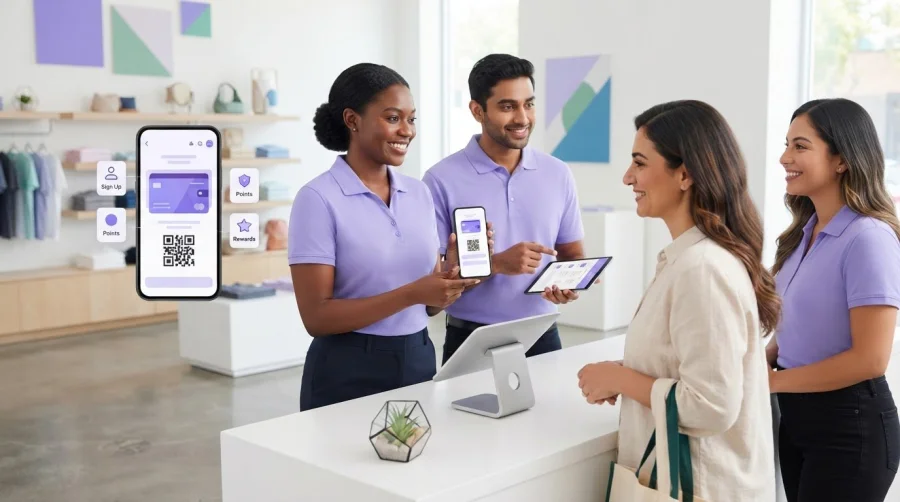
A loyalty system can be simple to use and still leave customers confused if employees explain it differently. Effective staff training for a new loyalty system starts with real customer interactions, not a tour of software menus. Your team needs to know how to introduce the program, answer common questions clearly, and keep the interaction moving during a busy shift.
Training can be hard to fit around daily service. A short, practical approach helps staff build confidence without pulling them away from customers for long. Use this step-by-step guide to prepare your team, practise realistic conversations, and support the system after launch.
You’ll learn how to create a consistent explanation, coach staff through enrollment, earning rewards, and redemption, and practise scenarios using examples such as digital stamp cards or points systems. The guide also covers how to explain what customer data is collected and why, then gather staff feedback to spot issues and improve the experience. That way, your team can support smooth transactions and stronger customer relationships.
Key Takeaways
- Build staff training for a new loyalty system around a clear plan: confirm program rules, prepare simple materials, demonstrate the workflow, and schedule practice.
- Assign a manager to keep program information current and make sure the team knows where to take questions.
- Practise with the business’s actual device and configured loyalty journey so staff can learn without guesswork.
- Use a launch checklist to confirm staff access and key details, then note recurring issues during early shifts.
- Choose a loyalty system by how clearly staff can manage everyday tasks, not by feature count alone.
Why staff training for a new loyalty system starts with the customer experience
Customers don’t experience your loyalty program as a set of software screens. They experience a conversation: an employee explains the benefit, helps them join, or answers a question about their progress. That’s why staff training for a new loyalty system should prepare employees to use the program and explain it consistently. Clear, accurate answers help customers understand what to do. Conflicting explanations can leave them unsure which rules apply.
Training also covers how staff respond. Employees need to listen, explain the next step in plain language, and avoid guessing when a question falls outside the rules. For general background on program types and how they work, see this overview of a loyalty system. Your team’s specific guidance should come from your business’s configured program.
What staff need to understand before launch
Start by explaining the program’s purpose, the customers it’s designed for, and what the business hopes to achieve. Then document the launch rules: how stamps or points are earned, how customers check their progress, and what qualifies for redemption. Use the program’s actual terms rather than assumptions based on another loyalty system.
Clarify responsibilities, too. Identify who introduces the program, who helps with common questions, and who handles unusual cases. Staff should know whom to contact if a reward doesn’t appear or a customer’s situation doesn’t match the written rules.
How consistent explanations build customer confidence
Agree on a short explanation employees can deliver naturally. For example: “You can collect digital stamps with qualifying purchases and redeem them for the reward described in the program.” Adapt the wording to your actual offer and eligibility rules. The goal is a shared, accurate explanation, not a script that sounds stiff.
Show employees what customers will see in your chosen journey. Depending on your setup, that could be a digital stamp card or a points balance. Walk through where progress appears and what the customer should do next. Don’t promise a reward, timing, or eligibility unless the written rules support it.
Set a realistic expectation for the team. Staff should be ready to explain the program and guide common tasks, not troubleshoot every possible issue on their own. Practise a calm handoff for anything unclear: acknowledge the question, avoid making up an answer, and involve the designated manager. This gives customers a consistent experience and helps reveal where guidance could be clearer.
How to create a staff training plan for a new loyalty system
A clear plan turns staff training for a new loyalty system into manageable steps, even when employees work different shifts or have limited time away from service. Keep sessions focused, protect time for hands-on practice, and make one manager responsible for the rules and training materials.
Build the plan in this order:
- Define the rules. Confirm how enrollment, earning, checking progress, and redemption work in the version you’re launching. Record eligibility, exceptions, and who can approve unusual cases.
- Prepare materials. Create a one-page reference for common tasks and questions. Use screenshots or demonstrations that match your business’s actual configuration, not generic examples.
- Demonstrate the workflow. Have the manager walk through the customer journey using the real device and program setup. Explain what staff should do at each step, including where to direct questions they can’t resolve.
- Practise the interactions. Give employees time to explain the program and work through typical customer questions. Hands-on practice can reveal unclear instructions before launch.
- Review and update. Ask staff what felt confusing, clarify the reference, and revise it whenever program rules change.
Prepare rules, roles, and training materials
Make the one-page guide easy to check during a shift. Include enrollment instructions, earning rules, redemption details, and common exceptions in plain language. Name a point person for questions and explain how unresolved issues are escalated. Staff should know whether to ask a supervisor, record the issue, or pause before making a promise.
Keep examples specific to the configured program. A digital stamp card and a points system may involve different earning and reward steps, so one generic script may not work for both. Confirm the exact workflow before training the team.
Match training to employee responsibilities
Customer-facing employees need concise explanations and practice answering common questions. Supervisors need to check that explanations stay consistent and handle exceptions according to documented rules. Keep the shared reference accessible to every shift, including employees who couldn’t attend the same session.
Schedule short sessions around shift patterns, but leave time for practice. MIT Sloan Management Review’s discussion of why customer experience is key for loyalty programs highlights why the staff interaction deserves attention alongside program mechanics.
If you’re comparing system requirements, first decide what staff must explain and do. The loyalty program registration page can then be considered alongside those needs.
How to practise loyalty-system tasks without slowing customer service
Rehearse the real customer journey, not just the steps on a screen. Use the business’s actual device and configured program, and have employees practise enrollment, earning stamps or points, checking progress, and redeeming a reward under the current rules. Confirm the workflow before training, since steps can vary by setup.
Fit practice around service demands. Use brief sessions before or between shifts, and repeat short scenarios rather than holding up a live customer line. The goal of staff training for a new loyalty system is to build fluency before launch, while making clear that speed never matters more than following the rules.
Run realistic customer-service role-play
Pair employees and take turns playing the customer and staff member. Start with a first-time customer asking how to join and what happens next. Then try a returning customer who wants to check a digital stamp card or points balance, or asks how to redeem a reward. Switch roles so everyone practises explaining the program and listening to questions.
Add a busy-period scenario. The employee should give a concise explanation, help with the next step if appropriate, and keep the interaction moving without rushing or making promises. Use the actual customer journey, including any app or wallet option in the business’s setup.
Prepare for common questions and uncertainty
Write approved answers based on the program’s current rules. Practise questions about who can enroll, how progress is earned, and when a reward can be used. Include a routine exception, such as a customer whose digital card or account doesn’t show the expected progress. Staff should check the reference rather than guess.
Give employees a simple response for uncertainty: “I want to check the program details so I can give you the right answer.” Then define the next step. They might consult the shared guide or ask the designated lead, depending on the issue. This acknowledges the customer’s question without creating a new rule on the spot.
- Customer can’t find their digital card: Follow the documented steps for that customer journey.
- Progress looks incorrect: Check the earning rules and refer unresolved cases to the lead.
- Reward eligibility is unclear: Confirm the written terms before explaining the outcome.
After practice, ask what felt unclear and update the reference or scenario prompts as needed. Realistic rehearsals can expose gaps before customers encounter them and give staff a dependable way to handle questions they can’t answer immediately.
How to support staff through launch week and improve the training
Training doesn’t end when the system goes live. The first customer interactions show whether the instructions, rules, and workflow make sense in practice. A simple launch routine gives staff a reliable place to check details and helps managers spot gaps before inconsistent answers become habits.
Before each shift, use a brief huddle to confirm the program explanation and share any updates. Keep a launch checklist that verifies:
- Staff can access the configured system and the current quick-reference guide.
- The written earning, progress, and redemption rules match the live program.
- Everyone knows which manager or designated lead to contact with questions.
Support employees during the first customer interactions
Have a manager available during early shifts to answer questions and observe where employees hesitate. Keep the guide visible at the relevant service point so staff can check details instead of relying on memory. If a step or rule is unclear, record the question and assign someone to verify the answer. Until it’s confirmed, staff should avoid guessing or promising an outcome.
Make it safe to raise issues. Treat a mistake as feedback about the process, not a reason to blame an employee. A repeated question may mean the rule needs a clearer explanation, the reference is hard to find, or the workflow needs another demonstration.
Turn launch feedback into refresher training
Review notes with the team and look for patterns. If employees keep asking how customers check progress or use a reward, revisit that part of the configured journey and clarify the guidance. When a process changes, update the shared materials and run a short demonstration so every shift receives the same instructions.
Track practical indicators that show where help is needed:
- Practice completed: Have employees rehearsed the key customer tasks?
- Repeated questions: Which topics keep coming up during shifts?
- Escalations: What issues require a manager, and are the handoff steps clear?
Use these observations to keep staff training for a new loyalty system grounded in real service needs. The aim isn’t to eliminate every question. It’s to help employees find accurate answers, guide routine interactions, and know when to pass an issue to the right person. If you’re preparing a digital loyalty program, the loyalty system registration page is one place to review as you plan practice around the customer journey.
Choose a loyalty system your team can explain and use confidently
The right system isn’t simply the one with the longest feature list. It’s the one your team can explain clearly and use during a normal customer interaction. Before choosing, map the customer’s steps from joining to earning and redeeming. Then check what employees must do at each point, how they handle exceptions, and what information a manager needs to review.
Use this comparison table to assess options against the same practical needs:
| What to compare | Questions to ask |
|---|---|
| Training needs | Can staff learn the everyday workflow and explain it in plain language? |
| Customer steps | How do customers join, earn stamps or points, check progress, and redeem? |
| Exceptions | Can employees find the correct next step when a card, account, or reward doesn’t behave as expected? |
| Reporting needs | Can the business review the information it needs without adding confusing tasks for frontline staff? |
Consider the program format, too. A digital stamp card may suit a simple repeat-purchase reward, while a points system may fit a different earning and redemption structure. Choose based on your business goals and customer journey. Confirm how customers access the experience, including whether Apple Wallet or Google Wallet integration fits your intended setup. Check the actual workflow and system requirements rather than assuming employees need specialist hardware.
Questions to ask before choosing a loyalty system
- Can staff explain joining, earning, and redeeming through a short, repeatable workflow?
- Does the system support the digital stamp or points approach your business intends to use?
- Can employees answer common questions using clear guidance, without relying on specialist hardware?
These checks make staff training for a new loyalty system easier to plan because they show where employees may need practice before launch. BonusQR offers digital stamp cards, points systems, and Apple Wallet and Google Wallet integration. Its digital approach replaces the need for physical plastic loyalty cards and specialized POS hardware. Confirm the configuration and staff workflow before building training around it.
For commercial details, see BonusQR pricing information. The workflow checklist can help you assess whether the platform’s format fits your plans.
Build a loyalty experience your team can deliver with confidence
Strong staff training for a new loyalty system starts with a clear customer journey. Give employees current, easy-to-check rules, then practise everyday interactions on the system your business will actually use. After launch, treat repeated questions and escalations as signals to clarify guidance, not reasons to blame staff.
Choose a system that fits your team’s workflow, not just a feature list. BonusQR offers digital stamp cards and points systems, along with Apple Wallet and Google Wallet integration. For businesses looking for a branded app experience, custom white-label app development is also available. Confirm the configuration and staff steps before preparing training materials.
Ready to explore a digital loyalty option for your business? Explore BonusQR registration and consider how its program format could fit your customer journey. With clear rules, practical preparation, and a team that knows where to turn for answers, you can launch with confidence and keep improving as staff learn from real interactions.
Frequently Asked Questions
How do you train employees to use a new loyalty system?
Train employees by walking through the customer journey, then letting them practise it using the business’s actual setup. Cover how customers join, earn stamps or points, check progress, and redeem rewards. Use short role-play scenarios for common questions and routine exceptions. Give staff a current reference guide and identify who can answer questions beyond the written rules. This keeps practice practical and helps employees feel prepared before serving customers.
What should staff training for a loyalty program include?
Staff training for a new loyalty system should cover the program’s purpose, customer eligibility, earning and redemption rules, and the steps employees follow during a customer interaction. Include a plain-language explanation staff can adapt naturally, a demonstration of what customers see, and practice answering common questions. Make exceptions and escalation steps clear, too. Employees should know where to verify information rather than guessing about rewards, timing, or eligibility.
How long should loyalty-system staff training take?
There’s no single training duration that fits every team or system. The time needed depends on how complex the configured program is and how familiar employees are with its customer journey. Keep sessions focused, schedule them around shifts, and leave enough time for hands-on practice. Readiness matters more than the clock: staff should be able to explain the rules, guide routine tasks, and know when to ask a manager for help.
Who should be trained on a new loyalty system?
Train everyone whose role may involve explaining the program, helping customers join, or answering questions about progress and rewards. Customer-facing employees need to know the everyday workflow and approved explanation. Supervisors and managers should also understand the rules, handle exceptions, keep shared guidance current, and support staff during launch. If responsibilities differ by role, tailor practice accordingly, but make sure every shift knows where to find the same verified information.
How can you train staff who are nervous about using a new loyalty system?
Build confidence with a demonstration, a simple reference guide, and low-pressure role-play before employees use the system with customers. Start with routine situations, then practise questions that may require checking a rule or asking a manager. Encourage staff to pause and verify rather than guess. Remind them that they don’t need to solve every unusual case alone. Clear escalation steps make the process feel manageable and help prevent uncertain answers.
What happens if an employee gives a customer the wrong loyalty information?
Correct the information promptly and calmly. Check the written program rules, explain the accurate details to the customer, and involve a manager if the situation is unclear or could affect a reward. Avoid promising an outcome until it’s verified. Then record what caused the misunderstanding. If the same question keeps arising, update the reference guide or practise the relevant workflow again so staff across shifts have consistent guidance.
Can staff training help customers adopt a digital loyalty program?
Yes. Staff can help customers understand the value of joining and guide them through the access steps supported by the business’s setup. For example, a program may use a digital stamp card or points system, with Apple Wallet or Google Wallet integration available depending on the configuration. Keep the explanation brief, answer questions without pressure, and respect a customer’s choice. A clear, helpful interaction makes the digital experience easier to understand.


