
 Deutsch
 Español
 Français
 Italiano
 Magyar
 Polski
 Slovenčina
 Čeština
A CRM for Shopify is like a digital brain for your business. It remembers every customer-their name, what they love to buy, and how often they swing by your store. Think of it as your secret weapon for turning one-time shoppers into loyal fans who keep coming back.
Why Your Shopify Store Needs a CRM (Like, Yesterday)
Imagine running a popular neighborhood coffee shop but never remembering a single regular's order. You'd lose that personal touch that makes people feel special. A CRM for Shopify, or Customer Relationship Management system, gives your online store that same "neighborhood shop" superpower, but for hundreds or even thousands of customers.
It takes all that messy customer data and turns it into a clear roadmap for growing your sales.
Instead of getting lost in spreadsheets, a CRM builds a clean, organized profile for every person who shops with you. It logs what they bought, what they looked at, and how they interact with your brand-all automatically. This isn't just about storing data; it's about using that information to build real relationships. To get a handle on the bigger picture, it helps to understand What is client relationship management and its core ideas.
From Anonymous Clicks to Loyal Customers
Without a CRM, your customers are just order numbers. With a CRM, they become real people with tastes and habits. This is a game-changer for small businesses trying to compete with the big guys. You can't outspend them, but you can definitely out-care them. A CRM makes that personal touch possible, even as you grow.
The numbers don't lie. A staggering 91% of companies with 10 or more employees are using CRM systems. On average, these tools deliver an $8.71 ROI for every $1 spent and can fuel a 29% increase in sales. You can reviewing the full findings on CRM implementation to see how they drive these kinds of results.
This is especially true when you link your CRM to a loyalty program. By understanding customer behavior, you can create targeted rewards that feel genuinely special, not generic. We dig into this powerful combo in our guide on how CRM and loyalty programs work together. For any growing Shopify store, this isn't just a nice-to-have feature. It's a core tool for growth.
Here’s a quick look at how a CRM can transform your Shopify business.
Key Benefits of Integrating a CRM with Your Shopify Store
| Benefit | Impact on Your Small Business |
|---|---|
| Centralized Customer Data | All customer information-from orders to emails-is in one place, giving you a complete view. |
| Personalized Marketing | Send targeted offers to specific groups (e.g., VIPs, first-time buyers) instead of generic blasts. |
| Increased Repeat Business | Identify customers who haven't shopped in a while and send them a "we miss you" offer. |
| Improved Customer Service | Quickly access a customer's history to provide faster, more informed support. |
| Enhanced Loyalty | Use data to power a simple loyalty program, like with BonusQR, to reward your best customers. |
Simply put, integrating a CRM gives you the insights needed to make smarter decisions, build stronger relationships, and ultimately, drive more sales.
How a Shopify CRM Unifies Your Customer Data
So, what’s a CRM really doing behind the scenes? Think of it as the single source of truth for your Shopify store. It takes all the scattered bits of customer information-order histories, email sign-ups, website clicks, even in-person sales-and pulls them into one clean, organized hub.
No more juggling spreadsheets or digging through old emails. A good CRM for Shopify gives you a complete picture of every customer, and it all starts with a smart foundation. Getting your accounts organized from day one with a strategic customer accounts setup for Shopify is the first step.
Mapping the Entire Customer Journey
Imagine your CRM as a personal storyteller for your business. It doesn't just collect data; it pieces together the entire customer journey. You start seeing the full story: who your true VIPs are, what products they can’t get enough of, and exactly when to nudge them with a new offer.
This unified view is what allows you to create marketing that feels like a conversation, not a megaphone. It’s the difference between shouting into the void and speaking directly to someone you know.
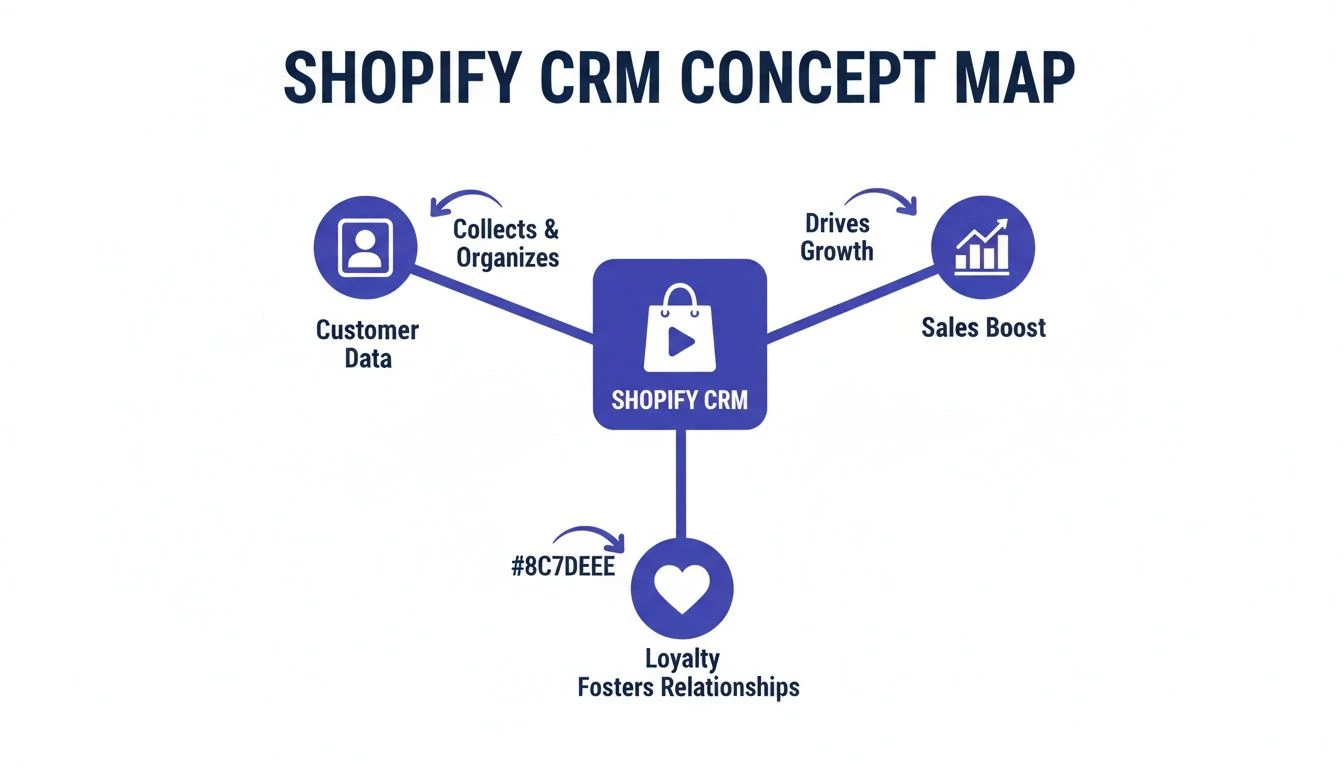
As you can see, everything flows from that central pool of customer data. It’s the fuel for both boosting sales and building genuine, lasting loyalty. This isn’t about hoarding information; it’s about putting that information to work.
From Raw Data to Actionable Insights
Your Shopify store is constantly generating data. A CRM is the tool that makes sense of it all, turning raw numbers into clear, actionable steps. It helps you answer the tough questions that are nearly impossible to solve with spreadsheets alone.
Here’s what that looks like in the real world:
- Who are my best customers? A CRM can automatically flag customers who spend over a certain amount or buy frequently, instantly creating a "VIP" segment for special treatment.
- Which products drive repeat business? It can spot customers who buy the same item again and again, giving you the perfect opening to create a targeted subscription offer.
- When are customers about to leave? By tracking purchase frequency, the system can alert you when a customer hasn't bought anything in 60 or 90 days, so you can try to win them back.
This level of insight is huge. According to Forrester, 83% of customers are more loyal to brands that handle their complaints well. A CRM gives your team the context to do just that, showing a customer's entire history in a single click.
A CRM bridges the gap between what your business knows and what your customer experiences. It ensures every interaction, from a marketing email to a support ticket, is informed by the customer’s complete history with your brand.
Without this unified view, you're just guessing. You might send a "welcome" discount to a customer who just paid full price last week. Or you might ask a loyal regular to "sign up for our newsletter" for the tenth time. These little moments of disconnect might seem small, but they add up, chipping away at trust and making your brand feel impersonal.
With a CRM for Shopify, you can finally deliver the kind of consistent, thoughtful experience that turns casual shoppers into your biggest fans-especially when you pair it with a simple rewards tool like BonusQR.
Must-Have CRM Features for Small Shopify Stores
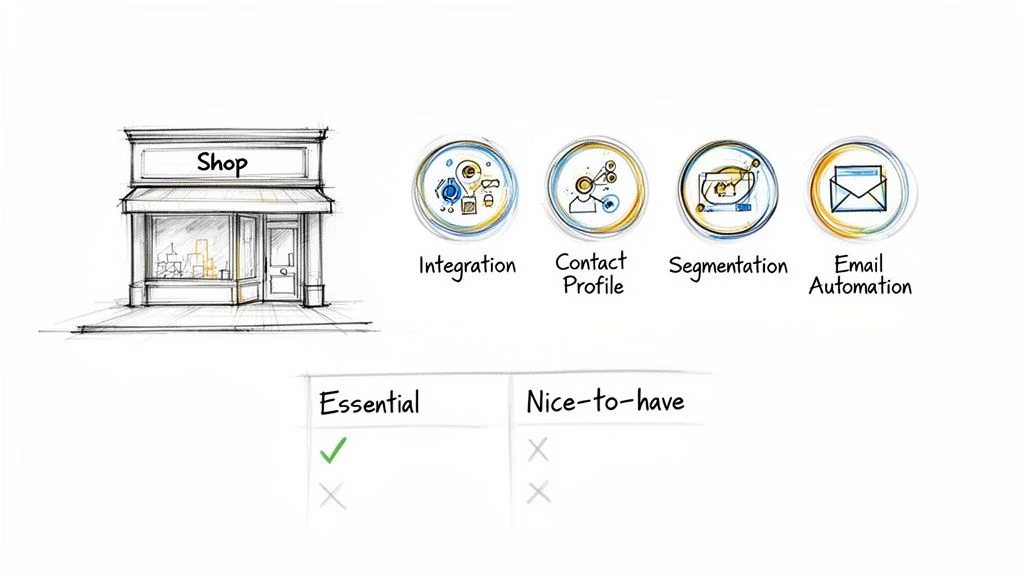 Not all CRMs are created equal. Many are bloated with complicated tools built for huge corporations, not for a busy coffee shop owner or a growing online boutique. When you're looking for a CRM for Shopify, the trick is to cut through the noise. You need practical, powerful features that actually help you run your business and sell more.
Forget the dizzying menu of enterprise-level functions. For a small business, a few core features will deliver 80% of the value with only 20% of the complexity. Let's zero in on the essentials that you'll actually use to grow.
Flawless Shopify Integration
This is non-negotiable. The most critical feature is a deep, seamless connection with Shopify. We’re not talking about a one-time contact import. We mean a live, two-way sync that keeps your data accurate without you lifting a finger.
A strong integration is like a bridge that automatically pulls order history, product details, and abandoned cart info from Shopify straight into your customer profiles. This means less manual data entry and one reliable place for all customer activity.
Without this, you're right back to wrestling with spreadsheets and outdated info, which defeats the whole purpose of getting a CRM in the first place.
Complete and Clear Customer Profiles
Imagine knowing every customer’s story with a single glance. That’s what a good CRM gives you: rich, detailed profiles that go way beyond just a name and an email.
This is your customer's entire journey with your brand, all in one spot. Key details should include:
- Complete Purchase History: See every single order someone has placed, including what they bought, when they bought it, and how much they spent.
- Lifetime Value (LTV): Your CRM should automatically calculate the total amount each customer has spent over time, instantly flagging your most valuable regulars.
- Average Order Value (AOV): Understand the typical spend per purchase for each person. This helps you spot opportunities to encourage larger orders.
Having this context is a game-changer. Before you send a marketing email or answer a support question, you can see if you're talking to a brand-new shopper or a loyal VIP who’s been with you for years.
Simple Customer Segmentation
Once your data is flowing in, you need an easy way to group customers based on how they shop. This process, known as customer segmentation, is what turns generic marketing into personal, effective communication.
You don't need a hundred different lists to get started. A great CRM for a small business will let you easily create powerful segments like:
- VIP Customers: People who have spent over a certain amount (like $500) or made a certain number of purchases (say, more than 5 orders).
- First-Time Buyers: New customers who just made their first purchase and need a warm welcome to get them back for a second.
- At-Risk Customers: Shoppers who haven't bought anything in a while (e.g., 90 days) and might need a friendly nudge to return.
Creating these groups lets you stop sending one-size-fits-all emails and start sending relevant offers that actually make sense for each customer.
Easy Email and Marketing Automation
Automation is your secret weapon for saving time and driving repeat business without constant effort. The right CRM for a small business should have simple, built-in automation that you can set up in minutes, not days.
Look for the ability to create basic automated "flows" like these:
- Welcome Series: Automatically send a sequence of welcome emails to new subscribers or first-time buyers to introduce your brand.
- Abandoned Cart Reminders: Gently remind customers who left items in their cart to complete their purchase. This one is an absolute must-have for any online store.
These automated emails are incredibly effective. For businesses in the food/beverage and beauty/cosmetics industries, conversion rates often hit between 2.0% to 2.3%, well above average. A CRM with a solid Shopify and email sync that tracks opens, clicks, and sales can seriously lower your customer acquisition costs and boost your average order value. You can read more about these powerful CRM statistics and see the impact they can have on sales.
CRM Features Comparison: Essentials vs. Overkill
To help you decide what you truly need, let’s break down the difference between the essential features and the more advanced ones you might grow into later.
| Feature | What It Does for You (Essential) | What It Does for You (Overkill) |
|---|---|---|
| Contact Management | Stores customer name, email, and basic order history in one place. | Creates rich profiles with social media data, predictive LTV, and detailed behavioral tracking across multiple channels. |
| Segmentation | Lets you create simple groups based on total spend, number of orders, or last purchase date. | Allows for complex, multi-layered segments using "and/or" logic, product preferences, and on-site behavior (e.g., viewed page). |
| Marketing Automation | Sends basic welcome emails and abandoned cart reminders. | Builds sophisticated customer journeys with branching logic, SMS integration, and personalized product recommendations. |
| Reporting | Shows you simple metrics like total sales, number of customers, and average order value. | Provides in-depth cohort analysis, marketing attribution reports, and customizable dashboards to track specific KPIs. |
For most small shops, the "Essential" column is more than enough to make a huge difference. Focus on mastering these fundamentals before getting distracted by the "Overkill" bells and whistles.
These core features create the perfect foundation for a powerful loyalty program. Once your CRM helps you identify your VIPs and at-risk customers, a tool like BonusQR can step in to deliver the perfect reward or incentive automatically. It's how you turn that valuable data into real, tangible loyalty.
How to Boost Loyalty by Connecting Your CRM and BonusQR
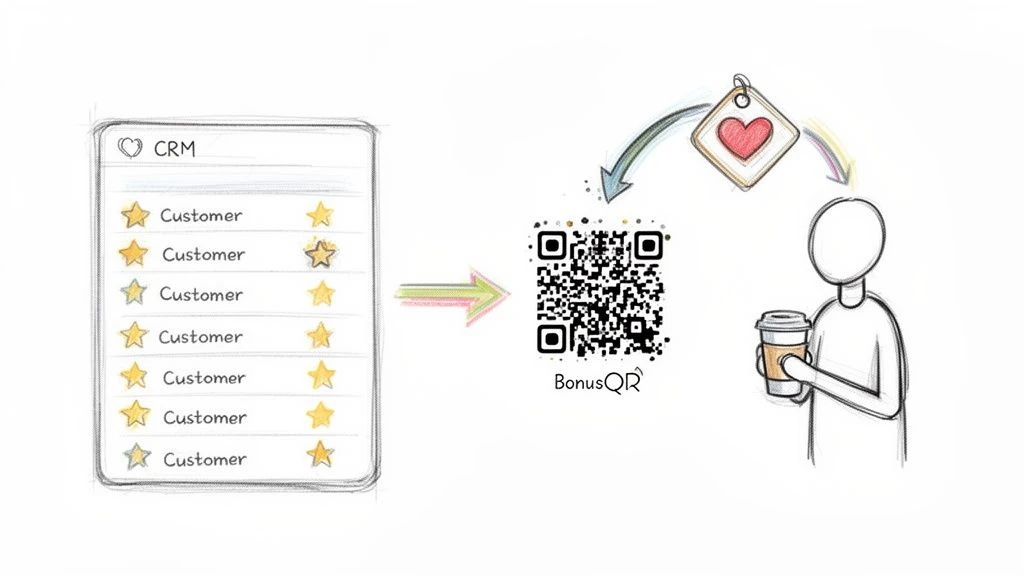 Connecting your CRM for Shopify to a loyalty program is where all that data you’ve gathered finally turns into real, measurable growth. Your CRM is brilliant at telling you who your best customers are. But that information is only powerful if you do something with it.
This is where a simple, effective loyalty tool like BonusQR shines.
BonusQR acts as the perfect partner to your CRM, giving you a cost-effective way to act on your data. Your CRM spots the opportunity, and BonusQR delivers the reward. Together, they create a powerful, automated engine for boosting repeat business with almost zero manual work.
How a CRM and a Loyalty Program Work Together
Think of your CRM as the brain and BonusQR as the friendly handshake. Your CRM crunches the numbers and flags key moments in the customer journey. Then, BonusQR steps in with a simple, scannable QR code that delivers a personalized reward at just the right time.
It’s a synergy that lets you proactively build loyalty instead of just hoping for it.
A CRM shows you a customer hasn't purchased in 60 days. A loyalty tool like BonusQR automatically sends them a personalized 'we miss you' offer, turning data into a direct incentive to return.
This isn't some high-level theory. It's a practical strategy that small businesses can put to work every single day. It lets you add the kind of personal touch that makes customers feel seen and valued-something that helps you stand out against the big guys.
Actionable Scenarios for Your Small Business
So, how does this actually play out for a small business? The beauty of this approach is its simplicity. You don’t need a massive, complicated system to see major results.
Here are a few actionable examples of how a CRM for Shopify paired with BonusQR can drive serious loyalty:
- The Neighborhood Coffee Shop: Your CRM tracks every latte and flags a customer who just made their 9th purchase. The next time they come in, BonusQR can automatically generate a QR code for a free coffee, rewarding their loyalty on the spot.
- The Local Hair Salon: The CRM sees a client has a birthday coming up. A week beforehand, BonusQR can send a personalized offer for a birthday discount on their next service. It’s a small touch that makes them feel special and encourages a booking.
- The Online Retail Boutique: Your CRM identifies a group of "VIPs" who have spent over $500 with you. Using BonusQR, you can send this exclusive group a QR code that grants them early access to your next big sale, reinforcing their special status.
In every case, the process is automated. The CRM does the thinking, and BonusQR delivers the reward. It's a seamless experience that strengthens your customer relationships without you lifting a finger. To take this even further, check out our guide on creating effective Shopify rewards programs for more ideas.
The Impact on Your Bottom Line
This direct link between customer data and real-world rewards has a clear impact on your business. The modern customer experience is mobile-first, period. With mobile traffic making up 79% of store visits and 68% of transactions, a mobile-friendly reward system isn't just nice to have-it's essential.
And when 70% of businesses report productivity gains of 14.6% from using mobile CRM features, the writing is on the wall: connecting data to action on mobile devices is the key. You can discover more Shopify analytics trends and insights to see just how much mobile is shaping commerce.
By connecting your CRM to a tool like BonusQR, you're not just handing out discounts. You are building a system that:
- Increases Repeat Purchase Rate: Giving customers a reason to come back is the most reliable way to boost sales from your existing base.
- Boosts Customer Lifetime Value (LTV): Rewarding loyalty encourages customers to stick around longer and spend more over time.
- Reduces Customer Churn: Proactively reaching out to at-risk customers with a thoughtful offer can stop them from drifting away to a competitor.
This simple, cost-effective strategy turns your customer data from a passive spreadsheet into an active tool for growth. It’s the most straightforward way to make your CRM for Shopify work harder for your business.
Your Simple Shopify CRM Implementation Checklist
Feeling a little overwhelmed? You're not alone. But here's the good news: setting up a CRM for Shopify doesn't have to be a huge, technical headache.
We're going to break it down into a few simple steps. Think of this as your roadmap-a clear, actionable plan for busy business owners who just want to see results, fast. We'll turn what feels like a mountain into a series of small, manageable hills.
Step 1: Define One Clear Goal
Before you even glance at a CRM, ask yourself this: what’s the single most important thing I want this to do for me? Trying to solve every problem at once is a surefire way to get frustrated. Instead, pick one specific, measurable goal.
This gives you a clear purpose and makes it way easier to tell if your efforts are paying off.
Your first goal could be something like:
- Increase repeat purchases by 15% in the next three months.
- Win back 10% of customers who haven't shopped in 90 days.
- Boost Average Order Value (AOV) by 5% with smarter upsells.
Pick one. Write it down. This is the number you'll watch to see if your new CRM is actually working.
Step 2: Choose a CRM That Actually Fits
With your goal in hand, it's time to pick your tool. Don't get blinded by fancy features you'll never touch. For most small businesses, simplicity and a fair price are what really matter.
Look for a CRM that gives you:
- A smooth, automatic connection to your Shopify store.
- Easy-to-read customer profiles with their full purchase history.
- Simple ways to group customers (like your VIPs or first-time buyers).
The perfect tool for a coffee shop might look different from one for a salon, but the core idea is the same. You need a system that helps you understand who your customers are and makes it easy to do something with that information.
Step 3: Get Your Customer List Ready
Clean data is everything. Before you import a single contact, spend a few minutes tidying up your existing customer list. This is where so many people trip up, but it's an easy hurdle to clear.
Think of it like cooking: if you start with old, messy ingredients, you're going to get messy, unreliable results. A 15-minute cleanup now will save you hours of headaches down the road.
Hunt for obvious mistakes like typos in email addresses, missing names, or duplicate entries. Most spreadsheet programs have a built-in tool to find and zap duplicates. A clean start means your CRM will give you trustworthy insights from day one.
Step 4: Connect Your Tools
Alright, time to plug everything in. Most CRMs make this a simple, guided process. You'll give it permission to talk to your Shopify store, and the system will start pulling in your data automatically.
This is also the moment to connect your loyalty program.
- Connect the CRM to Shopify: Follow the on-screen steps to let your CRM pull in customer and order info.
- Connect BonusQR: Now, link your loyalty program to your CRM. This is where the magic happens-your CRM finds a specific group of customers, and BonusQR delivers them the perfect reward.
This two-way street creates a powerful loop where customer behavior drives real-world rewards, and those rewards drive more business.
Step 5: Show Your Team the Ropes
A new tool is only as good as the people using it. But you don't need a week-long training course. Just show your staff the one or two key things that will make their jobs easier.
For your customer service team, show them how to quickly look up an order history to solve problems faster. If you run a salon, show your stylists how to check a client's last visit or see their personal notes. Keep it simple and focused on what they do every day.
Step 6: Go Live and Watch Your Metric
With everything connected and your team onboard, you're ready to launch. But you're not done just yet. It's time to go back to that goal you set in Step 1.
Use your CRM's dashboard to keep an eye on that one key number. Are your repeat purchases climbing? Are those "at-risk" customers starting to come back? Watching that metric is the only way to know if your strategy is hitting the mark or if it's time to adjust your approach.
Common CRM Mistakes (And How to Dodge Them)
Jumping into a CRM for Shopify is a smart move, but learning from the missteps of others is even smarter. The path to getting a great return on your investment is paved with avoiding the common pitfalls that trip up so many small business owners.
These challenges are totally normal and, with a bit of foresight, completely avoidable. A CRM is a powerful tool, but like any tool, you have to use it right. You wouldn’t use a sledgehammer to hang a picture frame. In the same way, picking the wrong CRM or using it badly can create more work, not less.
Let's walk through the most common mistakes and give you simple fixes to keep you on the right track.
Mistake #1: Picking an Overly Complicated System
The single biggest mistake we see is paying for a CRM packed with features built for a Fortune 500 company. These systems are often clunky, expensive, and just plain overwhelming for a small shop. You’ll end up wrestling with confusing menus and paying for functions you'll never touch.
The Fix: Keep it simple. Before you look at any software, ask yourself: what’s the one problem I need to solve right now? Maybe it’s identifying your VIP customers or winning back shoppers who haven't visited in a while. Find a CRM that does that one thing brilliantly and connects easily with Shopify and your loyalty tools, like BonusQR. Start small, get results, and only add more features when you actually need them.
Mistake #2: Importing Messy or "Bad" Data
Garbage in, garbage out. It’s an old saying, but it’s the golden rule of CRM. If you import a customer list riddled with duplicate entries, typos, and missing info, your CRM's insights will be useless. You can't personalize an email if you have three different profiles for the same exact person.
The Fix: Do a quick 15-minute data audit before you import anything. Seriously, it's that fast.
- Export Your List: Pull your customer data from Shopify into a spreadsheet.
- Zap the Duplicates: Use your spreadsheet app’s "Remove Duplicates" function on the email column.
- Scan for Typos: Quickly eyeball the list for obvious errors like "gnail.com" instead of "gmail.com" and fix them.
A clean start ensures your customer segments are accurate and your marketing actually hits its target. A few minutes of prep work now will save you hours of headaches down the road.
Mistake #3: Forgetting to Train Your Team
You can have the best CRM in the world, but it’s worthless if your team doesn't know how to use it or, more importantly, why it matters. If your staff just sees it as another annoying task, they won't use it consistently, and you'll miss out on a goldmine of data.
Even though a Resco survey found 74% of salespeople agree that a CRM improves customer data access, that only happens if people actually use it.
The Fix: Make training short, sweet, and role-specific. Don't bore them with a tour of every single feature. Show each person how the CRM makes their specific job easier. For a cashier, show them how to quickly look up a customer's loyalty points. For a salon stylist, show them how to add notes about a client's preferences. When they see the direct benefit for them, they'll actually want to use it.
Frequently Asked Questions About Shopify CRMs
Thinking about a CRM for your Shopify store? You’re not alone. It can feel like a big step, but it doesn't have to be complicated. Let's cut through the noise and answer the questions we hear most often from small business owners.
Is Shopify Itself a CRM?
Not really. Shopify is a fantastic e-commerce platform-it's brilliant at managing your products, taking orders, and holding basic customer details. But it’s not a true CRM designed for deep relationship management.
Here’s a simple way to think about it:
- Shopify is your storefront: It’s where people browse and buy. It’s the transaction hub.
- A CRM is your a-list store manager: It’s the one who remembers a customer's favorite product, knows how often they visit, and builds the kind of personal connection that makes them feel valued.
Do I Need a CRM If I Have a Small Store?
Absolutely. In fact, a CRM is arguably most powerful for a small, growing shop. It helps you build a solid foundation for customer relationships before your data gets out of hand. Starting early means you’re creating a rich history for every customer from their very first purchase.
This lets you offer a personalized touch that big-box competitors can't replicate. It turns your small size into your secret weapon.
For a small business, a CRM isn't about managing thousands of faceless contacts; it's about remembering the details for the 100 loyal customers who are the lifeblood of your shop.
How Much Does a CRM for Shopify Cost?
The price can swing wildly, but you don’t need to drain your bank account. Plenty of CRMs built for small businesses have free plans or affordable starting tiers, often landing between $15 to $50 per month.
The real trick is to sidestep the overly complicated systems loaded with features you'll never touch. Look for a clean, simple solution that plays nicely with Shopify and your other key tools, like BonusQR. A smart, affordable CRM paired with a simple loyalty program gives you a much bigger bang for your buck than some bloated, expensive platform.
Can a CRM Work with a Simple Loyalty Program?
Yes, and honestly, this is where the magic happens. A good CRM is your spotter-it points out your most valuable customers, your regulars, and even those who might be about to drift away. A simple loyalty tool like BonusQR is your closer-it gives you the power to act on that insight instantly.
For instance, your CRM could flag a customer who just made their fifth purchase. With that info, BonusQR can automatically drop a "thank you" reward their way with a simple QR code on their next visit. This seamless connection is what turns dry customer data into real-world rewards that build genuine, lasting loyalty.