
 Deutsch
 Español
 Français
 Italiano
 Magyar
 Polski
 Slovenčina
 Čeština
Are you tired of handing out paper punch cards that get lost, forgotten, or tossed in the trash? For a small business, a forgotten loyalty program is a missed opportunity. The fix is simpler than you think: add loyalty cards to Apple Wallet. This single move puts your brand right on your customer's phone, making your loyalty program impossible to lose and incredibly easy to use.
Why Your Business Needs Digital Loyalty Cards Now
Let’s be honest: paper punch cards are a leaky bucket. Customers lose them, you can't track their effectiveness, and they do nothing to build a real connection. You're spending money on printing with no real data on your return.
Digital loyalty cards in Apple Wallet solve these problems instantly. They live on a device your customers carry 24/7, keeping your brand visible and accessible. This isn't just about convenience; it's a fundamental upgrade to how you build customer loyalty.
What problems do digital cards solve?
- Customer Forgetfulness: No more "I left my card at home." The pass is always on their phone.
- High Costs, No Data: Stop the endless cycle of printing paper. A digital solution is often cheaper and gives you clear data on sign-ups, stamps, and redemptions.
- Low Engagement: A paper card is passive. A digital pass lets you send notifications and update offers, keeping your customers engaged.
The Clear Advantage Over Physical Cards
The difference between a physical card and a digital pass isn't small-it's transformative. Switching to Apple Wallet can help you retain customers 2-3x more effectively than with traditional methods. Why? Mobile wallet passes see incredible 85-90% open rates, blowing away the typical 20-25% for other loyalty marketing channels.
Big brands like Starbucks have proven that mobile-first loyalty drives massive repeat business. But you don't need a massive budget to get the same results. At its core, a loyalty program is your best tool for improving customer lifetime value.
Physical Loyalty Cards vs. Apple Wallet Passes
Let's break down exactly what you gain by going digital. Imagine you run a local coffee shop. A paper card is just cardboard. A digital pass is an interactive marketing tool in your customer's pocket.
| Feature | Physical Cards | Apple Wallet Cards |
|---|---|---|
| Accessibility | Easily lost, forgotten, or damaged. | Always on the customer's phone, ready to use. |
| Customer Engagement | Passive. No way to communicate. | Active. Send push notifications with new offers. |
| Program Costs | Never-ending printing and design fees. | One low monthly fee with a service like BonusQR. |
| Performance Tracking | Impossible. You're guessing at your ROI. | Get detailed analytics on sign-ups and redemptions. |
| Updating Offers | Static. Reprinting is required for any change. | Dynamic. Update rewards or details instantly. |
When you see it laid out like this, the choice is clear. For a modern small business, the ability to add loyalty cards to Apple Wallet isn't just a nice-to-have. It’s a strategic move that creates a better customer experience and a stronger bottom line.
Ready to dive deeper? Check out our complete guide to digital customer loyalty cards.
How to Get Started: Simple Software vs. Custom Development
So, you're sold on the idea. Now, how do you actually get your loyalty cards into your customers' Apple Wallets? As a small business owner, your time and budget are precious. You have two main paths: using a ready-made software solution or building one from scratch.
Your simplest, most direct route is a platform like BonusQR. It’s designed specifically for businesses like cafes, salons, and retail shops. This is a true plug-and-play solution. You can design and launch a professional digital loyalty program in minutes without writing a single line of code. It’s the most cost-effective way to get started, often cheaper than printing paper cards.
The other path is custom development using Apple's PassKit API. This is the "build it yourself" method. While it gives you total control, it comes with a steep price tag and requires significant technical expertise. You'll need to hire developers, manage an Apple Developer Certificate, and handle all ongoing maintenance. For 99% of small businesses, this route is impractical and unnecessarily complex.
The Realistic Choice for a Busy Owner
Let's be realistic. You're an expert at running your business, not at managing a software project. The custom development path is filled with technical hurdles that will distract you from what you do best-serving your customers.
The goal for a small business is to get a powerful loyalty program running quickly and affordably. Custom development introduces high costs, long timelines, and maintenance headaches. A simple software solution eliminates all of that.
This flowchart puts the decision into perspective-are you sticking with outdated methods, or are you ready to embrace a digital solution built for growth?
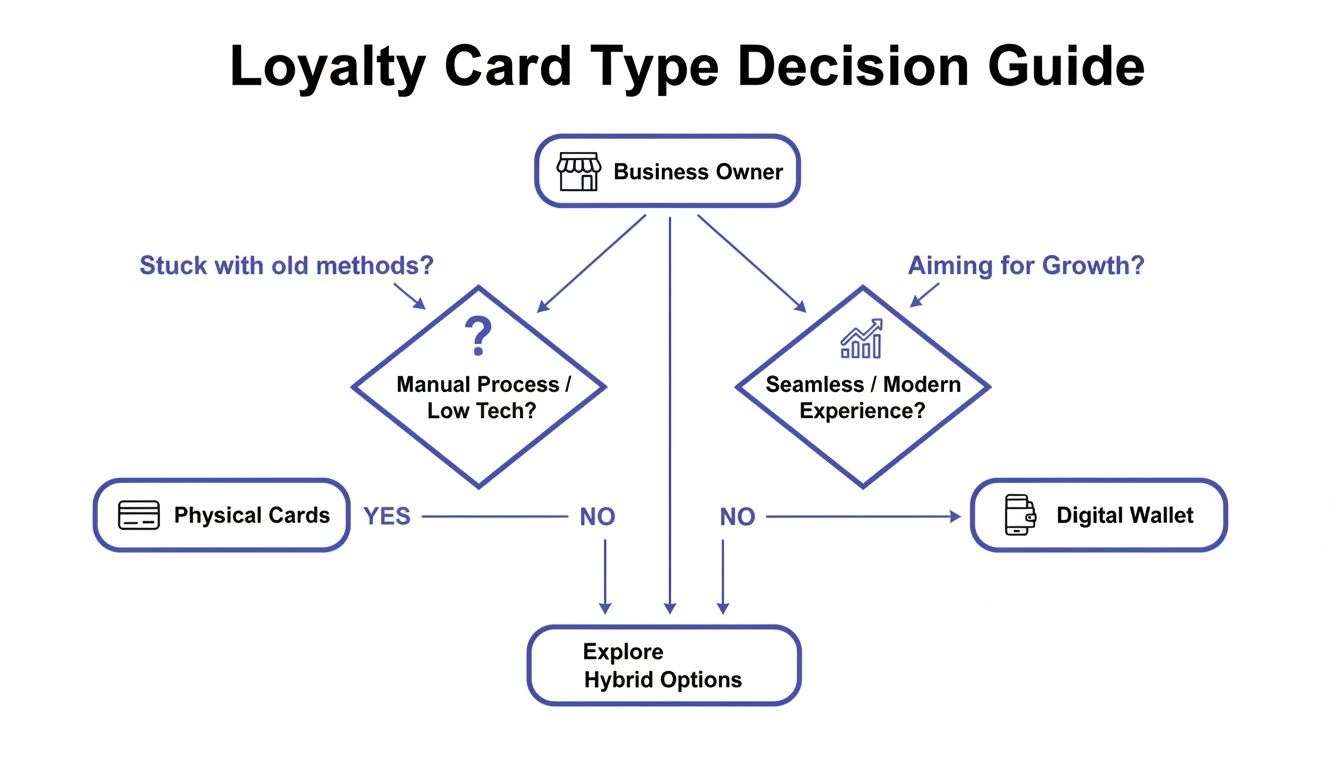
The visual makes it clear: physical cards often lead to stagnation. A digital-first approach is directly linked to customer engagement and business growth in the modern economy.
Comparing Costs and Effort
Let's look at the hard numbers. The resource commitment for each path is night and day.
Custom Development (PassKit):
- Cost: Thousands of dollars in upfront developer fees.
- Time: Weeks, or more likely, months of development and testing.
- Effort: Requires ongoing technical management and troubleshooting.
Software Solution (BonusQR):
- Cost: A low, predictable monthly fee. No hidden costs.
- Time: Get your program live in under an hour.
- Effort: Minimal setup with an intuitive interface and zero maintenance.
For nearly every small business, a tool like BonusQR removes all the barriers. It makes it incredibly simple to add loyalty cards to Apple Wallet without the technical stress or financial drain. It is, by far, the simplest and most cost-effective way to launch a loyalty program your customers will actually use and love.
Creating Your First Digital Loyalty Card in Minutes
Ready to trade flimsy paper for a sleek digital pass? Creating your first digital loyalty card is faster and easier than you think. Using a tool like BonusQR, you can design, customize, and launch your entire program in less time than it takes to get through your morning emails.
This isn't a complex, month-long project. It's a simple, guided process that puts you in full control-no technical skills needed. Here's how you get a professional digital card into your customers' Apple Wallets.
Step 1: Design a Card That Reflects Your Brand
Your digital card should instantly feel like your business. A good design reinforces your brand every time a customer opens their wallet.
- Upload Your Logo: This is the most important element for brand recognition.
- Choose Your Colors: Match the colors to your shop's aesthetic for a consistent look.
- Add an Eye-Catching Image: Use a photo of your signature product-a perfect latte, a fresh pastry-to make the card more appealing.
A well-designed pass feels less like a coupon and more like a VIP membership, elevating your customers' perception of your business.
The goal is to create a card that customers are proud to have on their phones. It should be a beautiful, functional extension of your brand experience.
Here’s a perfect example of what your finished card can look like-clean, professional, and simple.
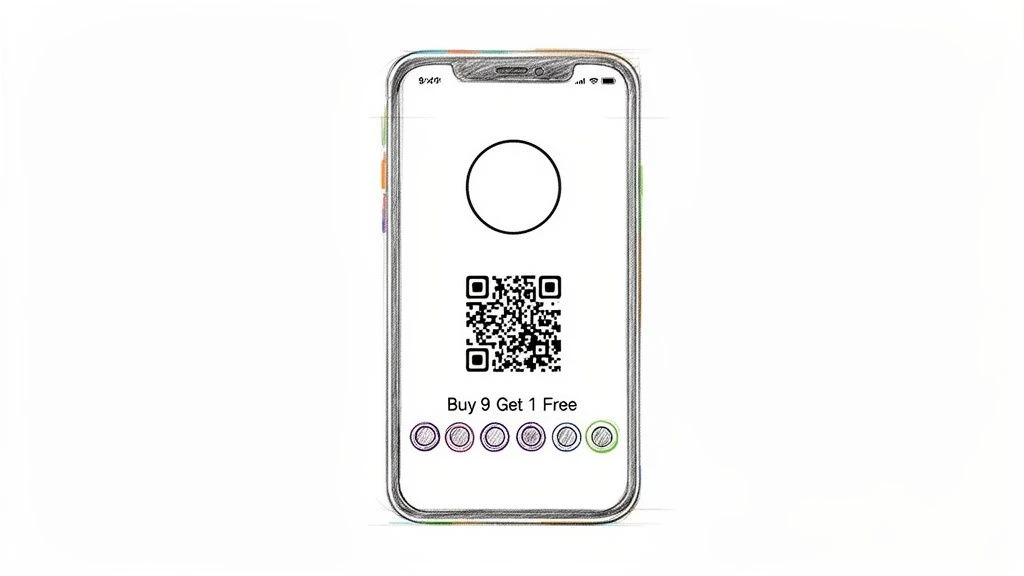
The design is intuitive, stamp-based, and easy for both your staff and customers to understand instantly.
Step 2: Craft an Irresistible Offer
With your design set, it's time to define the reward. The most successful loyalty programs are simple and achievable. A "Buy 9, Get 1 Free" model is a classic for a reason-it’s easy to understand and motivates repeat visits.
What reward will truly excite your customers?
- For a cafe: A free coffee or pastry is a no-brainer.
- For a salon: A discount on a future service or a complimentary add-on.
- For a retail shop: A percentage off their next purchase.
The platform lets you clearly state the reward and the number of "stamps" needed. The simpler the offer, the more people will participate.
Step 3: Launch with a Simple QR Code
The final step is generating your unique QR code. This is the key that lets customers add loyalty cards to Apple Wallet with a quick scan. You can place this QR code anywhere: at your register, on table tents, on your website, or in your social media bio.
In just these three steps, your modern loyalty program is officially live. Learn more about how the Apple Wallet integration works and see how it can benefit your business.
Getting Customers to Use and Share Your Digital Card
You’ve built a beautiful digital card. Now what? The next step is getting it into your customers' hands. You don't need a huge marketing budget; the most effective promotion happens right inside your business.
Your goal is to make joining your loyalty program a natural part of the customer experience. Make it visible, make it easy, and make it rewarding.
Promote Your Program In-Store
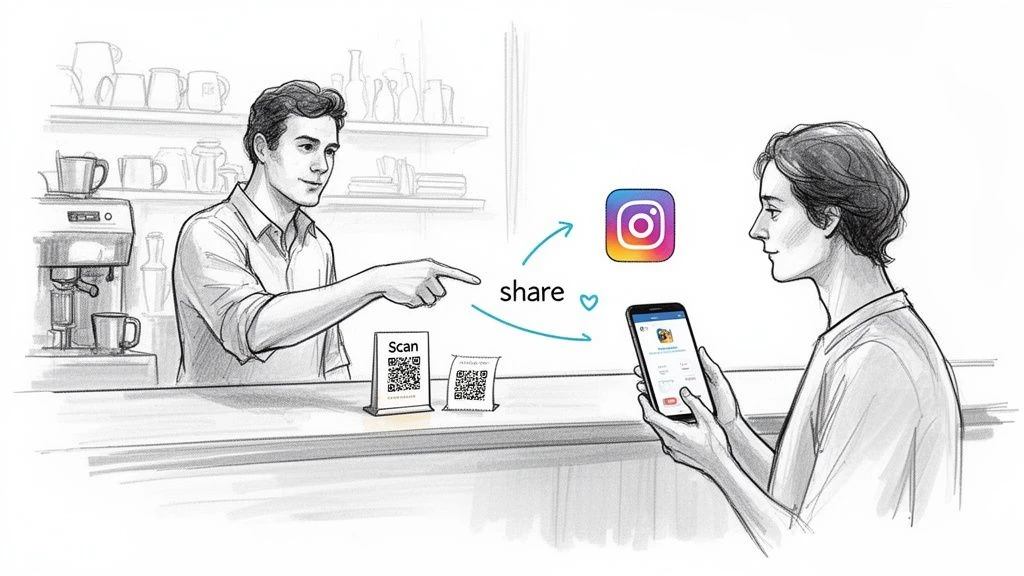
Your physical location is your most powerful marketing tool. Place your QR code in high-visibility spots where customers are already looking.
- At the Register: The perfect moment. Customers have their phone and wallet out to pay.
- On Menus or Table Tents: Let them scan and join while they browse or wait.
- On Your Front Door or Window: Catch their attention before they even walk in.
- Printed on Receipts: Give them a take-home reminder to join later.
Turn Your Team into Advocates
Your staff can make or break your program's success. Train them to offer the digital card with enthusiasm. A simple, benefit-focused prompt works wonders.
Instead of a generic, "Want to join our rewards program?" try this:
- "Do you have our digital punch card? You can get your first stamp today toward a free coffee."
- "Before you pay, just scan this QR to get our loyalty pass in your Apple Wallet. It only takes a second."
When your team believes in the program, customers will be far more likely to join.
Tap into the Power of Digital Sharing
Here's where digital passes leave paper cards in the dust. When you add loyalty cards to Apple Wallet, you unlock a powerful, built-in sharing ecosystem.
One study found that over 75% of retailers' loyalty cards in Apple Wallet came from customer sharing. Each pass was shared to an average of 3.3 other devices. With BonusQR, this means your happiest customers become your most effective marketers, spreading the word for you.
The shareability of Apple Wallet passes turns your loyalty program into a word-of-mouth engine. When customers love your perks, they'll share them with friends, driving new foot traffic without you spending a dime on ads.
To maximize your reach, promote your program online. Add the sign-up link to your social media bios, feature it in email newsletters, and make it prominent on your website. Combining in-store and digital promotion creates a powerful system for growth. For more ideas, explore this guide on an effective mobile app marketing strategy.
Advanced Strategies to Boost Customer Loyalty
Your digital card is more than just a punch card replacement-it's a direct communication channel to your best customers. Once customers add loyalty cards to Apple Wallet, you can engage them in ways that were previously impossible. This is how you turn a good loyalty program into a great one.
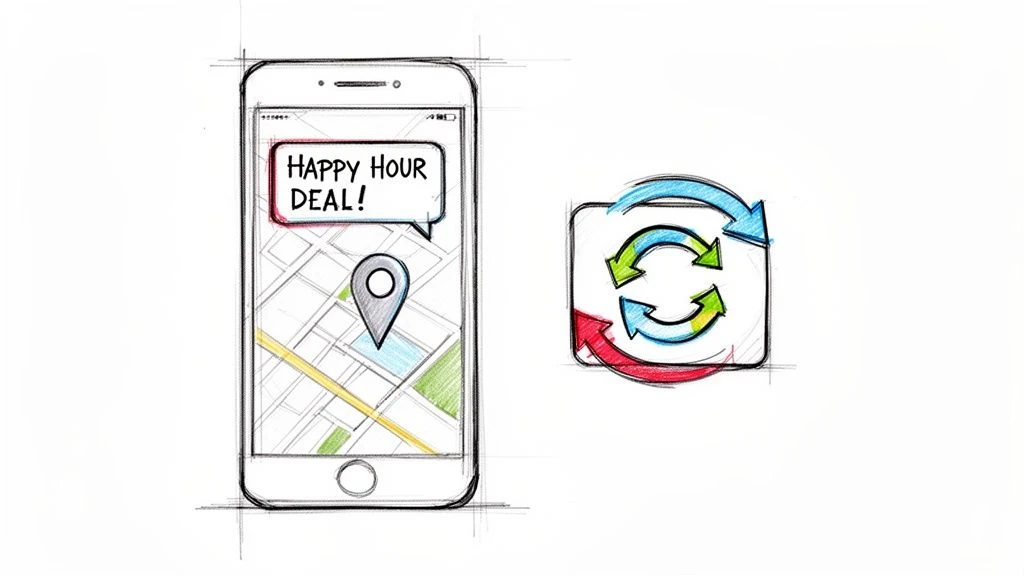
Send Dynamic Updates and Timely Notifications
Unlike a static paper card, a digital pass can change and evolve right on your customer's phone.
- Update Offers Instantly: Have a slow afternoon? Push a notification about a flash "2-for-1" deal that appears right on their card.
- Show Real-Time Progress: Every time a customer gets a stamp, their card updates. They can see how close they are to their next reward, which keeps them motivated.
You can also send notifications that appear on your customers' lock screens. Imagine a regular customer walking by your shop. A location-based reminder can pop up saying, "Hey! You're nearby. Stop in for our Happy Hour special!" It's a simple, effective way to drive immediate foot traffic.
Keep Your Business Top-of-Mind Without an App
Customers want convenience. Recent data shows that 48% of consumers keep four or more loyalty cards in their digital wallets, and 43% prefer this over downloading yet another brand-specific app. This "app-less" experience is a huge win for small businesses.
By using features like location-based reminders-which 38% of users love-you create a program that fits seamlessly into their lives. The proof is in the data: a staggering 82% of digital card users have made purchases with them. You can dive deeper into these trends in the Mobile Consumer Insights Report.
By sending relevant, timely alerts, you transform your loyalty card from a passive tool into an active sales driver. It’s about reaching the right customer, at the right moment, with an irresistible offer.
With a platform like BonusQR, these advanced features are built-in and easy to use. You don’t need to be a marketing genius to send compelling offers that boost engagement and keep your customers coming back.
Got Questions? Here Are Your Answers.
Adopting new technology can feel daunting, but it doesn't have to be. Let's clear up some of the most common questions small business owners have about adding loyalty cards to Apple Wallet.
Do My Customers Need to Download a Special App?
No, and that’s the beauty of it. With a service like BonusQR, the loyalty card is a native Apple Wallet pass. It’s already built into every iPhone.
Customers simply scan a QR code and tap "Add." There is no app to download, no account to create, and no password to forget. This frictionless process removes a huge barrier and dramatically increases sign-up rates.
Is This Going to Be Expensive to Set Up?
While custom development can cost thousands, using a platform designed for small businesses is incredibly affordable. A service like BonusQR typically has a low monthly fee-often less than what you’d spend reprinting paper cards every few months.
You eliminate printing costs and gain powerful features like analytics and push notifications. The return on investment is significantly higher.
Can I Actually Track if It’s Working?
Yes, absolutely. This is a massive upgrade from paper cards, where you're essentially flying blind. Digital wallet platforms provide clear, actionable insights.
With a tool like BonusQR, you can see exactly how many loyalty cards have been issued, how many stamps have been awarded, and how many rewards have been redeemed. This data helps you understand what's working so you can optimize your program over time.
What if My Customers Have Android Phones?
Great question. Modern platforms are designed to be inclusive. Services like BonusQR fully support Google Wallet for Android users, ensuring no customer is left behind.
When someone scans your QR code, the system automatically detects their phone's operating system and delivers the correct digital pass. This means you can offer a sleek, modern loyalty experience to 100% of your customers, regardless of their device.